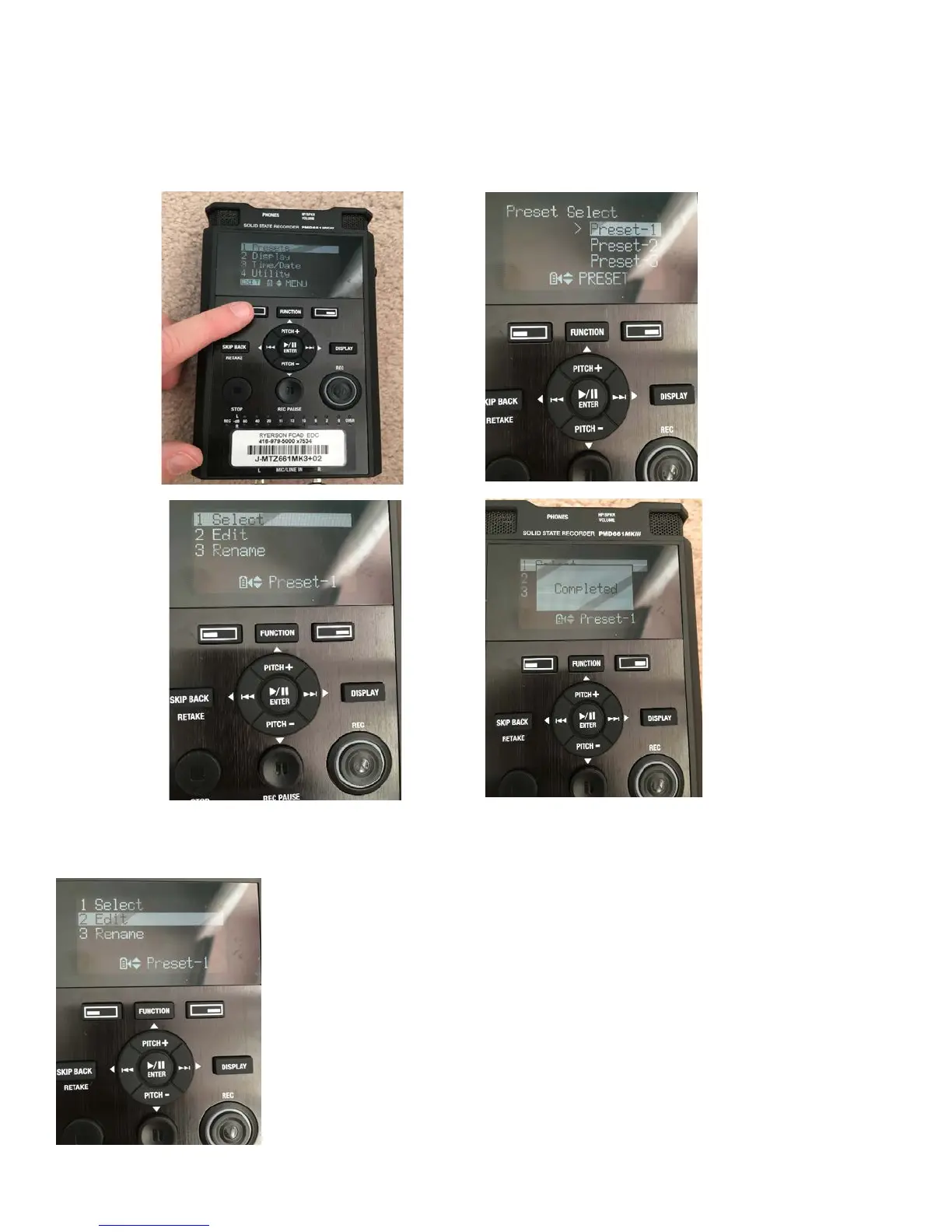
Setting the internal controls:
1) To reload the preset, the button under ‘Menu’ (to the left of the ‘Function’ button). Use the arrow keys
around the Play/Pause/Enter button to scroll through the choices. Make sure ‘Presets’ is selected (it’ll
be highlighted white) and press Enter button. The presets will be listed by number. Make sure ‘Preset1’
is selected and press enter.
2) If the preset doesn’t load and ‘Mic’ isn’t displayed, then you can edit the preset yourself. Go through the steps above,
but choose ‘Edit’ instead of ‘Select’ from the preset menu.



 To Next Page