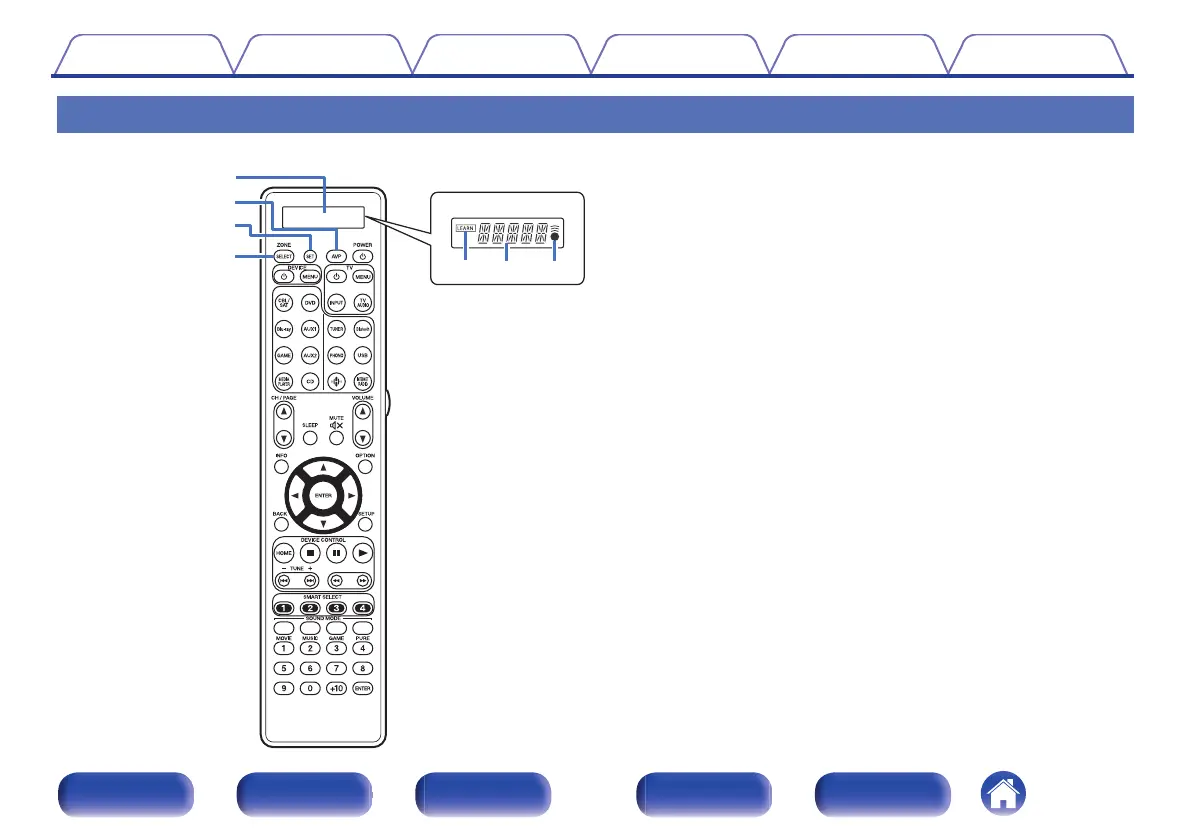
Remote control unit
A
Display
A
LEARN indicator
This is lit when setting the learning function for the remote control unit.
(v p. 273)
B
Information display
0
This displays “AVP” when operating this unit.
0
This displays the input source name when operating an external
device.
0
This displays “TV” when operating TV.
C
l indicator
This is lit when signals are sent from the remote control unit.
B
AVP operation button
When preset codes are registered to the remote control unit, press this
button and then operate the menu on the unit.
C
SET button
This is used for various settings on the remote control unit. (v p. 264 -
277)
D
ZONE SELECT button
These switch the zone (MAIN ZONE, ZONE2, ZONE3) that is operated
through the remote control unit. (v p. 168, 174)
Contents
Connections Playback Settings Tips Appendix
31
Front panel Display Rear panel Remote Index



 To Next Page