EasyManua.ls Logo

Marantz AV9000 - Service Manual

Marantz AV9000
49 pages
Print Icon
To Next Page IconTo Next Page
Loading...
AV Pre Tuner
- AV9000 -
312J855010 MIT
3120 785 22140
First Issue 1999.08
TABLE OF CONTENTS
SECTION PAGE
1. TECHNICAL SPECIFICATIONS ................................................................................................................. 1
2. WIRING DIAGRAM ..................................................................................................................................... 3
3. BLOCK DIAGRAM ....................................................................................................................................... 5
4. SCHEMATIC DIAGRAM AND PARTS LOCATION (Pattern Side) ............................................................. 7
5. IC DATA .................................................................................................................................................... 39
6. SERVICE PROGRAM ............................................................................................................................... 47
7. ALIGNMENT PROCEDURES ................................................................................................................... 49
8. TROUBLE SHOOTING ............................................................................................................................. 51
9. TECHNICAL DESCRIPTION FOR DECODER ......................................................................................... 54
10. EXPLODED VIEW AND PARTS LIST ....................................................................................................... 57
11. ELECTRICAL PARTS LIST ....................................................................................................................... 60
Service
Manual
AV9000 /K1G, /N1G, /S1G, /U1B
Please use this service manual with referring to the user guide (D.F.U) without fail.
R
POWER ON/OFF
STANDBY
PHONES
A/D AUTO THX
S2-VIDEO VIDEO L AUDIO R
AUX INPUT
INPUT SELECTOR
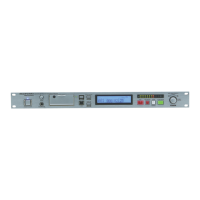
AV PRE TUNER AV9000
CINEMA
MUSIC
96 kHz
GYRO TUNING
PRESET AUTO TUNING
MEMO
CLEAR
DOWN UP
VOLUME
LC R
LFE
LS S RS
PEAK
SURROUND
MODE BASS TREBLE
AUDIO TAPE VCR1
DIGITAL COPY ANALOG
TONE CONTROL
AV9000

All manuals and user guides at all-guides.com
all-guides.com

Other manuals for Marantz AV9000

Questions and Answers

  • D
    Douglas HammondAug 21, 2025
    Why is my Marantz Tuner remote control not working?
    • J
      James KaneAug 22, 2025
      If the remote control isn't working, try these solutions: Replace the batteries in the remote with new ones. Make sure the remote controller's function-key setting is correct. Reduce the distance between the remote and the AV9000. Ensure there are no obstructions blocking the path between the remote and the AV9000.
  • S
    Stacey MaysSep 4, 2025
    Why am I getting sound and pictures from equipment other than what's selected on my Marantz Tuner?
    • J
      jenglishSep 4, 2025
      If you're getting sound and pictures from equipment other than what you selected, the input cable is likely connected incorrectly. Connect the cable correctly by referring to the connection diagram.
  • J
    Jessica KingSep 2, 2025
    How to reduce noise during FM reception on Marantz AV9000?
    • J
      Jordan AndersonSep 2, 2025
      If you are experiencing noise during FM reception, the radio waves from the broadcasting station might be weak. Consider installing an FM outdoor antenna.
  • B
    Brian LutzSep 1, 2025
    Why is there no sound coming from the center speaker on my Marantz Tuner?
    • R
      Ricky ConnerSep 1, 2025
      If there is no sound from the center speaker, check the following: * Ensure the center output cable is correctly connected. * If STEREO is selected for Surround mode, no sound will be output from the center speaker; set another Surround mode. * Verify that Center = NONE has not been selected in SETUP mode; make the correct setting.
  • L
    Lori NorrisAug 30, 2025
    How to stop noise during AM reception on Marantz AV9000 Tuner?
    • D
      Dustin RamosAug 31, 2025
      If you hear noise during AM reception, it may be due to interference from other electrical fields. Try changing the location where the AM indoor antenna is set up.
  • K
    Kayla FloydAug 29, 2025
    Why is the sound from my Marantz AV9000 coming from the wrong speaker channel?
    • J
      Jose MorenoAug 29, 2025
      If sound is coming from the wrong channel, the output cable is likely connected incorrectly. Refer to the connection diagram and connect the cable correctly.
  • J
    Jennifer RayAug 27, 2025
    What to do if I cannot change the surround mode on my Marantz AV9000 Tuner?
    • S
      Stephanie JenkinsAug 27, 2025
      If you cannot change the surround mode, check if headphones are connected to the jack. Disconnect the headphones, as the surround mode is fixed to STEREO when headphones are connected.
  • C
    claire11Aug 27, 2025
    Why is the display on my Marantz AV9000 remote commander blank?
    • K
      kimberly48Aug 27, 2025
      If nothing appears on the remote commander display, the batteries are likely dead. Replace all the batteries with new ones.
  • K
    Kelly DaughertyAug 25, 2025
    How to fix FM or AM reception failure on Marantz AV9000 Tuner?
    • M
      Megan CampbellAug 26, 2025
      If FM or AM reception fails, ensure that the indoor FM and AM antennas are correctly connected to the FM and AM antenna outlets.
  • W
    William CurryAug 23, 2025
    What to do if no sound and picture from Marantz AV9000 Tuner even when power is on?
    • R
      Robert JohnsonAug 23, 2025
      If there's no sound and picture even when the power is on, try these steps: First, ensure that mute is off by using the remote control. Next, check the input cable connections against the connection diagram to make sure they are correctly connected. Then, adjust the master volume to an audible level. Finally, verify that the function selector is set to the correct position.

Summary

Service Manual AV9000

Marantz Design and Service Philosophy

Ordering Marantz Replacement Parts

Instructions and contact information for ordering genuine Marantz parts.

Critical Service Safety Precautions

1. Technical Specifications

FM Tuner Section Technical Data

Detailed specifications for FM reception performance.

AM Tuner Section Technical Data

Detailed specifications for AM reception performance.

Dolby Digital (AC-3) Section Technical Data

Technical parameters for AC-3 audio decoding capabilities.

General Unit Specifications

Power requirements, dimensions, and weight of the AV9000.

2. Wiring Diagram

3. Block Diagram

4. Schematic Diagram and Parts Location

5. Integrated Circuit (IC) Data

QY01: TMP93 CW40 DF Microprocessor Details

Pinout, functions, and specifications for the main CPU.

Q691: µPD78018 DSP Controller Details

Pinout, functions, and specifications for the DSP controller.

QR01: CS8414 Digital Audio Interface Receiver Details

Pinout, functions, and specifications for the digital audio interface IC.

6. Service Program Modes and Procedures

Factory Mode Operation (Tracking Point Memory)

Accessing service mode for tuner calibration and memory management.

Input and Output Test Mode Operation

Testing audio and video signal paths for input and output functionality.

Product Reset Procedure

Steps to perform a factory reset, clearing all settings.

7. Alignment Procedures

AM Tuning Circuit Alignment

Procedures for adjusting AM IF and tracking circuits.

FM Tuning Circuit Alignment

Procedures for adjusting FM muting, distortion, and separation.

8. Troubleshooting Guide

No Power Troubleshooting Steps

Diagnostic flowchart for units failing to power on.

9. Technical Description of Features

Dolby Digital (AC-3) System Overview

Explanation of the 6-channel discrete surround sound system.

DTS System Overview

Explanation of the 5.1 channel DTS digital surround sound technology.

THX Ultra Technologies Explanation

Description of THX processing features like Re-Equalization and Timbre Matching.

9. Technical Description of Features

ADC (Analog to Digital Converter) Functionality

Details on the CS5394 stereo ADC for digital audio conversion.

DAC (Digital to Analog Converter) Functionality

Details on the AD1855 stereo DAC chips used for audio output.

CPU (Microprocessor) Functionality

Role of the µPD78018 CPU in controlling system functions.

10. Exploded View and Parts Identification

11. Electrical Parts List

Marantz AV9000 Specifications

General IconGeneral
Signal-to-Noise Ratio (AM)50 dB
TypeTuner
Tuning rangeFM, AM
Tuning Range (FM)87.5 to 108.0 MHz
Tuning Range (AM)520 - 1710 kHz

Related product manuals