12
BASIC
CONNECTIONS
BASIC
OPERATIONS
ADVANCED
CONNECTIONS
ADVANCED
OPERATIONS
TROUBLESHOOTING
NAMES AND
FUNCTIONS
ADVANCED
CONNECTIONS
OTHERS
ENGLISH
ADVANCED CONNECTIONS
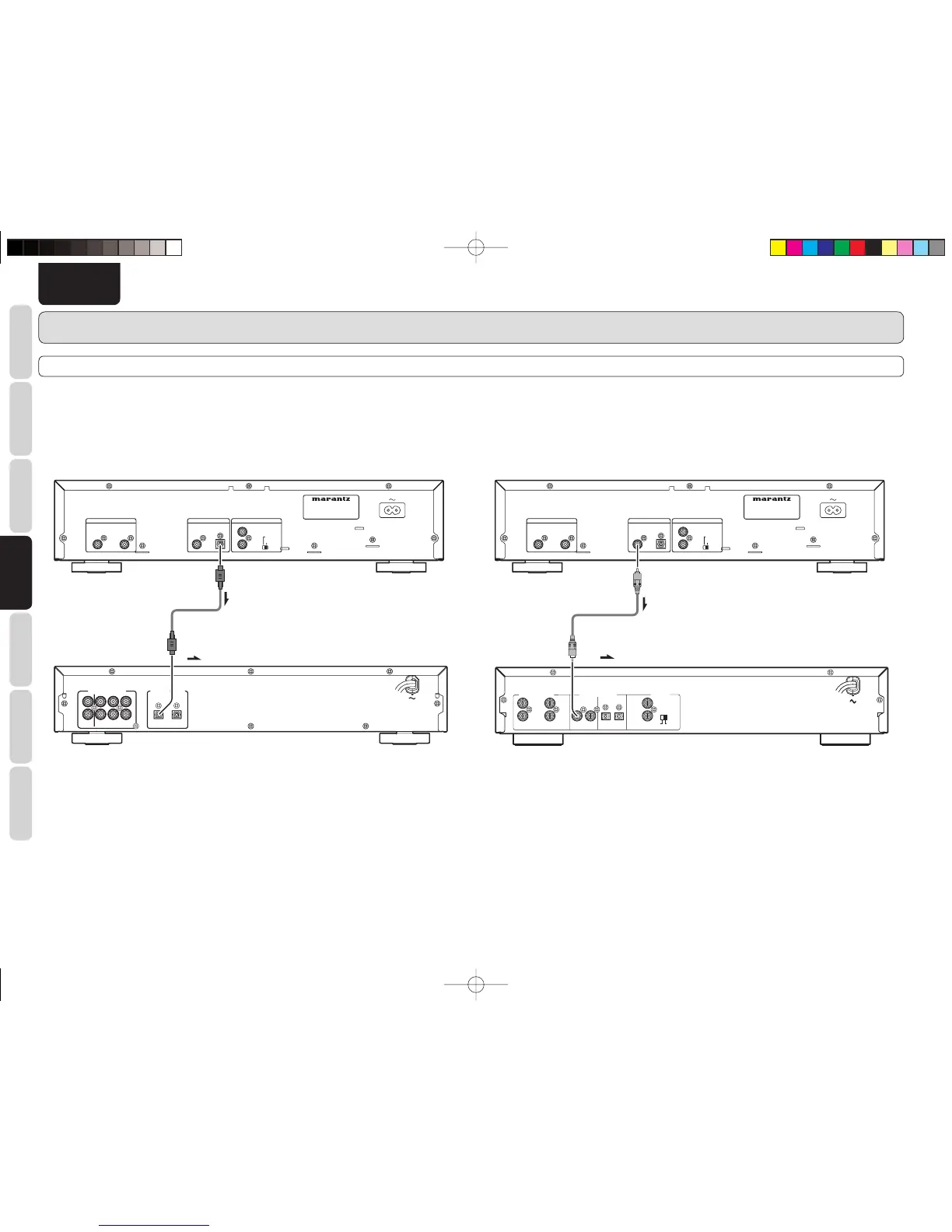
CONNECTING TO A DIGITAL AUDIO COMPONENT
The player has one digital optical output connector and one digital coaxial output connector.
You can enjoy digital recording when the player is connected to a CD recorder or other digital recording component.
7
Connecting the optical output connector
Use an optical digital connecting cable available on the market. Insert the plug firmly in until it clicks into
place. Do not bend or bundle the optical digital connecting cable.
INPUT
:
Optical digital connecting cable
(available on market)
Signal fl ow
CD recorder, MD deck, AV amplifi er, etc.
7
Connecting the coaxial output connector
Use a coaxial digital connecting cable available on the market.
INTERNAL
EXTERNAL
INPUT
ANALOG IN/OUT
OUTPUT
OUTPUT
R
L
DIGITAL IN/OUT
INPUT
OPTICAL COAXIAL
CONTROL
REMOTE
INPUT OUTPUT
IN
OUT
REMOTE CONTROL
:
Coaxial digital connecting cable
(available on market)
CD recorder, MD deck, AV amplifi er, etc.
Signal fl ow
CD5003N01ENG.indd12CD5003N01ENG.indd12 08.6.199:00:56AM08.6.199:00:56AM



 To Next Page