EasyManua.ls Logo

Marantz Consolette - User Manual

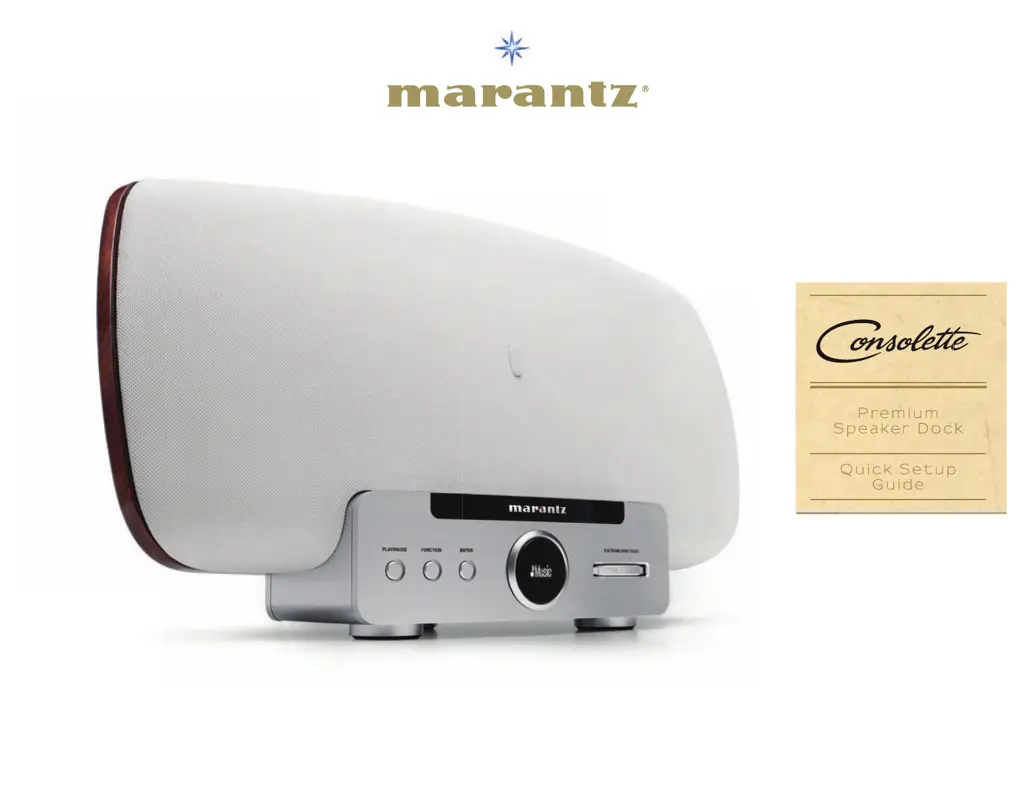
Marantz Consolette
74 pages
Print Icon
To Next Page IconTo Next Page
Loading...
www.marantz.com
because music matters
~'(____
"'
tnateantz·
1-
0
--
CJ
(J
-
:
]
Premium
Speaker
Dock
Quick
Setup
Guide

Questions and Answers

  • C
    cblackAug 21, 2025
    What to do if there is no audio output from my Marantz Docking Station?
    • R
      Roger WoodsAug 21, 2025
      If audio is not outputting from the Marantz Docking Station, check the connections for all devices, ensure the audio device power is on, adjust the master volume, and verify the connection with the playback device, selecting the correct input source.
  • R
    Randy AndersonSep 3, 2025
    How to fix Marantz Consolette when it won't play files from computer?
    • D
      Dennis SuttonSep 3, 2025
      If files stored on a computer cannot be played on the Marantz Docking Station, record in a compatible format and change media sharing settings so that the unit can access the folders on your computer.
  • M
    Megan SchmidtSep 1, 2025
    Why does the sound break during playback on my Marantz Consolette Docking Station?
    • B
      Barbara CruzSep 1, 2025
      If the sound is broken during playback on your Marantz Docking Station, it is likely due to a slow network or USB memory device signal transfer speed, congested communications lines, or a congested radio station. This is not a malfunction; when playing broadcast data with a high bit rate, the sound may be broken depending on the communications conditions.
  • B
    Bryan RandolphAug 30, 2025
    How to resolve server connection issues on Marantz Consolette Docking Station?
    • M
      Misty BatesAug 30, 2025
      If the Marantz Docking Station cannot find the server or connect to it, check the computer’s or router’s firewall settings, ensure the power is on, launch the server, and verify the set’s IP address.
  • B
    brockjasmineAug 29, 2025
    Why is AirPlay icon missing on my Marantz Docking Station?
    • B
      Brett BaldwinAug 29, 2025
      If the AirPlay icon is not displayed in iTunes or on your iPhone/iPod touch/iPad when using your Marantz Docking Station, ensure the computer or iPhone/iPod touch/iPad is connected to the same network as the unit and update to the latest firmware.
  • S
    sdanielsAug 27, 2025
    What to do if my Marantz Consolette Docking Station says 'Radio station server full'?
    • J
      Jessica MorrisAug 27, 2025
      If the Marantz Docking Station displays “Radio station server full” or “Connection down”, the station is likely congested or not currently broadcasting. Wait a while before trying again.
  • H
    Heather WilsonAug 26, 2025
    How to troubleshoot power issues with my Marantz Consolette Docking Station?
    • S
      slesterAug 27, 2025
      If the Marantz Docking Station does not turn on, check whether the power plug is correctly inserted into the power outlet.
  • R
    Robert DuncanAug 25, 2025
    How to fix Marantz Docking Station when internet radio is not working?
    • T
      Thomas PeckAug 25, 2025
      If Internet radio cannot be played on the Marantz Docking Station, check that the Ethernet cable is properly connected or that the network is connected. Also, choose a radio station that is currently broadcasting, check the firewall settings of the connected PC or router, and verify the set’s IP address.
  • R
    rfloresAug 23, 2025
    Why can't I play files from my USB device on my Marantz Docking Station?
    • M
      michele34Aug 23, 2025
      If files on a USB memory device cannot be played on your Marantz Docking Station, ensure the USB memory device is formatted to FAT16 or FAT32. If the device is divided into multiple partitions, only files in the first partition can be played. Ensure files are in a compatible format and are not copyright protected. Only files stored in the top level folder can be played.

Summary

Consolette Quick Setup Guide

Enjoying Music

Turn on your Consolette & dock your iOS device

Instructions for powering on the unit and connecting an iOS device.

Getting Started

Cautions on handling

Important safety precautions and advice for handling the unit.

Preparations

Connecting to a home network (LAN)

Details on how to connect the unit to a home network via LAN.

Connecting an iOS Device

Connecting to a Home Network (LAN)

Network Connections and Settings

Using a router equipped with the wireless LAN function

Procedures for wireless connection using a router with Wi-Fi capabilities.

Using a router that is not equipped with the wireless LAN function

Steps for wired connection using an Ethernet cable to a router.

Using PC for Network Settings

Operations

Playback

Explains how to play back music from various media sources.

Playback

Setting the current time

How to set the unit's clock, automatically or manually.

Operations possible during playback

Details on operations that can be performed while music is playing.

Playback Operations

Playback Controls

Playing an iOS device

How to play music from an connected iOS device.

Memory Functions

AirPlay function

Instructions for enjoying music playback via Apple AirPlay.

AirPlay Function

Stream Music from iOS Devices

Guide to streaming music directly from iPhone, iPod touch, or iPad.

Play iTunes Music

Steps for playing music from iTunes via the unit.

Listening to Internet Radio

Playing a USB Memory Device

PC;NAS Music Server Playback

About Playback

Detailed Settings

Detailed Settings Menu

Setting the clock

Guide to setting the unit's clock, including auto and manual adjustments.

Clock Settings

Additional Settings

Network and Standby Settings

WPS Settings (PIN code method)

Procedure for configuring wireless LAN settings using WPS PIN code.

Firmware Update

Informations

Troubleshooting

Provides solutions for common problems encountered with the unit.

Specifications

Lists the technical specifications of the Marantz Consolette.

Remote Control Unit

Troubleshooting

Resetting the Microprocessor

Specifications

Wireless LAN

Specifications related to the unit's wireless LAN connectivity standards and security.

Notes on Radio

FCC Information (For US customers)

Regulatory compliance information for the USA concerning FCC rules.

IC Information (For Canadian customers)

Regulatory compliance information for Canada concerning IC rules.

Regulatory Information

FCC Compliance Details

Detailed FCC compliance statements and warnings for US users.

IC Compliance Details

Detailed IC compliance statements and warnings for Canadian users.

Installation Cautions

Marantz Canada Limited Warranty

Marantz U.S.A. Limited Warranty

Marantz Consolette Specifications

General IconGeneral
Driver diameter66 mm
Frequency range- Hz
RMS rated power150 W
Audio output channels2.0 channels
BluetoothNo
Headphone connectivity-
USB 2.0 ports quantity1
AC input voltage120 V
Power source typeAC
AC input frequency60 Hz
Power consumption (standby)0.5 W
Power consumption (typical)35 W
Product colorWhite
Woofer diameter109 mm
Apple docking compatibilityiPhone, iPod
Mobile operating systems supportedAndroid, iOS
Audio inputRCA
Connector contacts platingGold
Weight and Dimensions IconWeight and Dimensions
Depth214 mm
Width515 mm
Height262 mm
Weight7200 g

Related product manuals