69
70
71
72
73
39
40
41
42
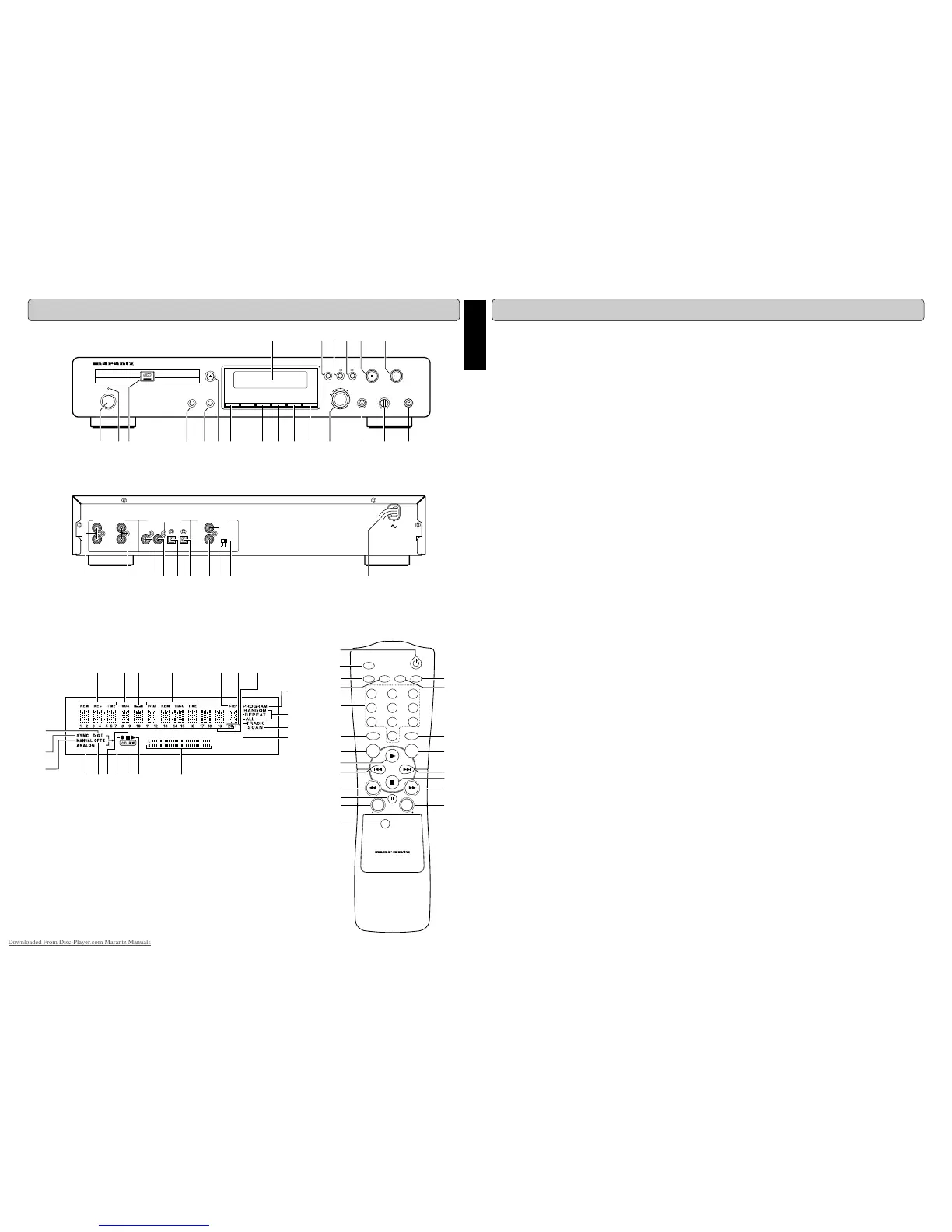
CONTROLS AND CONNECTIONS
Player front
Player back
Display
Remote control
ENGLISH
TABLE OF CONTENTS
CONTROLS AND CONNECTIONS............... iii
Player front ...........................................................iii
Player back ..........................................................iii
Remote control.....................................................iii
Display .................................................................iii
INTRODUCTION............................................. 1
Unpacking ............................................................ 2
Setup.................................................................... 2
Conpact discs ...................................................... 2
Maintenance ........................................................ 2
CONTROLS AND CONNECTIONS................ 3
INSTALLATION .............................................. 5
The following options are available: ..................... 5
Analog connections.............................................. 5
Digital Coaxial connections.................................. 5
Digital Optical connections................................... 6
D-BUS CONNECTION.................................... 6
Remote control cable connections....................... 6
USING THE RECORDER ............................... 7
Switching ON and OFF ........................................ 7
Using the remote control...................................... 7
Inserting discs ...................................................... 7
RECORDING .................................................. 8
Remarks about recording .................................... 8
Recording modes................................................. 8
CD-SYNC............................................................. 9
Manual start recording ....................................... 10
FINALIZING/UNFINALIZING........................ 11
Finalizing CD-R & CD-RW discs........................ 11
Unfializing CD-RW discs.................................... 11
ERASING...................................................... 12
Erasing............................................................... 12
Erasing one or more tracks from the end........... 12
Erasing the entire disc ....................................... 12
PLAYING.......................................................13
Playing a CD ...................................................... 13
Selecting a track ................................................ 13
Scan play ........................................................... 14
Search................................................................ 14
Random play...................................................... 14
Repeat play ........................................................ 14
PROGRAMMING .......................................... 15
Programmed play ............................................... 15
MENU MODE................................................ 16
MENU MODE can set up: .................................. 16
Text settings ....................................................... 16
Recording settings ............................................. 17
DISPLAY ....................................................... 18
General .............................................................. 18
Recording........................................................... 18
Play .................................................................... 18
Others ................................................................ 18
Menu messages................................................. 19
OTHER INFORMATIONS .............................19
Fixing problems.................................................. 19
Diagnostic Program ........................................... 20
ABOUT TEXT................................................ 21
Downloaded From Disc-Player.com Marantz Manuals



 To Next Page