EasyManua.ls Logo

Marantz PROFESSIONAL PMD740 - Remote Pause

Marantz PROFESSIONAL PMD740
18 pages
Print Icon
To Next Page IconTo Next Page
To Previous Page IconTo Previous Page
Loading...
Front
and
Rear
Panel
Connections
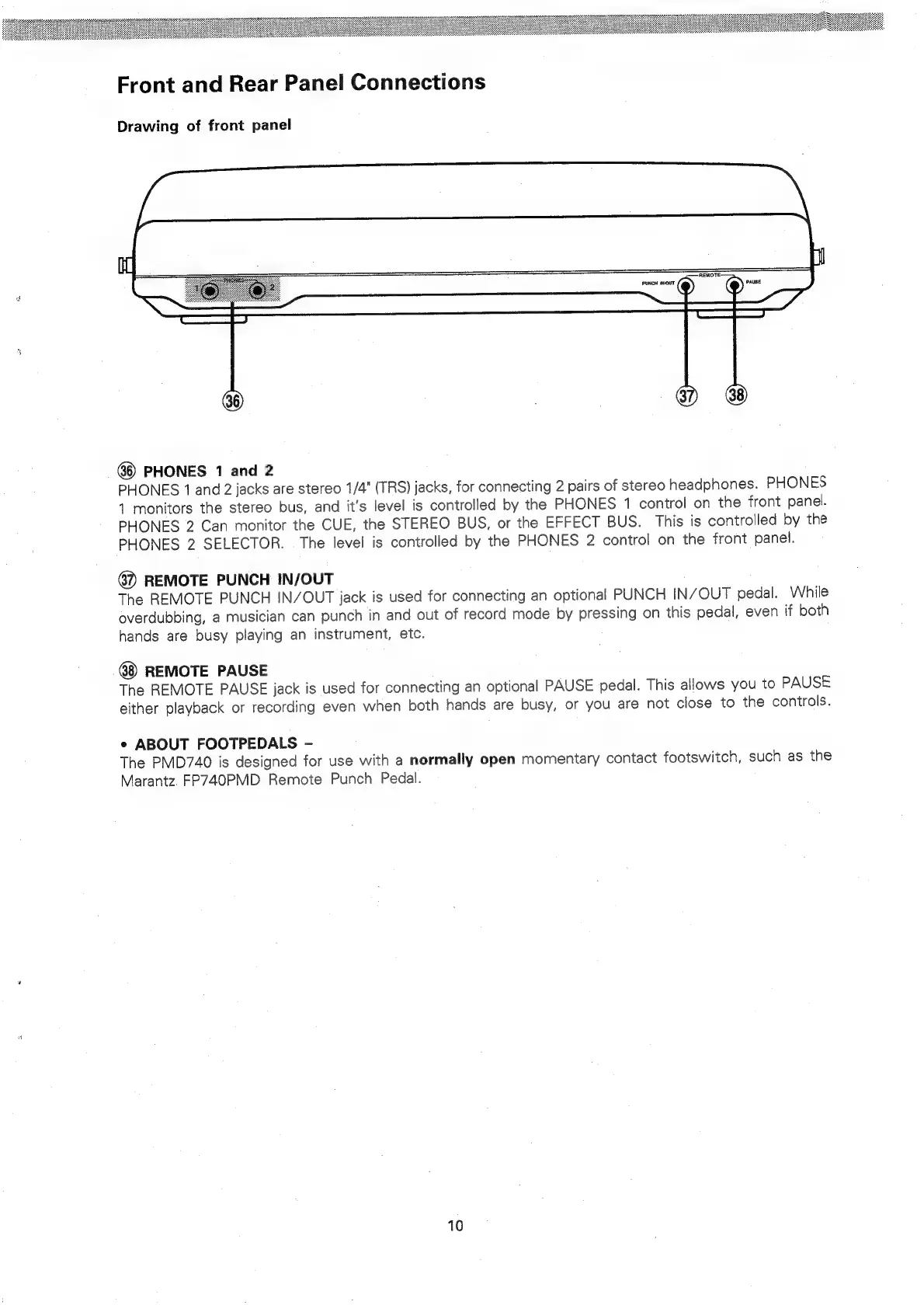
Drawing
of
front
panel
PHONES
1
and
2
PHONES
1
and
2
jacks
are
stereo
1/4"
(TRS)
jacks,
for
connecting
2
pairs
of
stereo
headphones.
PHONES
4
monitors
the
stereo
bus,
and
it’s
level
is
controlled
by
the
PHONES
1
control
on
the
front
panel.
PHONES
2
Can
monitor
the
CUE,
the
STEREO
BUS,
or
the
EFFECT
BUS.
This
is
controlled
by
the
PHONES
2
SELECTOR.
The
level
is
controlled
by
the
PHONES
2
control
on
the
front
panel.
@2
REMOTE
PUNCH
IN/OUT
The
REMOTE
PUNCH
IN/OUT
jack
is
used
for
connecting
an
optional
PUNCH
IN/OUT
pedal.
While
overdubbing,
a
musician
can
punch
in
and
out
of
record
mode
by
pressing
on
this
pedal,
even
if
both
hands
are
busy
playing
an
instrument,
etc.
REMOTE
PAUSE
The
REMOTE
PAUSE
jack
is
used
for
connecting
an
optional
PAUSE
pedal.
This
allows
you
to
PAUSE
either
playback
or
recording
even
when
both
hands
are
busy,
or
you
are
not
close
to
the
controls.
¢
ABOUT
FOOTPEDALS
-
The
PMD740
is
designed
for
use
with
a
normally
open
momentary
contact
footswitch,
such
as
the
Marantz.
FP740PMD
Remote
Punch
Pedal.
10