3 Tap "Go" button to proceed to the next step.
The Timer List page appears.
4 Tap the label of the timer you want to label.
The color of selected timer is changed.
5 Tap "Label" button in the Timer List page.
The Labelling page appears.
6 Label the timer as described in “Labeling buttons, Pages and
Devices” on page 32.
7 When you finish labeling, tap "Enter" button in the Labeling
page.
The Timer List page appears again and the timer is relabeled.
8 Tap "OK" button In the Timer list page or label in the
LOWER TOOL BAR.
The Mode Menu page appears again.
Editing a Timer
1 Tap and hold the MODE icon in the LOWER TOOL BAR
more than 3 seconds. Mode Menu page appears.
2 Tap the “TIMER” button to switch to the TIMER mode.
3 Tap "Go" button to proceed to the next step.
The Timer List page appears.
4 Tap the label of the timer you want
to edit.
The color of selected timer is changed.
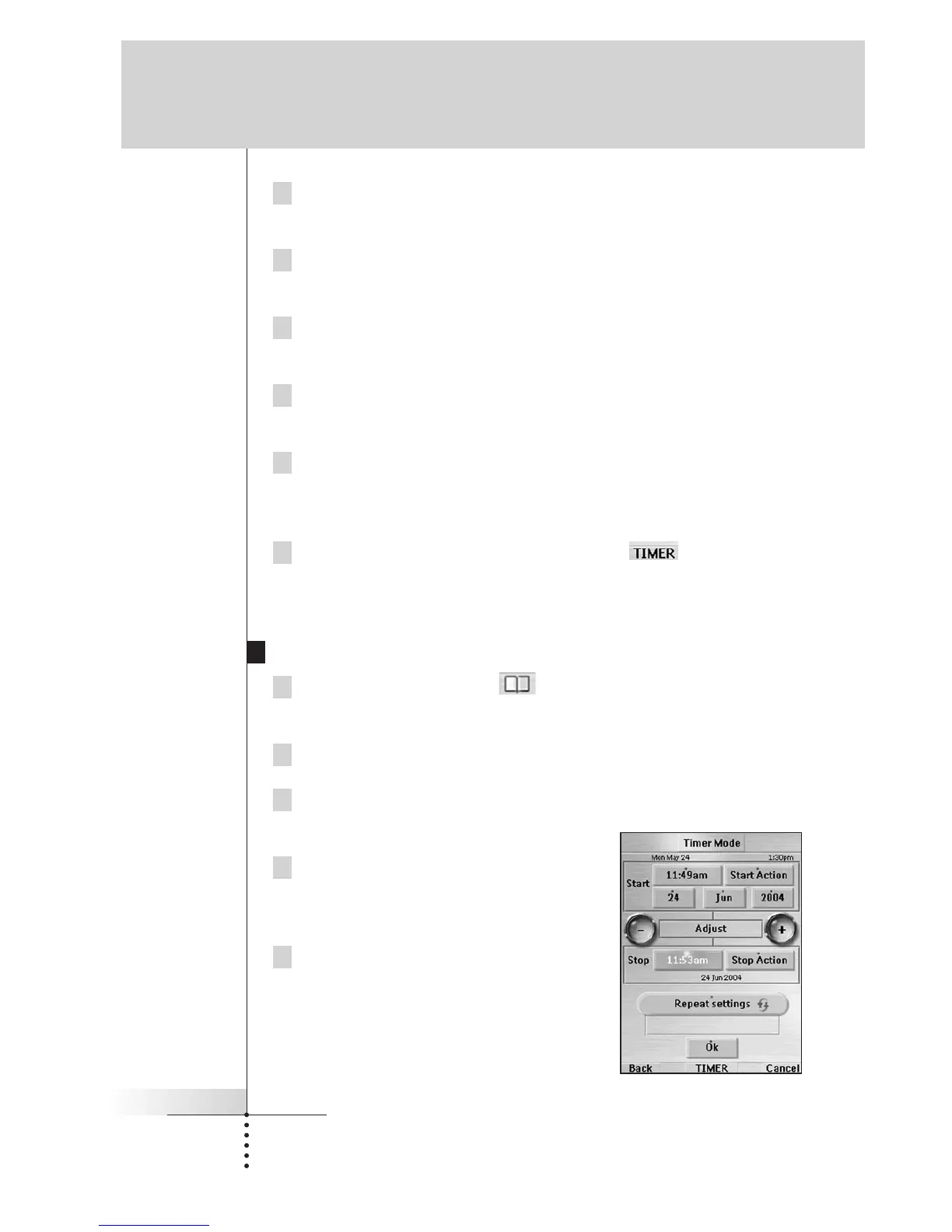
5 Tap "Edit" button in the Timer List page.
The Editing Timer page appears.
User Guide
49
Reference



 To Next Page