ADVANCED CONNECTIONS
REMOTE CONTROL CONNECTION
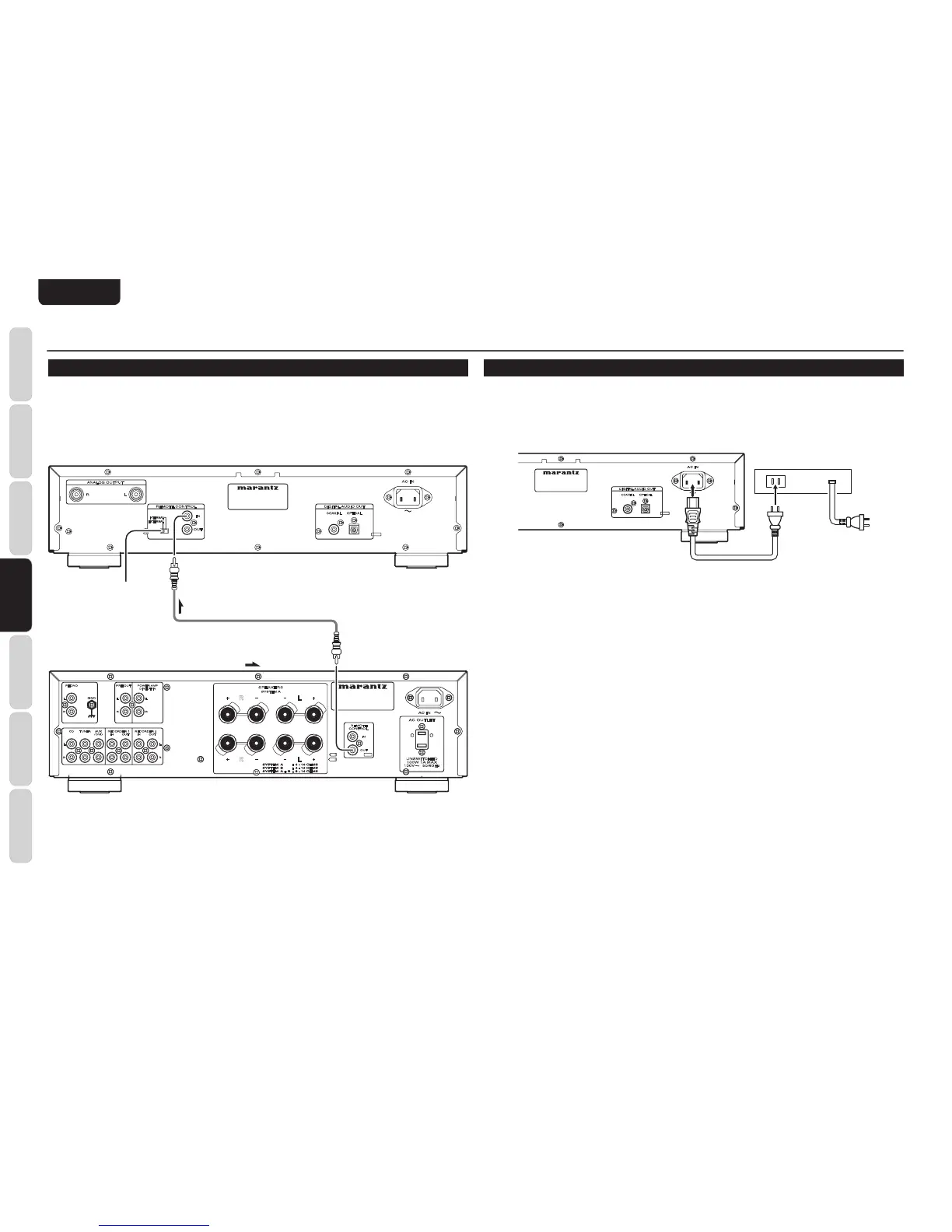
Connecting this player to additional Marantz audio equipment using the supplied remote control cable
enables remote control of the connected equipment as a single audio system.
• When connecting equipment incorporating a remote sensor, connect the
“
remote control out
”
connector
of the equipment to the
“
remote control in
”
jack of the CD player.
When doing this, set this pla
yer
’
s switch to
“
EXTERNAL.
”
This will stop its remote control IR receiver
from operating and the player can now be controlled via the remote control IR receiver of the attached
equipment.
Set to
“
EXTERNAL.
”
Remote connector cable (supplied)
: Signal flow
Amplifier
TIMER PLAY
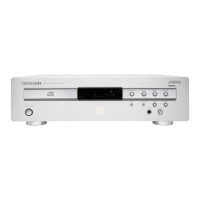
This unit can perform timer play by cooperating with your audio timer.
Connect this unit
’
s power cord to the audio timer
’
s power socket and the timer
’
s power cord to power
outlet.
• For connection to audio timer and it
’
s operation, please refer to the instruction manual of your audio
timer.



 To Next Page