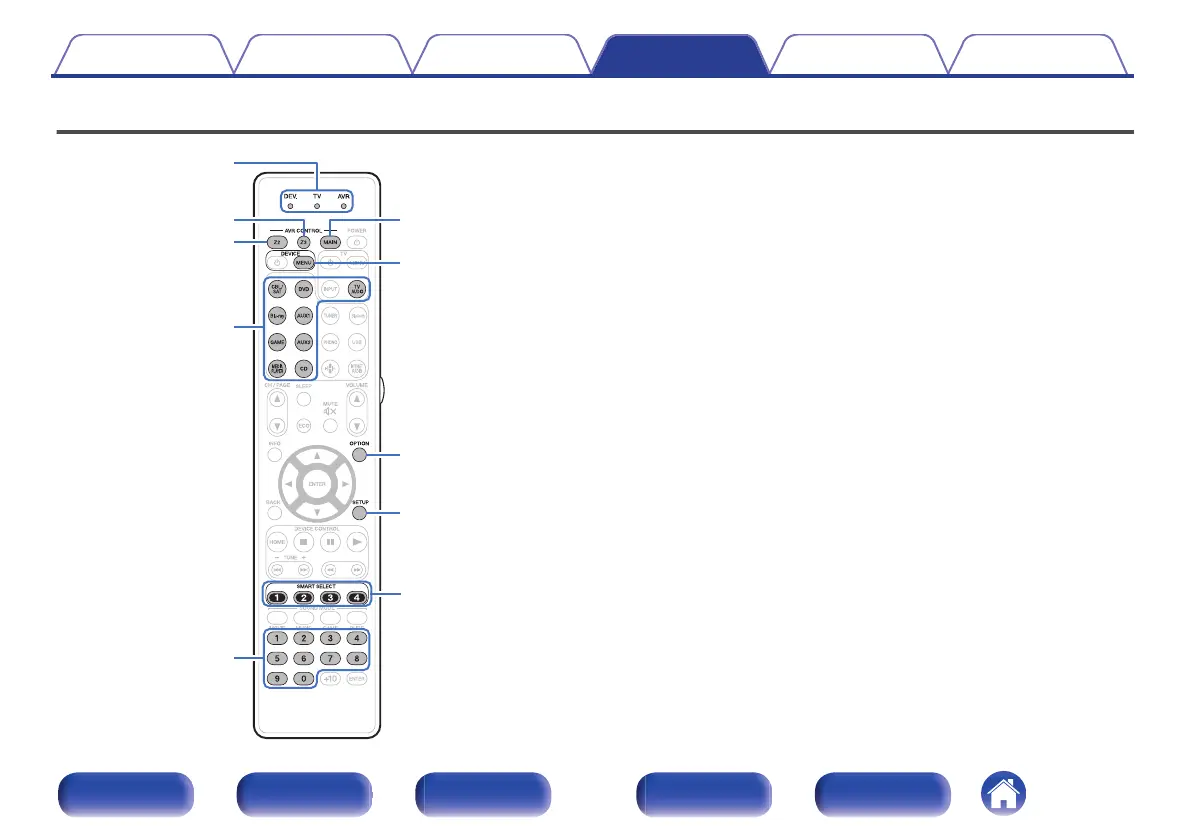
Operating external devices with the remote control unit
.
Operation mode
indicators
OPTION
DEVICE
MENU
SETUP
MAIN
0 – 9
SMART
SELECT
1 – 4
Z2
Z3
Input source
select buttons
When preset codes are registered in the included remote control unit, it
can then be used to operate any devices you have, such as DVD players
or TVs made by different manufacturers.
Contents Connections Playback Settings Tips Appendix
262
Front panel Display Rear panel Remote Index



 To Next Page