5
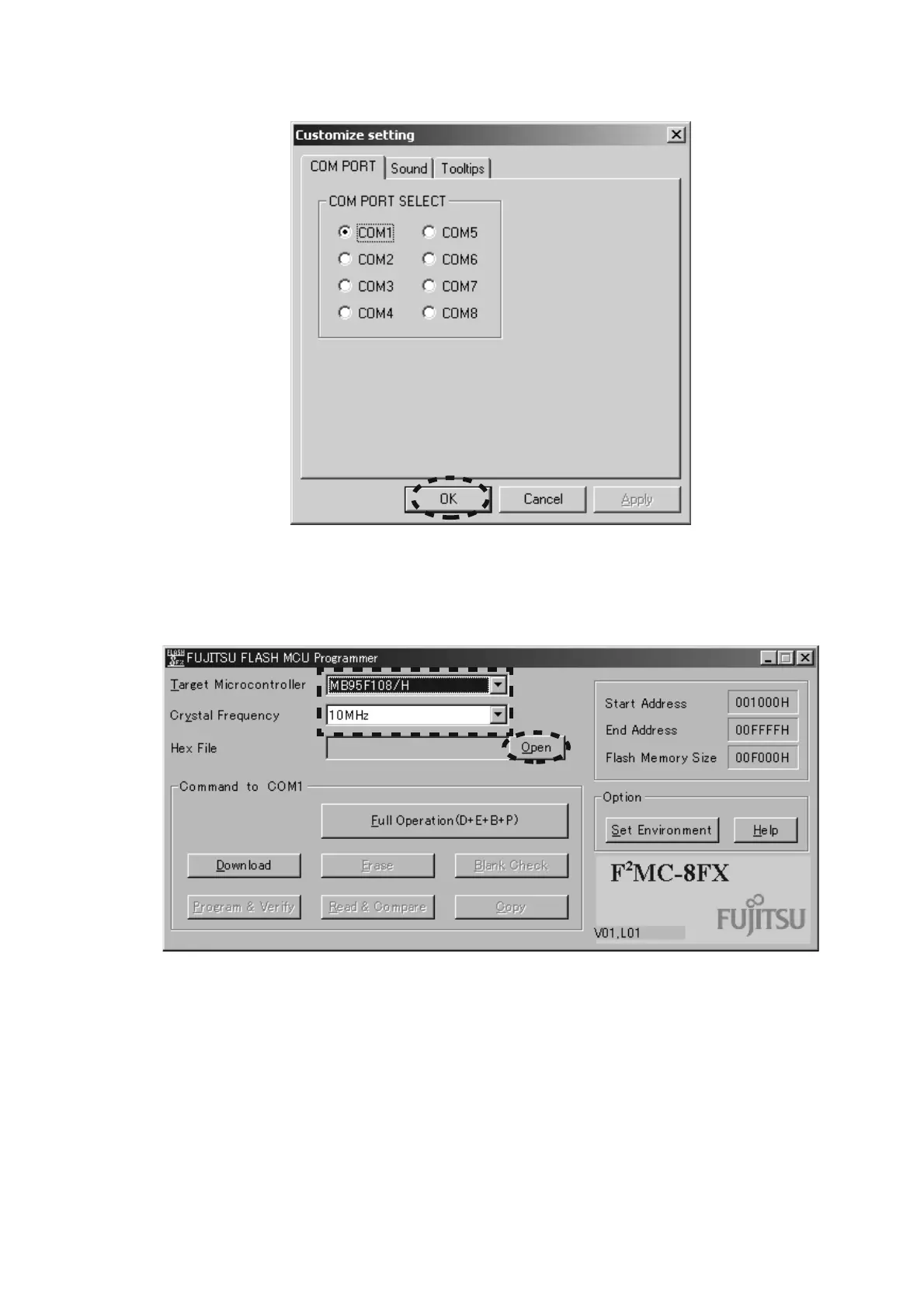
5. Choose the using serial port, and click OK.
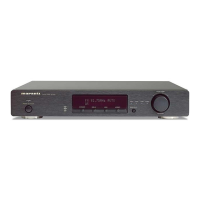
6. Choose the NB95F108/H in the Target Microcontroller.
Choose the 10MHz in the Crystal Frequency.
Click Open in the Hex File.
5. 使用する serial port 番号を選択し OK をクリックします。
6. Target Microcontroller
から NB95F108/H を選択します。
Crystal Frequency から 10MHz を選択します。
Hex File から Open クリックします。


 To Next Page