6
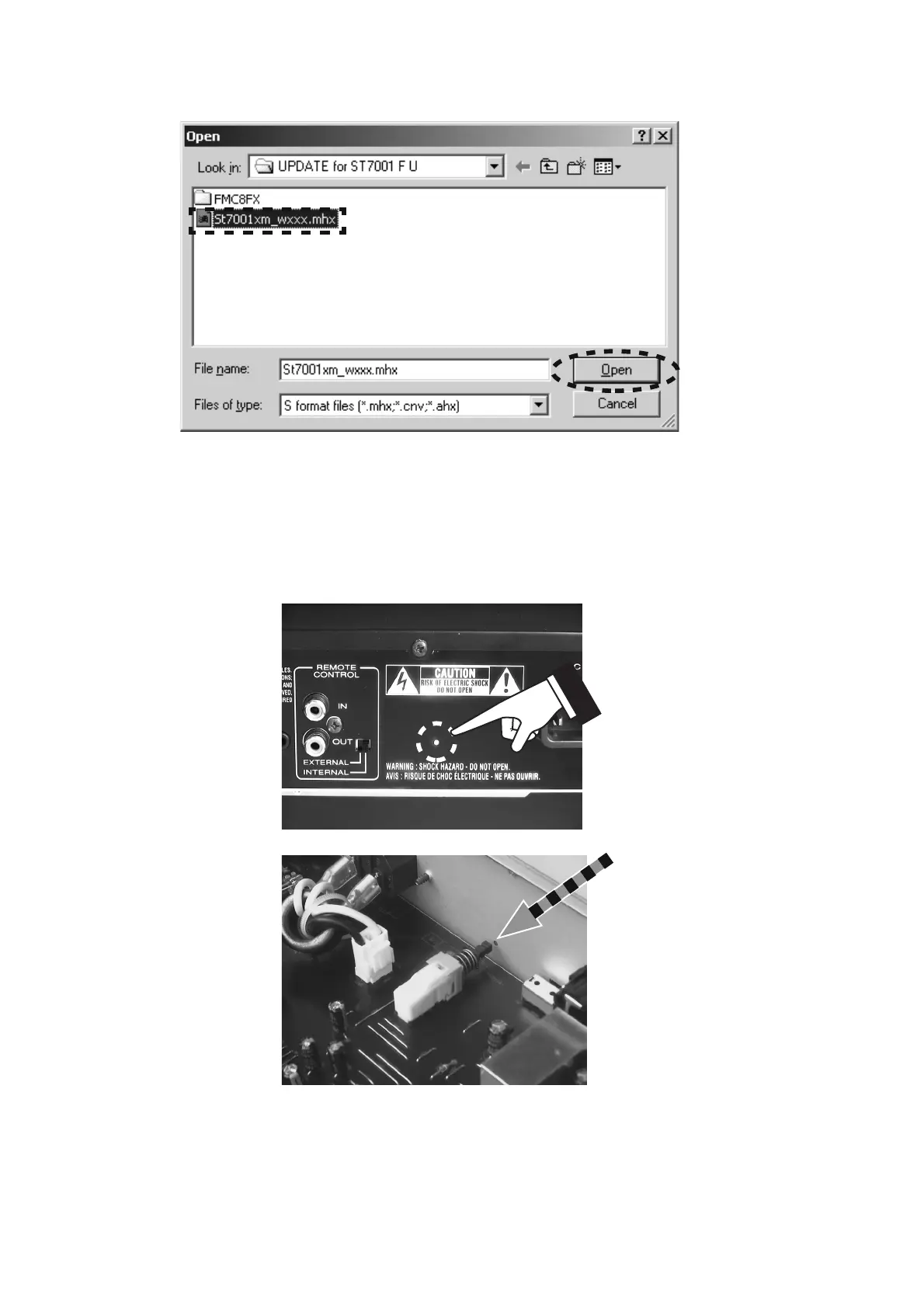
7. Choose the St7001xm_wxxx.mhx. And click Open.
8. Disconnect the mains cable from the unit.
9. Connect RS-232C on the rear panel of the unit and Serial
Port of windows PC with RS-232C cable.
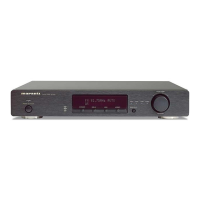
10. Insert a thin rod to the hole near the REMOTE
CONTROL terminal and push the switch
(PUSH301) inside to turn on the switch.
7. St7001xm_wxxx.mhx を選択し、Open をクリックします。
8.
電源コードを本機から抜きます。
9. 本機のリアパネルにある RS-232C 端子と PC の Serial
Port
を RS-232C ケーブルで接続します。
10. REMOTE CONTROL 端子近くにある穴から細い棒を入れ
内部にあるプッシュスイッチ
(PUSH301) を押します。


 To Next Page