36
Making DVR Connections
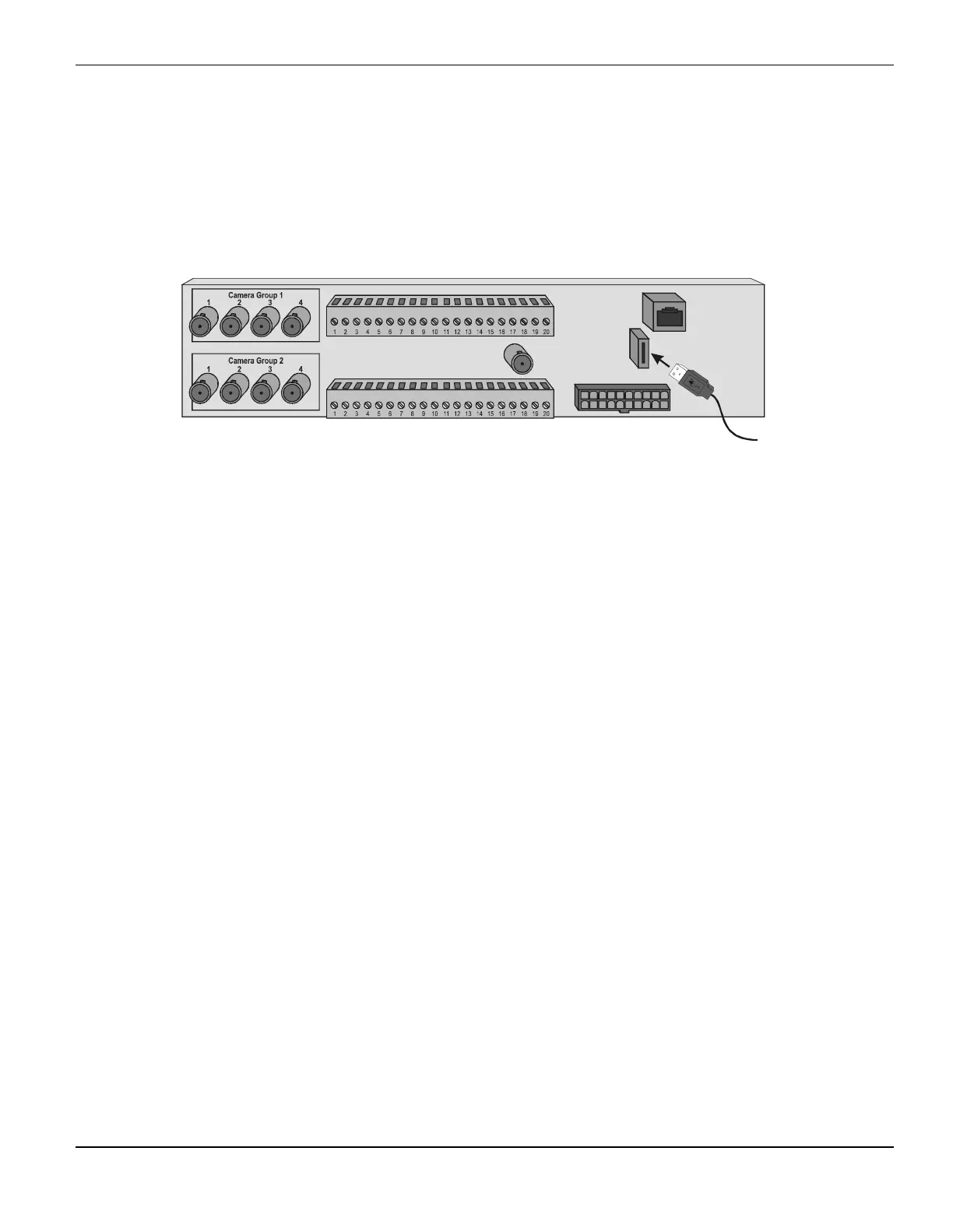
Connecting a USB Modem
You can connect a USB modem to the I/O panel with a USB cable if you want to access the DVR over a
dial-up connection. This is useful if you are working with a DVR installed in a location that does not
have a network, but has a telephone line. You must use a USB modem recommended by March
Networks, such as the Zoom®/FaxModem® 56K USB Modem Model 2985L or MultiTech® Systems
MultiModemUSB
TM
Model MT5634ZBA.
Figure 26: Connecting a USB Modem
To connect a USB modem to the I/O panel
1
Identify the USB modem cable that was pulled into the DVR. The other end of the USB modem
cable should be connected to the USB modem.
2
Plug the USB modem cable’s USB connector into the USB connector on the I/O panel until it is
fully inserted.
USB
Cable
I/O Panel



 To Next Page