www.puretecfitness.com
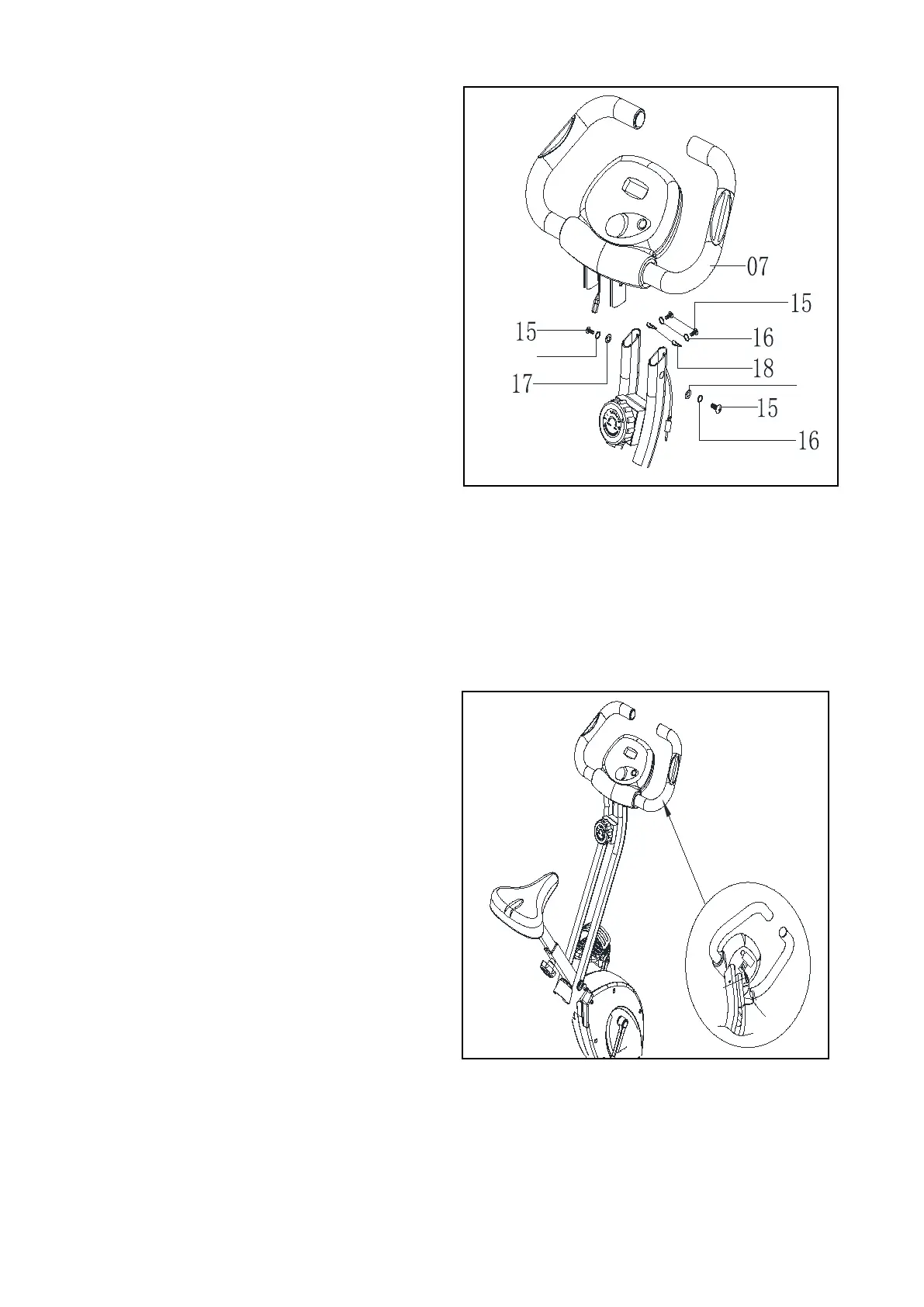
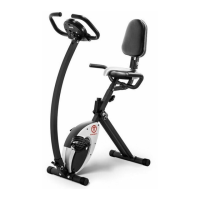
Fix the Handlebar (7) to the Front Post
(1) tighten with 4 sets of Allen Bolt (15)
and Spring Washer (17) and 2 pcs of
curve washer (18
(16).
Ensure the
protruding from the gap at the rear
of the main frame, then connect the
Upper Computer Wire. Plug the
Pulse Wire into the hole at the rear
of the computer.
Recheck all bolts and nuts are
tightened securely before you
use the machine.


 To Next Page