6
1.4.2. CONNECTING ICON HD TO A PC
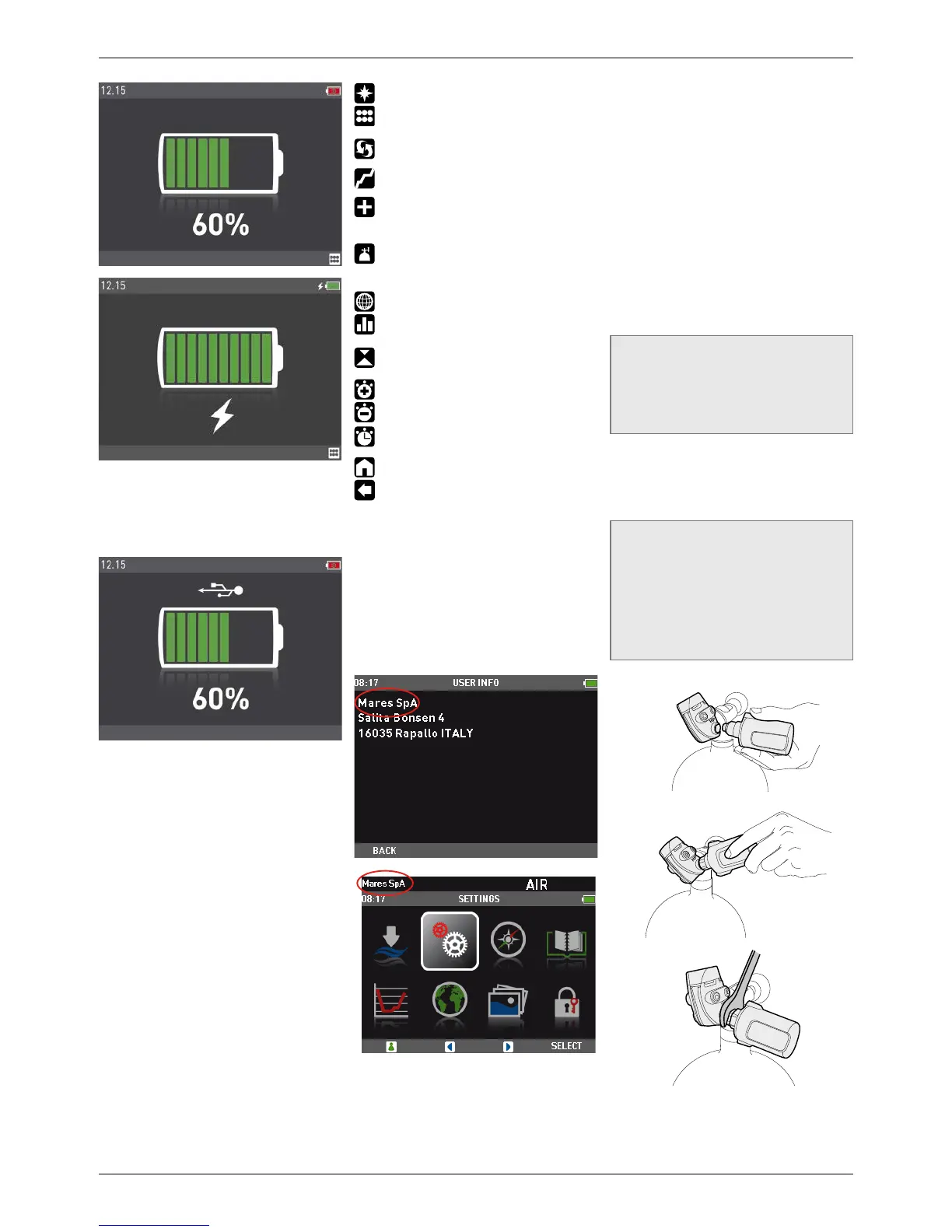
To connect Icon HD to a PC or Macintosh
computer, use the dedicated clip and the USB
cable. Once connected, Icon HD will show the
USB symbol on the display.
1.5. BUTTON OPERATION
Icon HD has four buttons. These buttons allow
you to access menus and change settings
while in surface mode. During the dive they
switch displays, call up the compass or the
map function, and allow to display further
information on the computer screen. The
function of each button is identified by an icon
placed just above the button itself. In certain
circumstances, for instance when erasing a
set bearing in the digital compass or when
calling up the gas switch function during
a multigas dive, a button can perform two
tasks, depending on whether it is pressed and
released or pressed and held for one second.
In such case, there will be two icons above a
button: the left one corresponds to the press-
and-release action, the right one to the press-
and-hold action.
The button icons that can appear during a dive
and their meaning are:
: calls up the compass (PREDIVE and DIVE)
: calls up the underwater menu (PREDIVE
and DIVE)
: calls up the dive profile (PREDIVE and DIVE)
: calls up the list of all stops
(decompression dive only)
: scrolls through the information in the
field to the right of the dive time
(PREDIVE and DIVE)
: calls up the gas list table when diving
with more than one gas mixture
(PREDIVE and DIVE)
: calls up the linked map (DIVE)
: calls up the tissue saturation graph
(PREDIVE and DIVE)
: allows to set a bearing (press) or erase a
set bearing (press and hold) (COMPASS)
: makes stopwatch appear (COMPASS)
: makes stopwatch disappear (COMPASS)
: restarts stopwatch (COMPASS and DIVE,
only if stopwatch on screen)
: exit from predive mode
: return to standard display (COMPASS,
TISSUE GRAPH, MAP, GAS TABLE).
1.6. IN CASE OF EMERGENCY ICE
Icon HD allows you to enter information about
yourself, such as name, contact information,
emergency number, insurance policies and
allergies. This information is entered via the
PC software Dive Organizer. Alternatively, it
can also be entered via the Divers’ Diary Mac
software. The first line of the ICE is displayed
in the upper left corner of the main menu.
1.7. MOUNTING AND PAIRING OF
THE TANK MODULE OPTIONAL
Icon HD features an exclusive two-way
communication technology through which it can
communicate with up to 3 tank modules regarding
tank pressure and gas consumption information
via patented interference-free communication.
Each tank module needs to be mounted on a high
pressure port of a first stage regulator.
In order for Icon HD to display tank pressure and
gas consumption information, you must first
establish a channel of communication between the
tank module and Icon HD. This is called pairing.
This operation needs to be performed only once
and ensures a permanent and interference-free
link between the two devices.
NOTE
To perform the pairing operation, the tank
module must be pressurized to at least
15bar/220psi. Hence it must be mounted on a
first stage regulator, which is itself mounted
on a full scuba tank and the valve opened.
To mount the tank module on the first stage
regulator, first remove the high pressure port
plug, then screw in the tank module gently by
hand until you feel a minimum of resistance,
then use a 19mm wrench to tighten it.
NOTE
- Do not force the tank module while
holding it by the plastic cap.
- Do not overtorque while using the
wrench: the o-ring seal is assured as
soon as you feel the first resistance. The
only reason for using a wrench to tighten
a bit more is to prevent the tank module
from unscrewing itself over time.


 To Next Page
 Loading...