- Push SELECT and wait until the progress
bar advances to the end. You will either
see the message PAIRING SUCCESSFUL
or PAIRING NOT SUCCESSFUL. In the first
case you have successfully established
a connection, in the second you need to
repeat the operation, but you must turn off
the valve and depressurize the first stage
completely, then wait 5 minutes before
attempting again.
NOTE
- When diving with more than one gas
mixture, tanks G1, G2 and G3 must be
set to increasing oxygen levels. Refer
to section 3.5 for more information on
multigas diving.
- A tank module can only be paired to one
channel on one IconHD. If you pair the
same tank module to a second channel
on the same IconHD or to a second
IconHD, the first one will be erased.
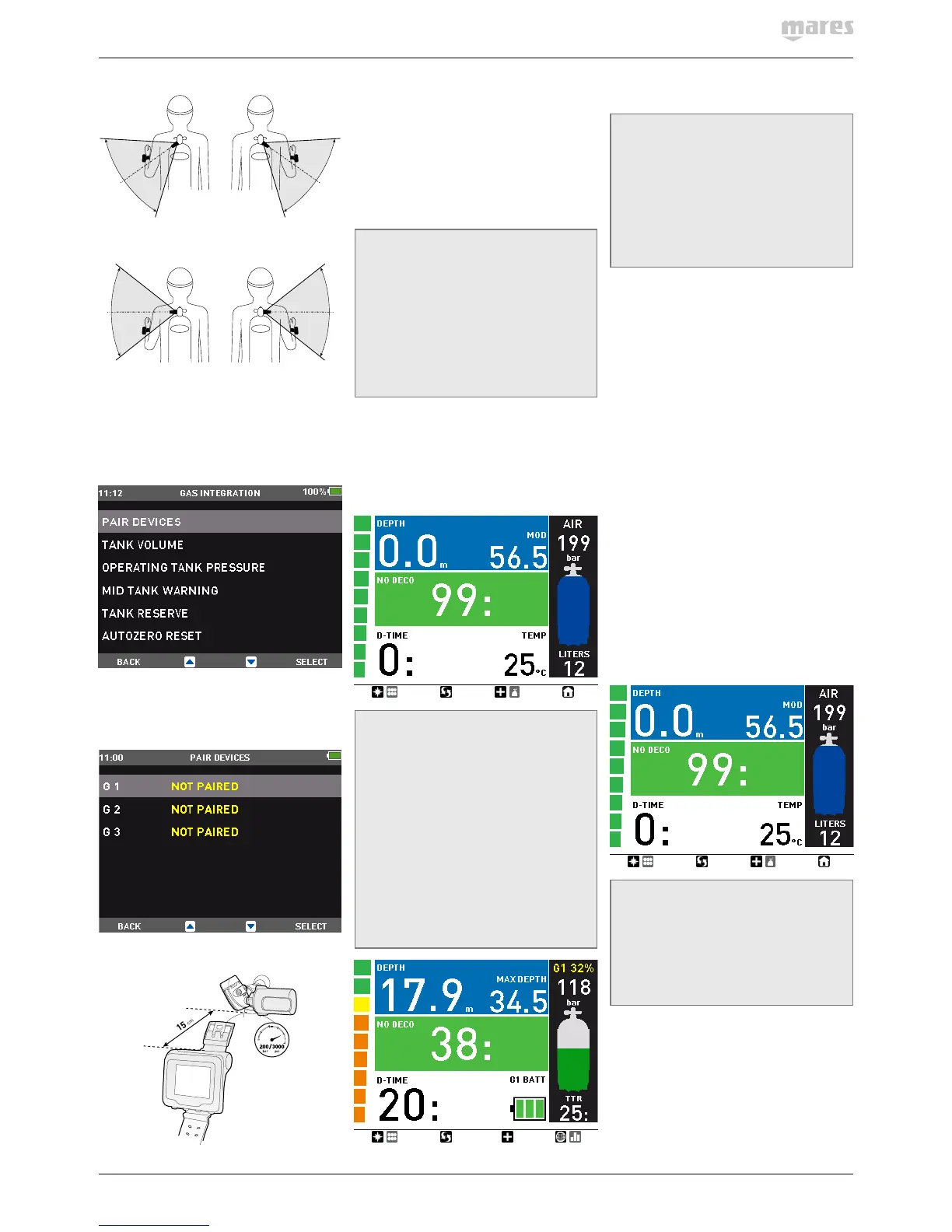
After a successful pairing of G1 to Icon HD, the
pre-dive display will show the tank pressure
in either bar or psi. If tank G1 has not been
paired, Icon HD will show an empty field
instead of a pressure value. If G1 has been
paired but IconHD is not receiving any signal,
it will show - - - instead of a pressure value.
NOTE
- The Mares tank module has a range of
approximately 1.5m/5ft.
- The tank module remains on whenever
it senses a pressure above 10bar/145psi.
In order to maximize the life of the
battery, after a dive close the tank valve
and purge the second stage completely.
- If a tank module battery is weak, IconHD
alerts you with a screen message
referencing the channel designation
assigned to the tank module in question.
- During a dive, you can ask Icon HD to
display the battery status of the tank
module. More information about this in
section 3.2.6 and 3.3.1.
See Chapter 4 for information on how to
replace the battery in the tank module.
NOTE
- You do NOT need to repeat the pairing
procedure after a battery replacement in
the tank module.
- You do NOT need to repeat the pairing
procedure if the battery in Icon HD is
completely empty.
- You do NOT need to repeat the pairing
procedure after upgrading the firmware
in your Icon HD.
1.8. TURNING OFF ICON HD
Icon HD turns off automatically after 1minute
without operation when in surface mode and
after 3minutes without operation when in pre-
dive mode. From the main menu, you can also
turn it off manually by selecting the BUTTON
LOCK icon.
• 2. MENUS, SETTINGS AND
FUNCTIONS
This chapter describes in detail all menus,
setting and functions of the Icon HD dive
computer.
2.1. PREDIVE
Use this menu to put Icon HD into the ready-
to-dive mode. This will ensure that IconHD
starts to monitor the dive as soon as a
depth of 1.2m/4ft is reached. If you start the
dive without putting Icon HD into pre-dive
mode, Icon HD will switch into dive mode
automatically but with a delay of up to 20
seconds from immersion.
NOTE
- If you remain in pre-dive for longer than
3minutes without pressing any button,
IconHD will switch off.
- It is recommended to put IconHD into
pre-dive before submerging. Not doing
so can lead to a delay of up to 20s in
IconHD monitoring the dive.


 To Next Page
 Loading...