31
DIVE COMPUTER NEMO WIDE
HOW THE NEMO WIDE DIVE
COMPUTER WORKS
The Nemo Wide has 8 operating modes:
1. DIVE
2. WATCHSET
3. TIME
4. PC
5. LOGBOOK
6. PLANNING
7. SET DIVE
8. OFF
Press any button to turn on Nemo Wide; the word
“DIVE” will appear.
At this point you can easily navigate through the
computer functions using the four keys (Fig. 1).
FIG. 1
The buttons are used the same way in every
operating mode:
• the <+> button moves forward
• the <-> button moves backward
• the <ENTER> button accepts the selection
• the <ESC> button does not accept the
selection, or it exits the current operative mode
to return to the previous menu.
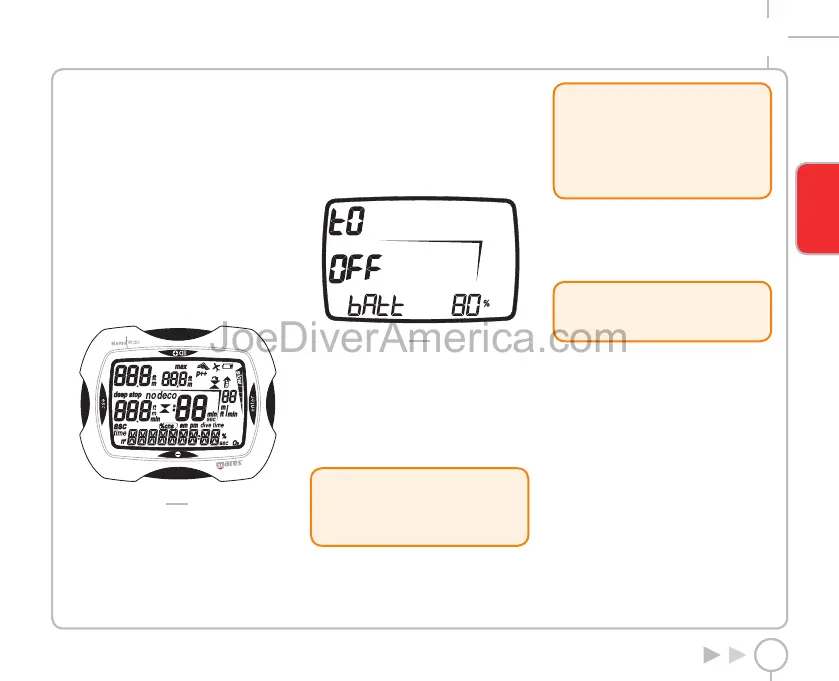
CHECK THE LEVEL OF BATTERY CHARGE
Nemo Wide periodically checks the charge
remaining in the batteries. The charge level can be
viewed in OFF mode (Fig. 2).
FIG. 2
If a low charge level is detected (20%), the battery
icon turns on and the display backlight function
is disabled.
When the icon first appears, replace the battery as
soon as possible.
If the charge level drops to the minimum value (5%),
all Nemo Wide functions are disabled, and only the
OFF mode can be accessed.
!
WARNING
When the computer has not been used for
a long time, we recommend that you check
the battery status and replace it if necessary.
BACKLIGHTING
Pressing the <+> button for two seconds will
temporarily turn on the backlight (for about 4
seconds).
!
WARNING
Temperature can noticeably affect battery
voltage. The icon that signals a low battery
level may appear due to low temperatures,
even if the battery still has sufficient
capacity. In this case, backlighting is
disabled.
If backlighting has been disabled due to low
temperature, you can repeat the battery status
check by entering OFF mode (Fig. 2). If the battery
icon disappears, the backlighting function has been
re-enabled.
!
WARNING
We advise that you replace the battery if
you intend to dive in cold water.
AUTOMATIC SWITCHOFF
If Nemo Wide is switched on but you don’t press
any buttons for a certain period, it will switch off
automatically.
The delay before automatic switch-off varies
depending on the current operating mode.
ENGLISH
2334-Nemo Wide-ing-rev.indd 312334-Nemo Wide-ing-rev.indd 31 19/09/2006 12.52.5919/09/2006 12.52.59



 To Next Page