EN
15
Time
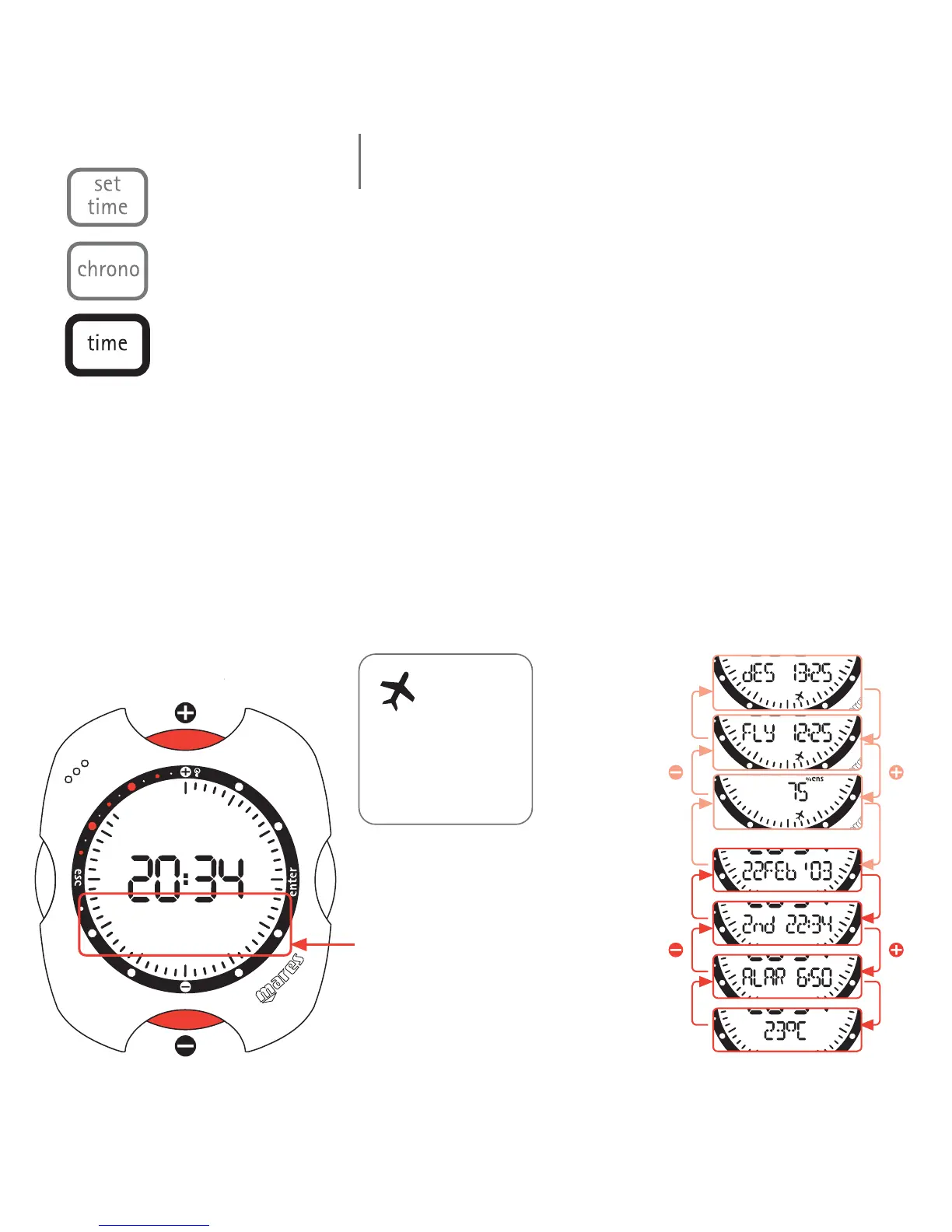
This is the normal (default) display mode of the Nemo dive computer. As
briefly described in the quick guide, the <+> or <-> buttons can be used
to view additional information: date, second time, alarm, temperature.
These details are displayed for 10 seconds.
After a dive in AIR or EAN or BT mode, Nemo will display the desaturation
and no-fly times continuously until the period has expired. In the case of
Nitrox dives, the percentage CNS value is also displayed. However, even
when these values are being displayed, it is still possible to view the
additional information listed above.
time menu
Note:
this icon remains on
until the no-fly time
has gone to zero.
display bar
Desaturation
time
No-fly time
%CNS
(EAN only)
date
second
time
alarm
temperature



 To Next Page