EN
Personalize display
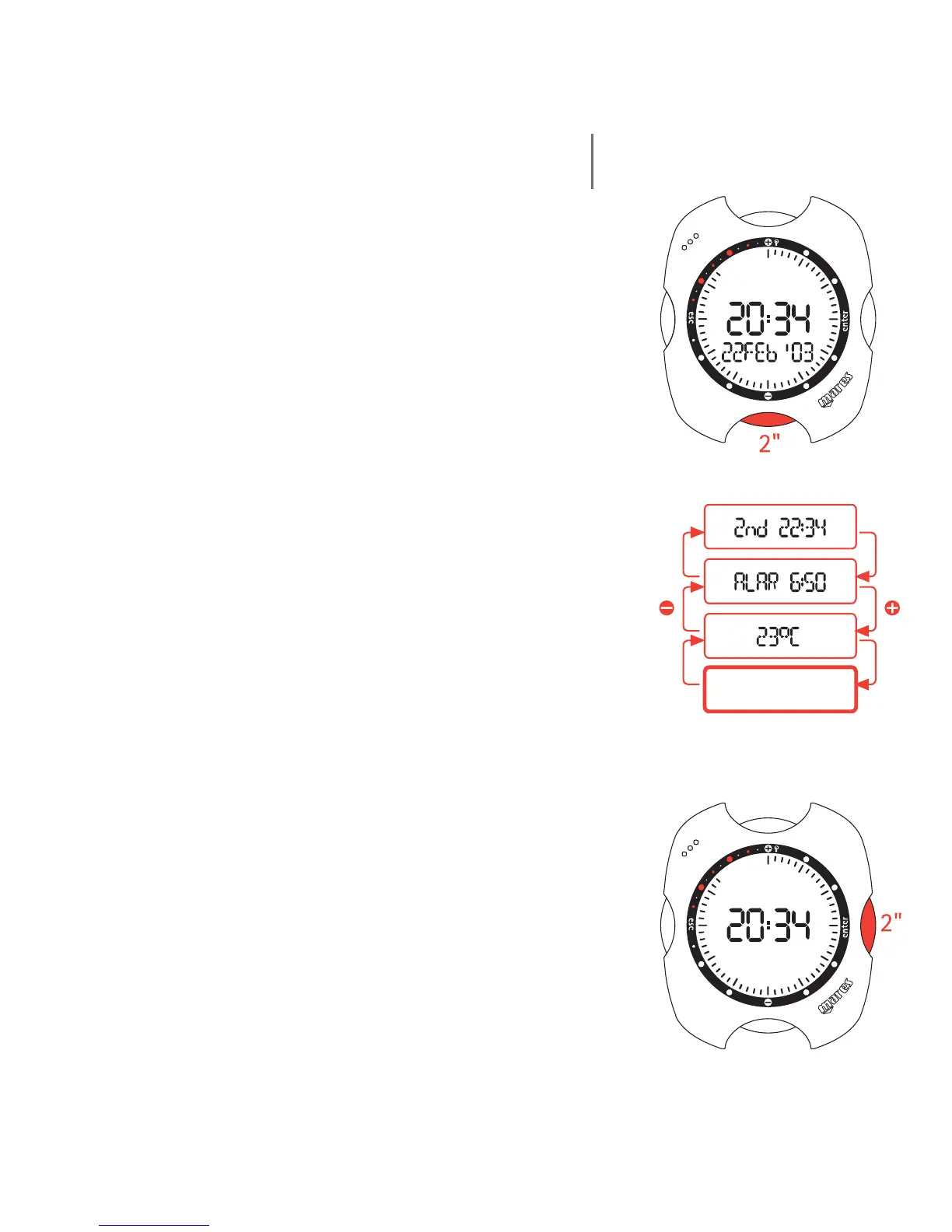
The Nemo display can be personalized so that it shows
one of the following additional details on the display bar:
- date
- second time
- empty field (default)
To personalize the display, scroll to the desired
additional item using the <+> or <-> buttons. Before
the 10 seconds of display elapse, press the <-> button
for 2 seconds.
To revert to the default empty field, simply scroll to the
empty field item and press the <-> button for 2 seconds
(fig. 2).
Shortcut to Set Time Functions
To speed up the operations for setting the time, date,
second time, alarm and temperature, Nemo includes
shortcuts to the "Watchset" menu. To use these
shortcuts, simply press the <+> or <-> buttons to
access the desired item. Before the 10 seconds of
display elapse, press the <enter> button for 2 seconds.
This will directly access the chosen setting.
fig. 2
16



 To Next Page