EN
Set dive - Data
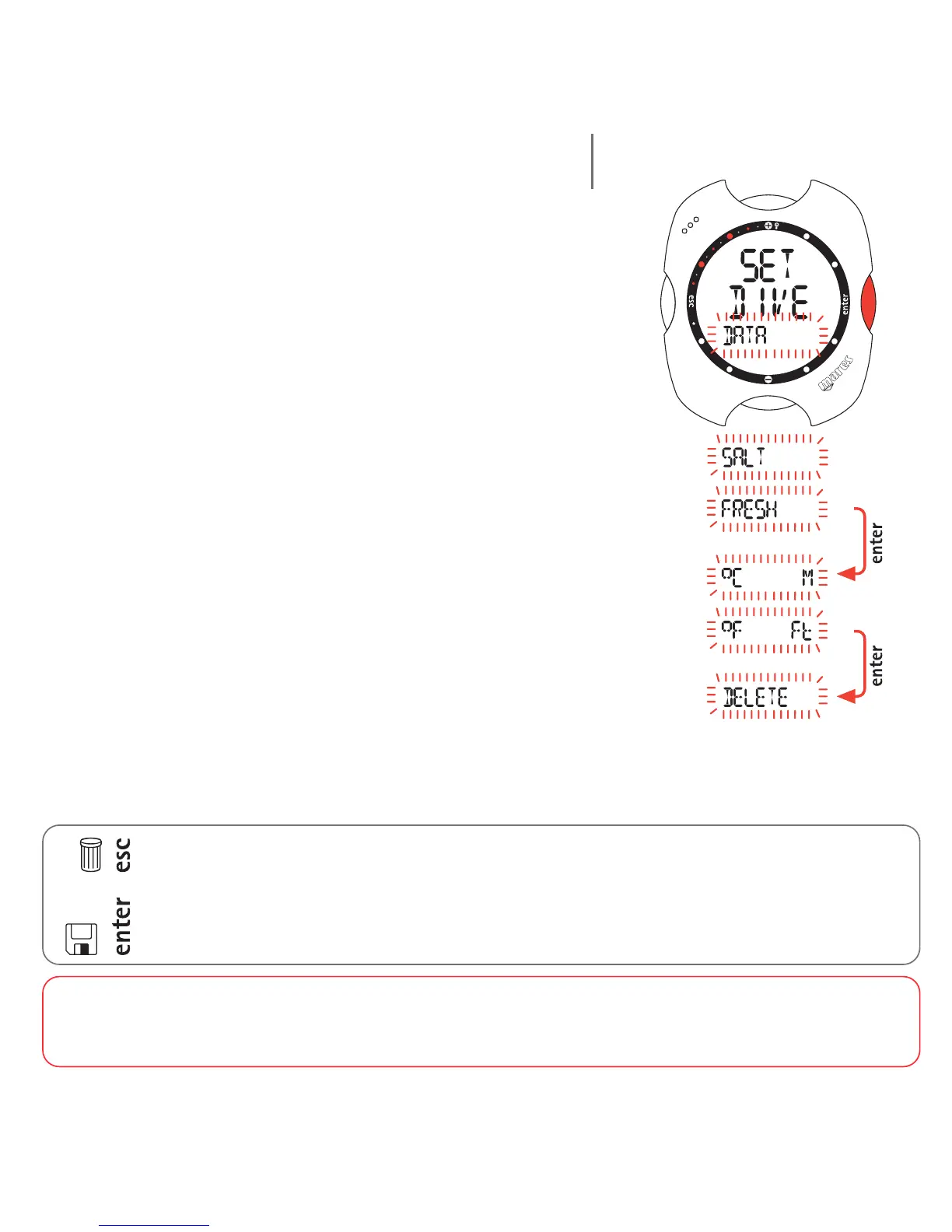
Set Dive - Data mode is used for selecting the type of
water (salt or fresh), which determines the accuracy of
the computer's depth reading, as well as the units of
measurement (metric or imperial), and for clearing of
the residual nitrogen memory.
To ensure maximum accuracy, you need to set Nemo for
either fresh water ("Fresh") or seawater ("Salt") as
appropriate. Check this setting often, especially if you
use the instrument in a variety of environments (lake,
sea, swimming pool).
Press the <enter> button after the last item to return to
the SET DIVE menu.
Note:
pressing <esc> during the settings cancels any changes made and reverts to the preceding value.
pressing <enter> during the settings accepts the changes made and advances to the next item or
returns to the higher menu level.
WARNING
Before diving, make sure you have correctly set the units of measurement. An incorrect setting may give rise to
confusion during the dive, and hence to underwater behavior errors.
20



 To Next Page