EN
Plan
Scrolling of No Decompression
Limits
This function allows the user to scroll through the no
decompression limits, automatically taking into account
the current residual saturation of the tissue
compartments from a preceding dive.
The times shown during the scrolling of no decompression limits take
into account all the Set Dive parameters, such as the Mode, Altitude,
Personal Correction Factor and, in the case of Nitrox dives, the values for
oxygen percentage and its maximum permitted partial pressure.
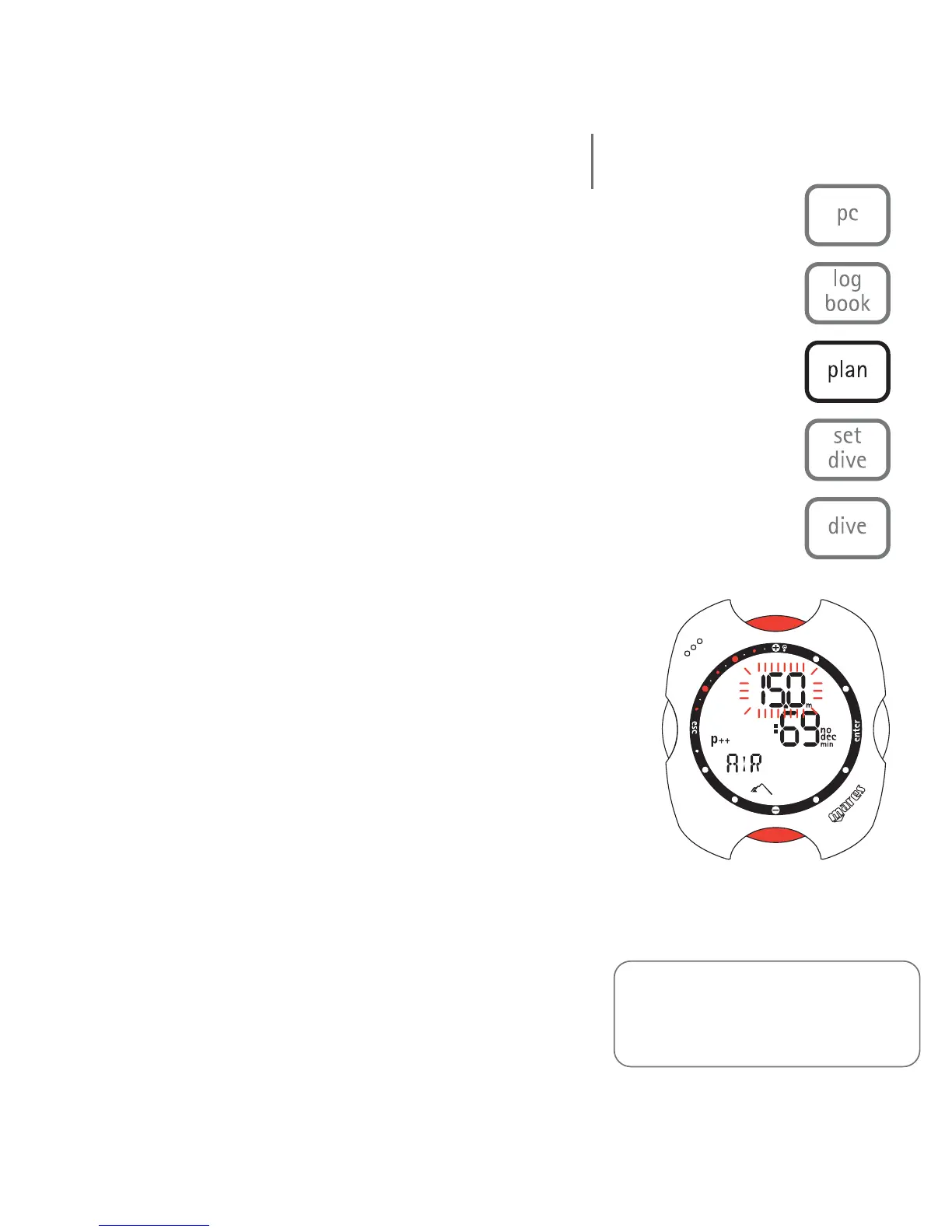
To enter Plan Mode, scroll through the Dive Menu until
the "PLANNING" message appears on the display bar,
and then press the <enter> button.
Repeatedly press the <+> button to increase the depth by
three meters each time, up to a maximum of 48 m
(157 ft). For each depth, the display shows the
corresponding no decompression time expressed in
minutes.
If "Nitrox" mode is selected, the display also shows the programmed
value of oxygen percentage. In this case, the maximum depth allowed in
Plan mode will depend on the values entered for %O
2 and maximum
PPO
2.
Note:
The Plan function will only be active
after having selected Air or EAN mode
in Set Dive.
dive menu
44



 To Next Page