EN
55
Log Book - Scuba - Profile
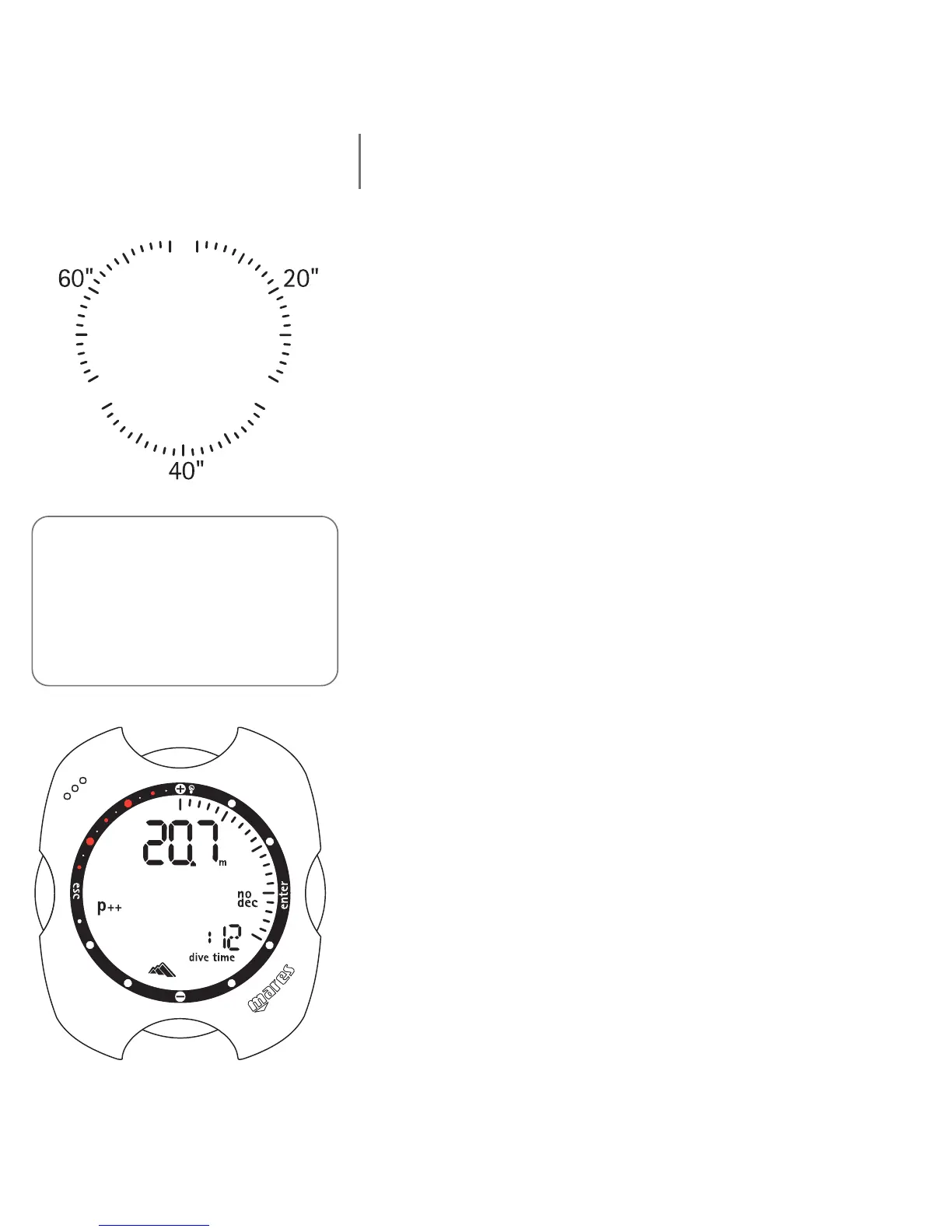
In Profile mode it is possible to examine the profile
points of a dive, spaced at 20 second intervals. Press the
<+> button once to advance to the next profile point,
or hold it down to activate automatic scrolling.
A graphic indication of the progress through the profile
points is shown around the perimeter of the dial.
The details displayed in Profile mode are the following
(referred to the end of each time interval):
current depth;
fastest ascent rate;
dive time elapsed.
as well as any icons such as:
"dec" icon for deco-stop dives (only Air, EAN);
omitted deco stop icon (only Air, EAN);
personal correction factor (only Air, EAN);
"no dec" icon for no-decompression dives (only Air, EAN);
selected altitude program (only Air, EAN).
Press the <esc> button to return to the preceding menu
at any time.
Note:
(fig. 1) The graphic display shows a
time interval in the ranges of 0 - 19,
20 - 39, and 40-59. (fig. 2) The depth
is displayed without the MAX icon, the
maximum ascent rate is displayed in
analogue mode.



 To Next Page