EN
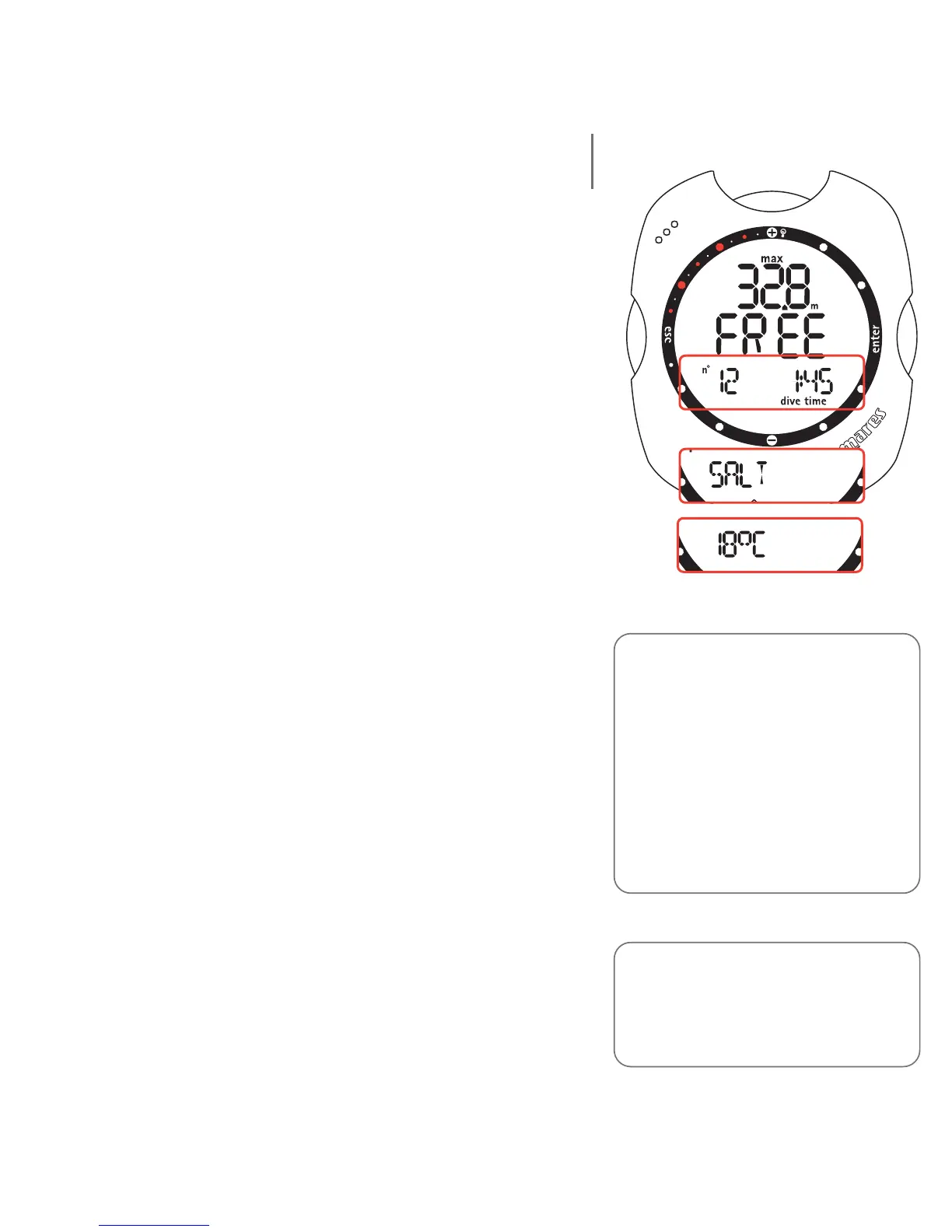
Log Book - Free - Session Data
This mode displays the summary data for the individual
freediving session ("day") selected in Log Book Dive n°
mode.
The following details are displayed:
• Free diving mode;
• deepest logged depth during the session.
Press the <-> button to choose to view one of the
following on the display bar:
• number of dives done during the session;
• longest dive time.
Or
• type of water (Salt, Fresh).
Or
• coldest logged temperature.
Press the <enter> button to access a menu for viewing
the principal data of the individual dives.
Note:
Nemo only stores the profile of the
last freediving session; if the alarm
settings are changed during the
surface interval, Nemo will close the
session currently in progress and
initiate a new one (attention: in this
case, even if all the dives take place in
the same day, Nemo will delete the
profiles of any dives completed before
making the changes to the settings).
Note:
all the Free Dive mode alarm settings
are recorded, however they can only be
displayed using the PC Iris interface
(optional).
56



 To Next Page