EN
PC Mode
Interfacing to a PC
Using a special interface unit and a dedicated Windows
software application, it is possible to transfer all the
data from the Nemo Log Book to a personal computer.
The communication between Nemo and the PC is
optical. It takes place via an RS232 serial port of the PC
and the special Iris interface unit (optional) which
converts the optical signals into electrical signals and
vice versa.
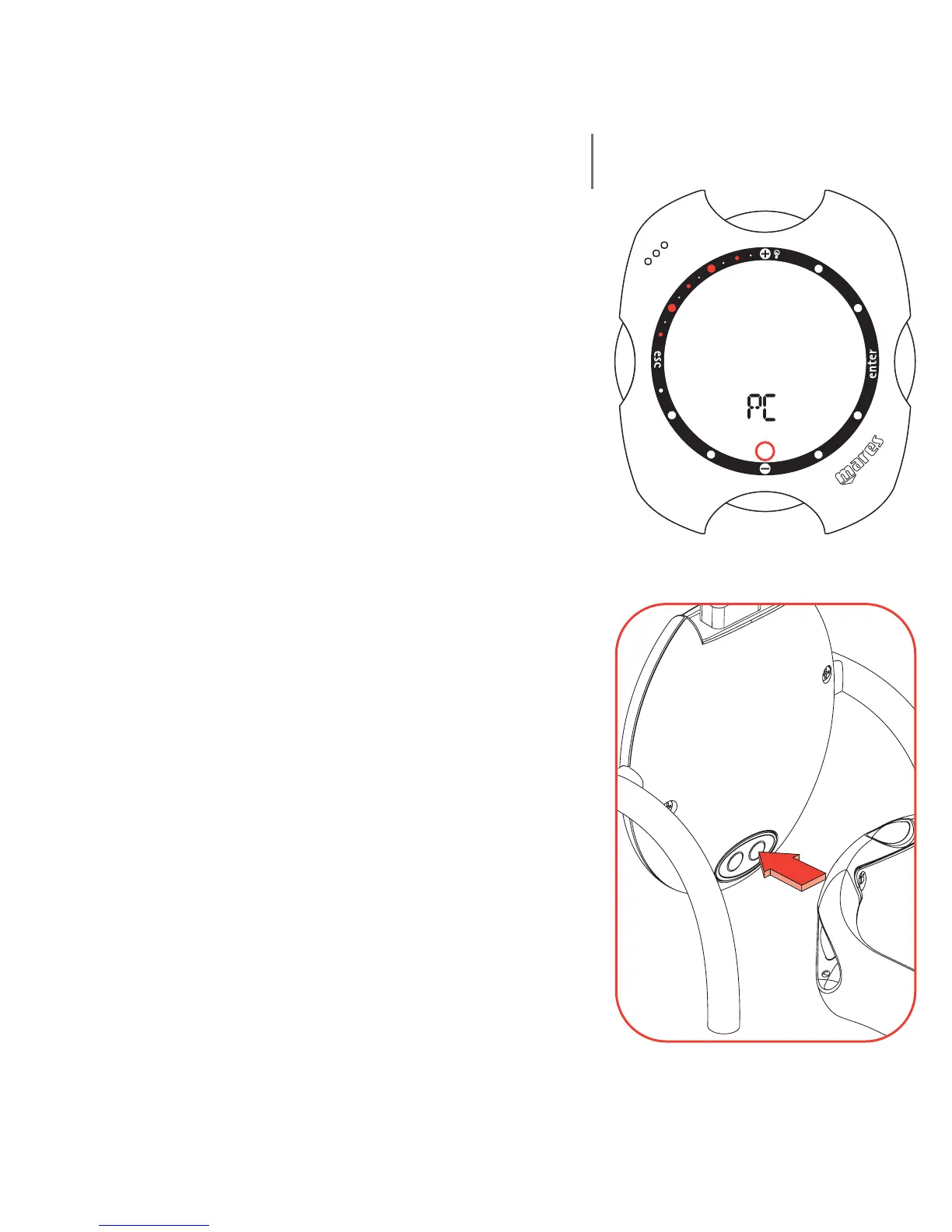
Nemo is provided with an infrared transmitter, situated
beneath the display at the "6 o'clock" position. During
data transfer it is essential not to obstruct this area.
To begin uploading data from Nemo to the personal
computer, select PC mode on Nemo and then follow the
instructions provided by the interface software installed
on the personal computer.
58



 To Next Page