EN
Time Menu
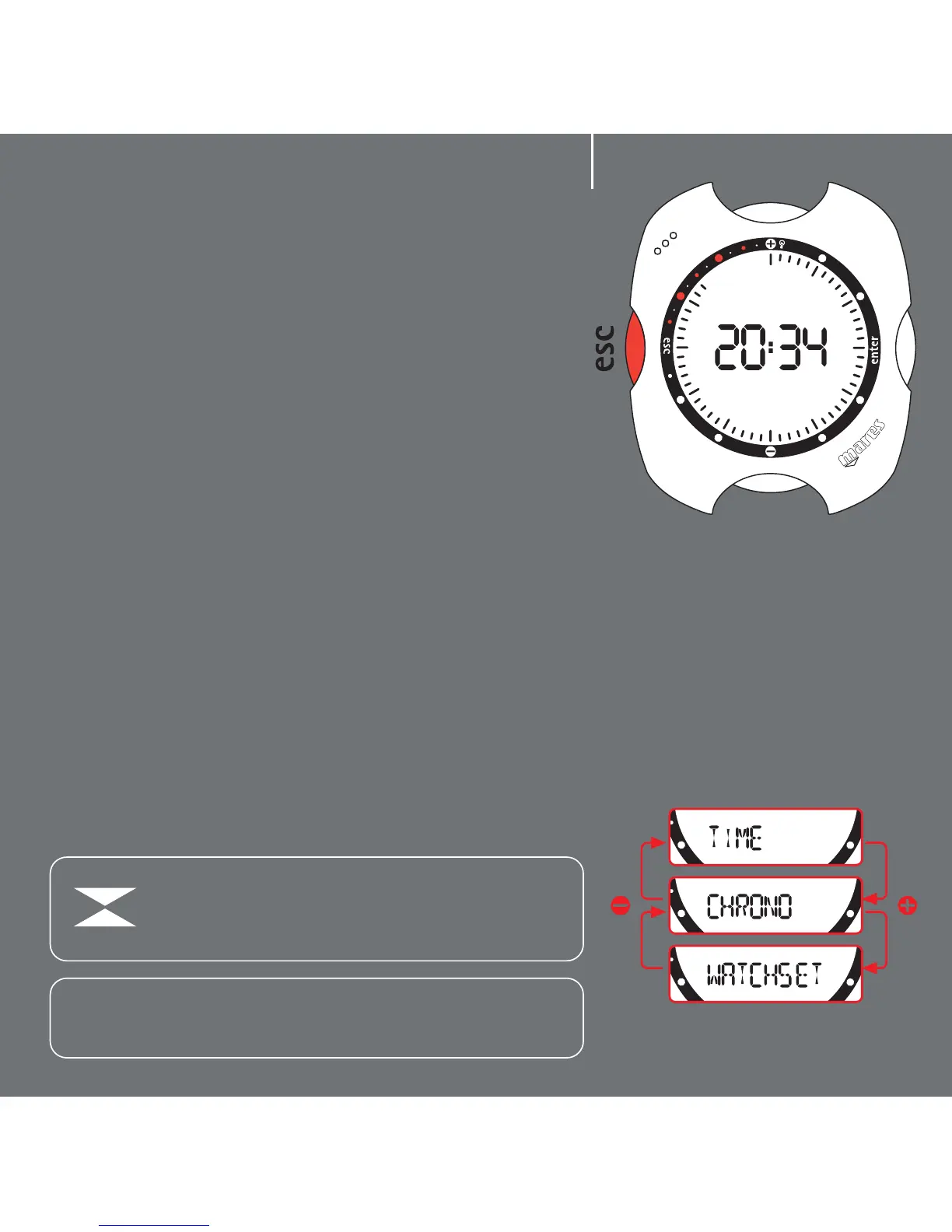
From Time mode, press the <esc> button to access
the "Time Menu", denoted by the "Time" message on
the display bar.
Press the <+> or <-> buttons to view the contents
of this menu (fig. 2).
Time: displays the time. This is the default operating
mode. If no button is pressed after a variable delay
(which depends on the function), Nemo
automatically reverts to this mode.
Stopwatch: stopwatch timer function.
Watchset: sets all the "land" functions of your
Nemo, as described in the following pages.
Note:
Press and hold down the + button for 2 seconds to activate the
display backlight
Note:
In Time Mode, if the wet contact is activated the
following icon appears on the display. To preserve
battery life, always be careful to dry the contact.
fig. 1
fig. 2
2



 To Next Page