EN
quick guide
Time Menu Settings
Watchset mode is used for setting all the watch
("Time") functions of your Nemo dive computer.
In this mode you can set the time and the alarm.
You can also enable and set up a second time zone,
which is useful when traveling, and select the units
of measurement for temperature (°C or °F). Finally,
in this mode you can also set the audible alarms.
The different settings will all be described in more
detail subsequently. For now, we will only describe
setting the date and time of your new Nemo dive
computer.
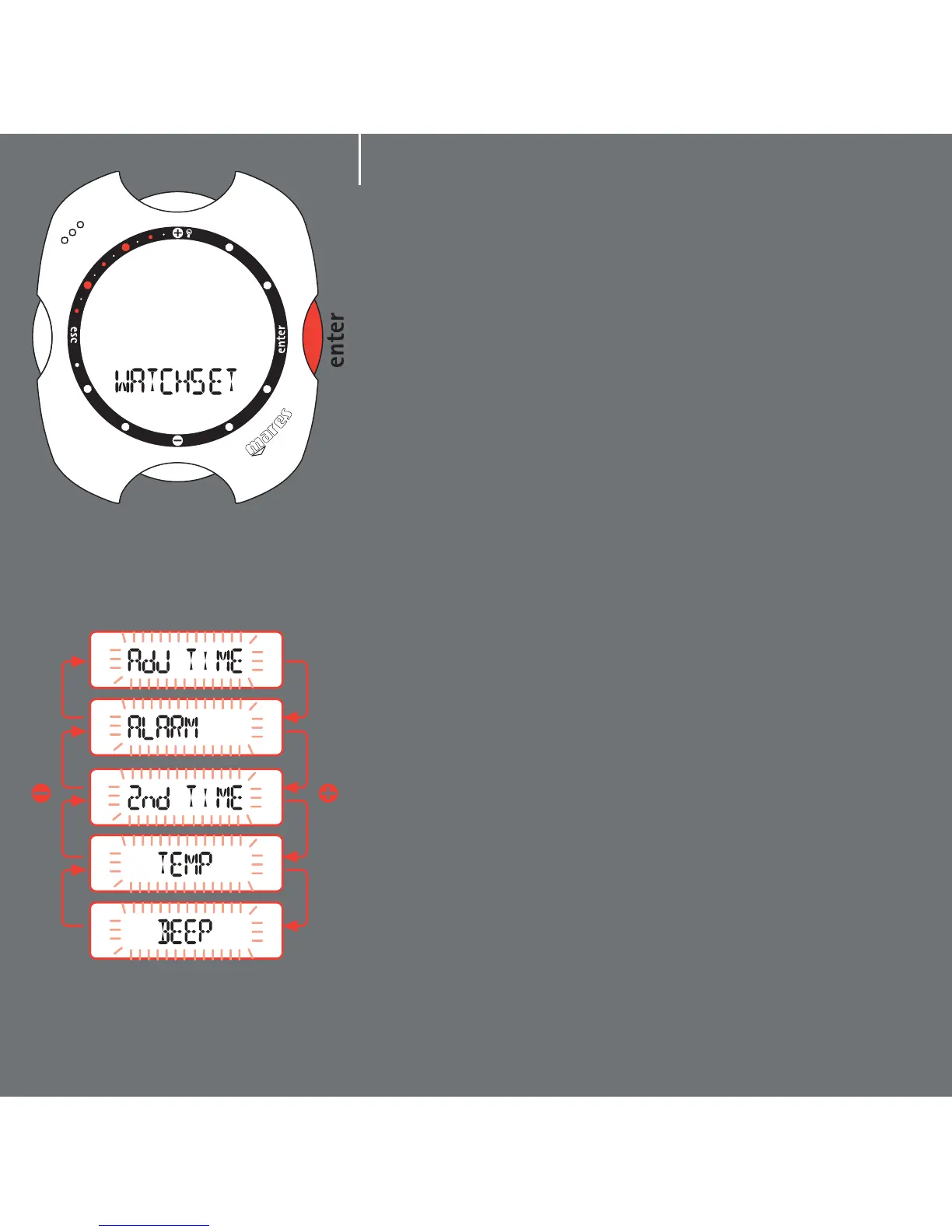
From the Time Menu, already described in the
preceding page, press the <+> or <-> buttons until
"Watchset" appears on the display bar. Press the
<enter> button to accept the selection (fig. 1).
You are now in the Watchset menu.
Press the <+> or <-> buttons to view the various
items in this menu on the display bar (fig. 2).
fig. 1
fig. 2
3



 To Next Page