EN
Setting the date and time
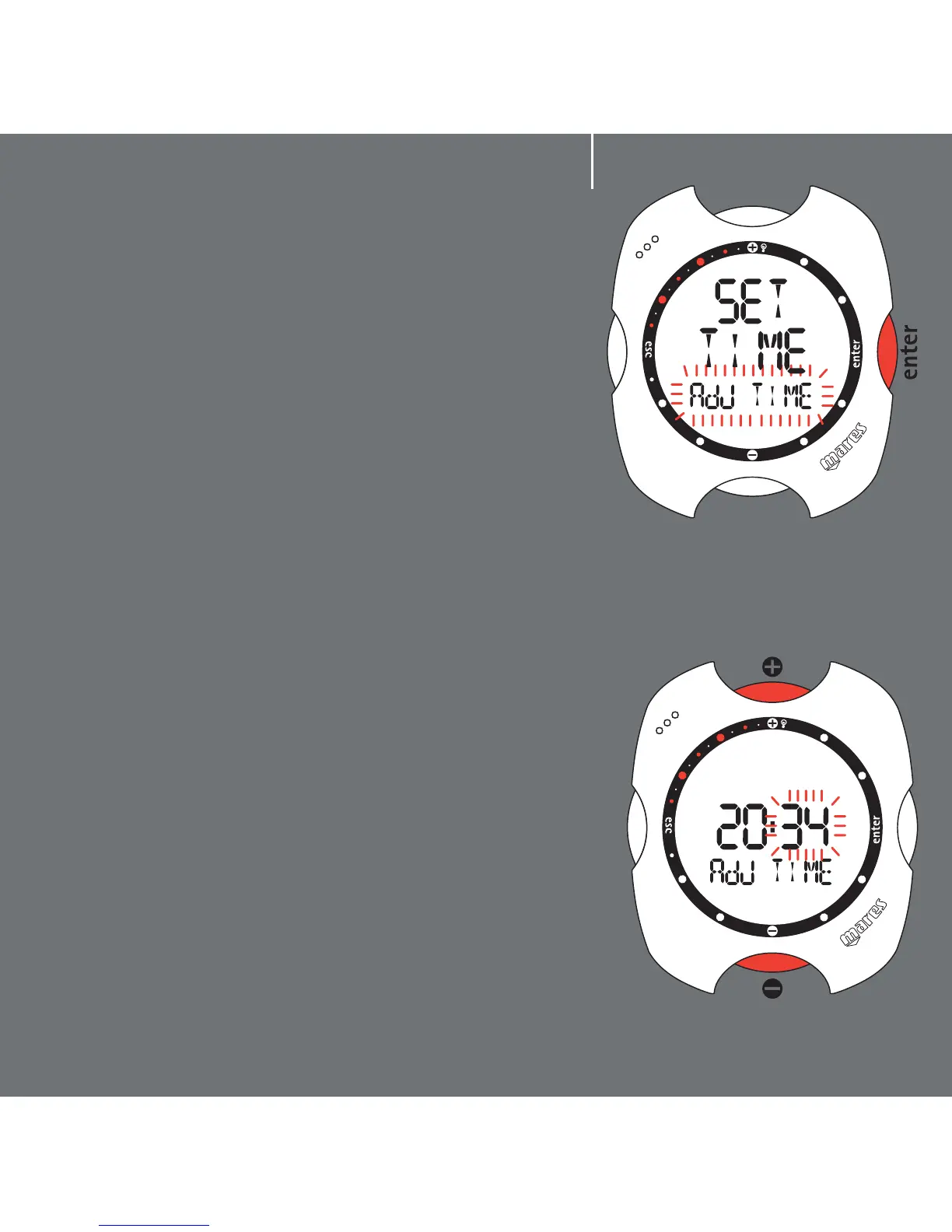
Press the <+> or <-> buttons until "adj time"
appears on the display bar, and then press <enter>
to accept the selection.
You can now set the date and time. In fact, as you
will see, the digits of the minutes start to blink. Use
the <+> button to increase the value, or the <->
button to decrease. Press and release the button to
change the value by one minute at a time, or hold
down the button for rapid increment or decrement.
After setting the minutes, press the <enter> button
to set the the hour, which is done in the same way
using the <+> or <-> buttons. Use the same
procedure to set the time format (12h - 24h) and
the date, beginning with the day, followed by the
month, and finally the year.
After setting the year, press <enter> to save the
changes made. Nemo will then automatically return
to the Set Time Menu. If you do not wish to make
further adjustments, press and hold down <esc> for
2 seconds to go back to Time Mode.
Your new Nemo now shows the correct time!
4
fig. 1
fig. 2



 To Next Page