40
PREDIVE - EAN
This operating mode remains active until the diver
goes below 1.2 meters (4 feet).
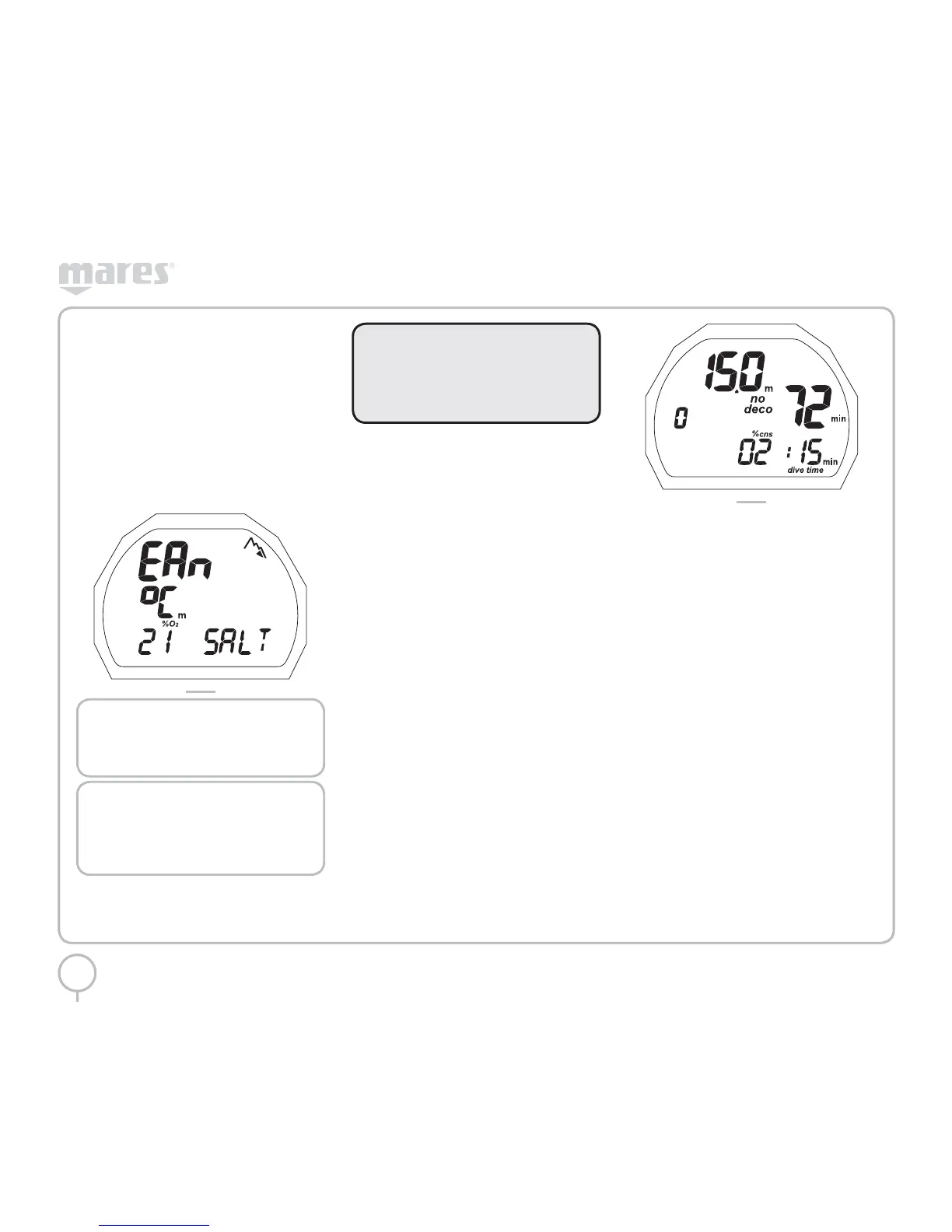
The following details are displayed: (Figure 21):
• Type of dive (EAN)
• Units of measurement (m-°C or ft-°F)
• Type of water (Salt, Fresh)
• Altitude program and level (if enabled)
• Personal correction factor and level (if
enabled)
• Icon for %O
2
FIG. 21
NOTE
If you stay in predive for more than 10
minutes without pressing any buttons,
PUCK will turn off.
NOTE
Before every dive, it is advisable to
enter Set Dive mode and check all
the parameter settings and the EAN
parameters in particular.
WARNING
We advise that when diving you always
put PUCK into PREDIVE mode.
Early in your dive, always check that the
dive computer is switched on.
DIVE - EAN: “NO-
DECOMPRESSION” DIVE
When the diver descends below 1.2 meters (4 feet)
PUCK automatically switches to Dive Mode and
starts displaying the dive data.
Remaining in this mode for more than 20 seconds
will make Puck begin recording the dive details in
the Log Book memory.
The following details are displayed (Figure 22):
• Current depth (in “m” or “ft”)
• No decompression time remaining, expressed
in minutes
• “No deco” icon
• Altitude program and level (if enabled)
• Personal correction factor and level (if
enabled)
• The % CNS
• The duration of the dive so far (dive time) in
numbers
• The DEEPSTOP icon (if the stop is required)
FIG. 22
Pressing the button will display:
• The maximum depth reached
• The DEEPSTOP if applicable
• Altitude program and level (if enabled)
• Personal correction factor and level
(if enabled)
Pressing the button again will display:
• Current depth (in “m” or “ft”)
• No decompression time remaining, expressed
in minutes
• “No deco” icon
• Altitude program and level (if enabled)
• Personal correction factor and level
(if enabled)
• The temperature (in °C or °F)
Pressing the button again will display:
• Type of dive (EAN)
• Altitude program and level (if enabled)
• Personal correction factor and level
(if enabled)
• Units of measurement (m-°C or ft-°F)
• Type of water (Salt, Fresh)
• The %O
2



 To Next Page