9
P1 is displayed with p+, P2 with p++ and P0 is
indicated by the absence of symbols.
NOTE
The choice of p factor will be reflected in
the dive planner.
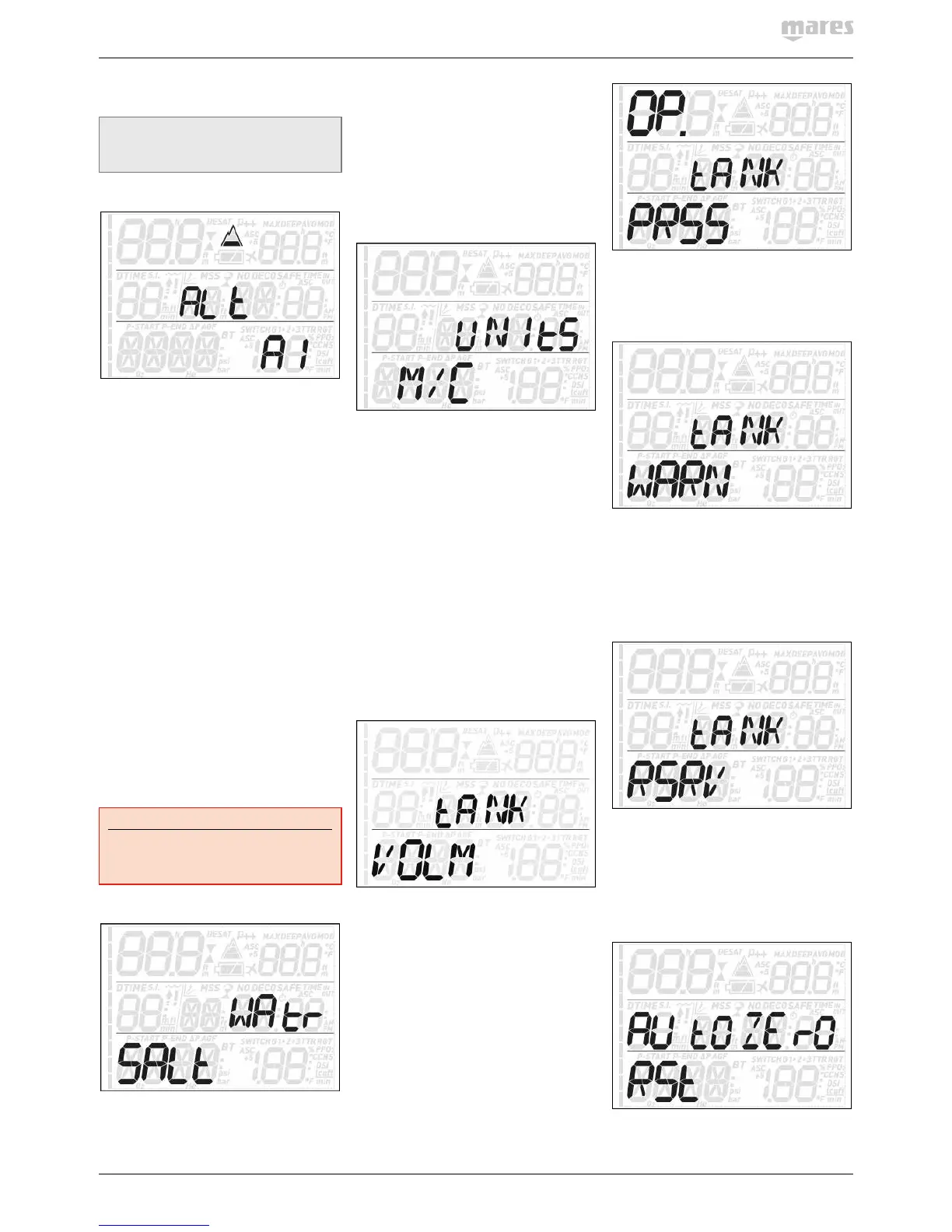
2.2.1.3. ALt (ALTITUDE)
Atmospheric pressure is a function of altitude
and of weather conditions. This is an important
aspect to consider for diving, because the
atmospheric pressure surrounding you has an
influence on uptake and subsequent release
of nitrogen. Above a certain altitude, the
decompression algorithm has to change in
order to account for the effect of the change
in atmospheric pressure. When diving in a
mountain lake, find out what the altitude is and
choose the altitude range in Quad Air within
the four available options:
- A0: from sea level to approximately
700m/2300ft;
- A1: from approximately 700m/2300ft to
approximately 1500m/4900ft ;
- A2: from approximately 1500m/4900ft to
approximately 2400m/7900ft;
- A3: from approximately 2400m/7900ft to
approximately 3700m/12100ft;
- We do not recommend diving at altitudes
above 3700m / 12100ft. If you do, set Quad
Air to bottom timer and find appropriate
altitude dive tables.
On the pre-dive, post-dive, logbook and
planner displays, A1 through A3 are indicated
with the mountain symbol filled with 1, 2 or 3
segments while A0 is indicated by the absence
of symbols.
WARNING
Diving in mountain lakes without first
setting Quad Air to the proper altitude
setting can cause severe injury or death.
2.2.1.4. WAtR (WATER)
You can set the computer for FRSH water, SALt
water or EN13 calibration, depending on where
you intend to dive. Setting the wrong water
type entails an error in depth measurement of
1-3% (e.g. at a depth of 30m/100ft, a computer
set to salt water will show 29m/97ft in fresh
water whereas a computer set to fresh water
will show 31m/103ft in salt water). Note that
this does not affect the proper functioning of
the computer, since the computer performs all
of the calculations based purely on pressure
measurements.
2.2.1.5. UNItS
You can choose between metric (depth in
meters, temperature in °C, tank pressure
in bar) and imperial units. (depth in feet,
temperature in °F, tank pressure in psi).
2.2.1.6. GAS INTEGR (GAS INTEGRATION)
This menu contains six submenus. The first
one allows you to pair the tank modules to
Quad Air. Please refer to section 1.6 for the
description of the pairing process.
The second menu, tANK VOLM, allows you
to set the size of the volume of the tank,
individually for G1, G2 and G3. This parameter
is important for a correct evaluation of your
gas consumption in l/min or cu ft /min. Default
setting is 12l for metric system and 80 cubic
feet in imperial. For the imperial setting it
is paramount that you also set the correct
operating tank pressure, since the size of the
tank is referenced to this pressure.
The third menu, OP. tANK PRSS is where you
define the nominal fill pressure of your tanks.
This can be set individually for each tank (G1,
G2 or G3). When the units are set to ft/°F/psi,
this value is important because together with
the tank volume it allows Quad Air to correctly
evaluate your gas consumption in cu ft/min.
Default values are 200bar and 3000psi.
The fourth menu, tANK WARN, is the value at
which Quad Air triggers a half tank warning.
This can be set individually for each tank (G1,
G2 or G3). Default values are 100bar and 1500
psi.
The fifth menu, tANK RSRV, is the value
at which an alarm is triggered because
you should always be at the surface before
reaching this level. Furthermore, this value is
used to calculate the TTR value (see section
3.2.5 and 3.3). This can be set individually for
each tank (G1, G2 or G3). Default values are
50bar and 750psi.
The sixth and last menu is called AUtOZErO
RSt and it allows you to set the ambient
pressure reading on the tank module in the
unlikely event of a drift of the zero value. You
would perform this operation if you noticed a
significant difference between the read-out of
Quad Air and a calibrated pressure gauge also
connected to the same first stage.
Due to the potential of introducing an error in
the tank module measurement, please contact


 To Next Page
 Loading...