6
Surf int
If active, when the surface interval reaches the
set limit an audible alarm will go off and the
surface interval will blink on the display.
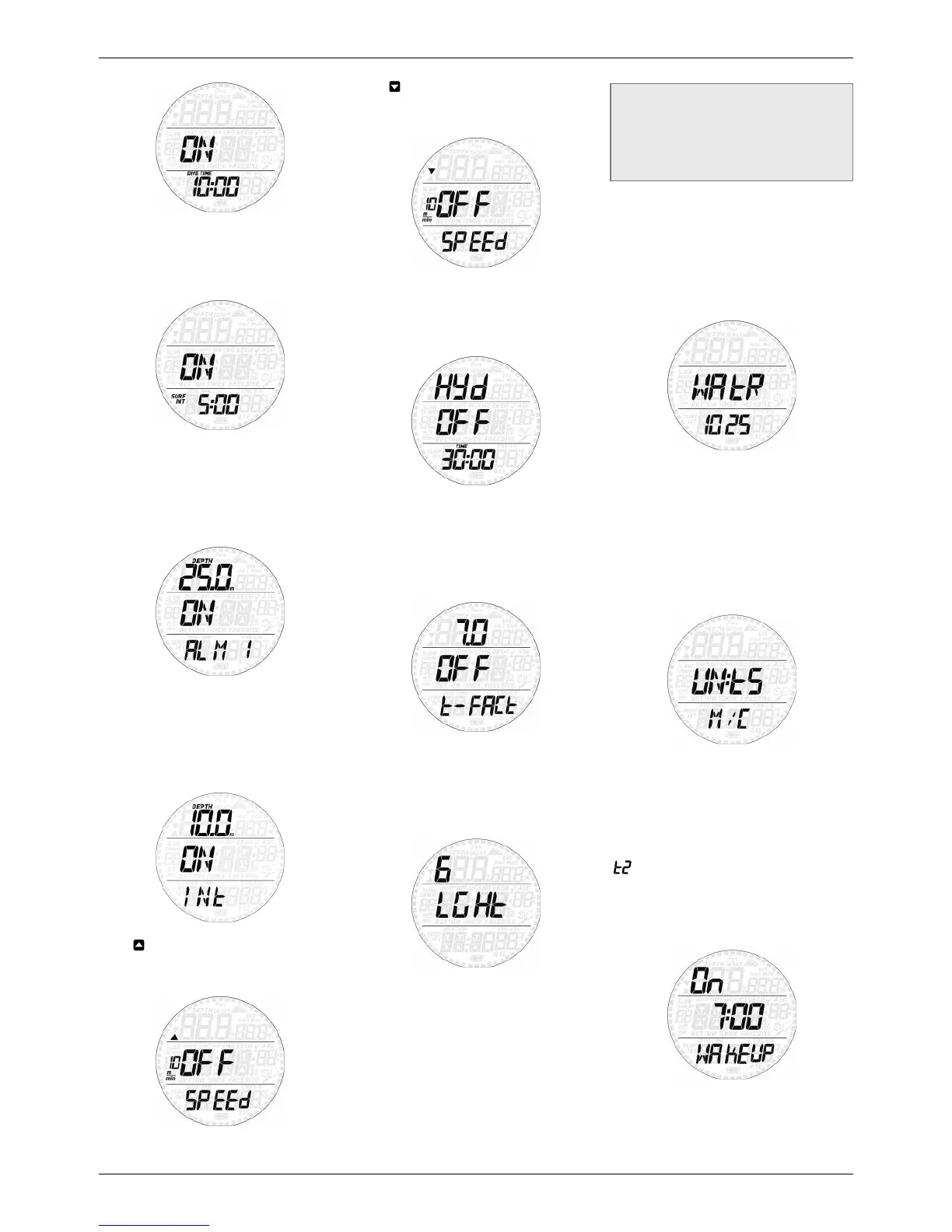
Depth 1-6
Smart Apnea allows you to set up to 6
independent depth alarms. If active, upon
reaching the depth defined in the setting an
audible alarm will go off and the depth will
blink on the display.
Int
This allows you to set a depth interval at which
a short audible sequence is activated. For
instance, if you set a depth interval of 5m/15ft,
the audible sequence will go off at 5m/15ft,
10m/30ft, 15m/45ft etc.
Speed
This allows you to set an ascent speed limit
above which an alarm will go off.
Speed
This allows you to set a descent speed limit
above which an alarm will go off.
Hyd
This allows you to set a time interval after
which an alarm goes off reminding you to
hydrate.
t-FACt
This allows you to define a minimum surface
interval duration based on the duration of the
previous dive. If you start a dive before this
minimum surface interval has elapsed, an
alarm will go off for 20 seconds.
The minimum surface interval is defined as the
duration of the previous dive multiplied by the
t-factor. The t-factor can be set between 1 and
7 in 0.5 increments.
LGHt (Backlight)
Smart Apnea has a backlight which can be
activated in case of low ambient light. The
backlight is activated by pressing and holding
the lower button. During a dive, the backlight
will stay on for the duration defined in this
menu. You can choose between 1 and 10
seconds.
NOTE
- The backlight consumes battery energy:
the longer the backlight stays on, the
less your battery will last.
- If the low battery warning is activated,
the backlight will be disabled.
In surface mode, the backlight can be activated
by pressing and holding the lower button while
the time of day is displayed. The backlight will
turn off after 6 seconds without any button
operation, which allows you to turn on the
light from the time of day mode then enter into
menus, change settings, go into the logbook etc.
WAtR (WATER)
Unlike most scuba and apnea instruments
which only allow to choose between fresh
water and salt water, in Smart Apnea you
can set the water density between 1.000
(freshwater) and 1.050 in 0.001 increments.
Default setting is 1.025, which corresponds
to the salt water setting in Mares dive
instruments.
UN:tS (UNITS)
You can choose between metric (depth in
meters, temperature in °C) and imperial units.
(depth in feet, temperature in °F).
2.4.2. SEt tIME
This menu allows you to set the time format,
time, date, wake-up alarm and second time
(
). Scroll through the options by pressing
either button. Press and hold the upper button
to edit an option, then press the upper or lower
button to modify the blinking value, then press
and hold the upper button to confirm the new
setting.


 To Next Page
 Loading...