7
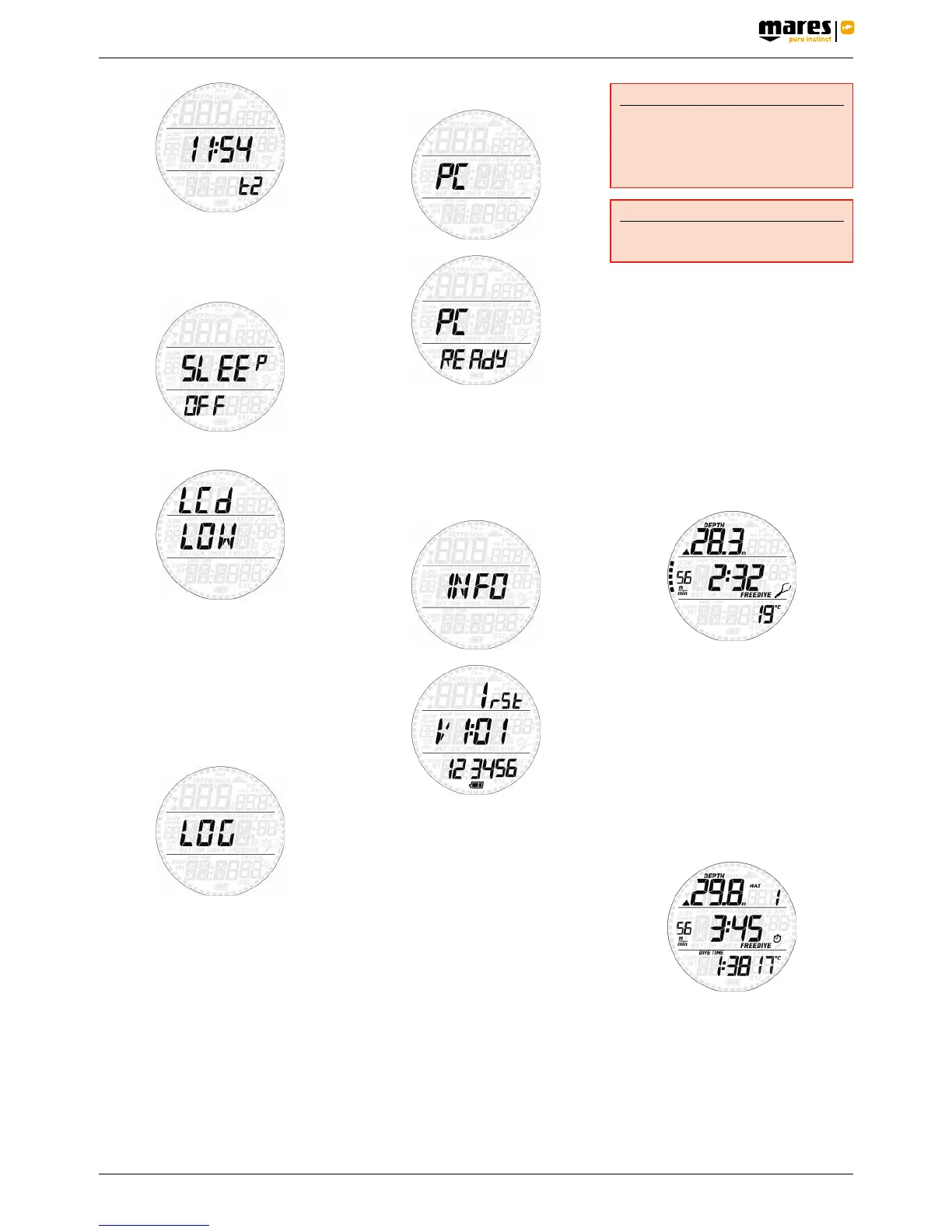
Smart Apnea features a “sleep” mode: in case
you don’t wear it other than on a dive trip, you
can put Smart Apnea in sleep mode to reduce
battery consumption. To wake up from sleep
mode, press either button.
LCD refresh rate
This allows you to switch between a low and
a high refresh rate of the display. The default
setting is low: this consumes less energy but
under very intense light you might see a slight
flicker in the display. Setting it to high reduces
the flicker but will shorten the battery life by
about 30%.
2.5. LOGBOOK
Smart Apnea can record the profiles of
approximately 20 to 30hours of diving,
depending on the numbers of dives per
session and the duration of each dive, at a
sampling rate of 1 second. The information
can be transferred using the optional USB clip
to PC via the Dive Organizer software or to a
Mac via the Divers’ Diary software. In addition,
Smart Apnea can show most of the information
directly on the display.
Refer to section 3.1.2 for details about the on-
board logbook.
2.6. PC
This submenu allows you to download your
dive data to a PC or Mac. Press and hold the
upper button and the display will show PC
ready, symbolizing that Smart Apnea is ready
to communicate.
2.7. INFO
This submenu provides information about
the hardware and software of your Smart
Apnea and about the status of the battery (two
segments inside the battery means the battery
is ok, one segment means the battery is low
but the watch functions as dive computer, one
segment blinking means the battery is too low
for use as dive computer).
• 3. DIVING WITH SMART APNEA
Smart Apnea features a free diving mode with
dedicated features specifically for breath hold
divers. In free diving, we differentiate between
dive and dive session. A dive is the individual
trip below the water surface. The dive session
is a group of dives performed in sequence
without exiting the free dive mode.
WARNING
The practice of free diving exposes divers
to different hazards from those associated
with scuba diving. The diver should be
aware of these hazards and understand
how to avoid them.
WARNING
Do not practice free diving within 24 hours
of having performed a scuba dive.
3.1. USING SMART APNEA ON A
FREE DIVE
Put Smart Apnea into PRE DIVE so that as
soon as you submerge past 1.2m/4ft it will
start monitoring your dive. Smart Apnea will
show the current depth in the top row, the dive
time in minutes and seconds in the middle
row and the water temperature in the bottom
row. Press the top button and the max depth
of the dive will appear for a few seconds.
Press the lower button and the time of day
will appear for a few seconds to the left of the
temperature. Press and hold the lower button
to activate the backlight.
3.1.1. SURFACING BETWEEN DIVES
When returning to a depth of less than
0.8m/3ft, Smart Apnea switches to surface
mode. The display will show the maximum
depth of the dive that just ended in the top row,
the surface interval in the middle row, and
the dive time in the bottom row together with
the minimum temperature recorded during
the dive. To the left of the surface interval,
maximum ascent and descent speeds are
displayed alternating every few seconds. The
number to the right of the max depth is the
sequential counter of the dives in the session.
By pressing the upper button the display
shows for 5 seconds the max depth of the
session and the number of dives in the
session in the top row, maximum ascent and
descent speed of the session (alternating) and
surface interval in the middle row, longest dive
in the session and minimum temperature in
the session in the bottom row. Furthermore,
in order to better distinguish between dive
data and session data, in the latter the second



 To Next Page
 Loading...