14
d/a
polarity
A–B
rpt trackrpt disc
prg / time
index
display
intensity
display
mode
123
456
789
0
MADRIGAL AUDIO LABORATORIES
1
stop pause track
2
1
3
4
5
7
6
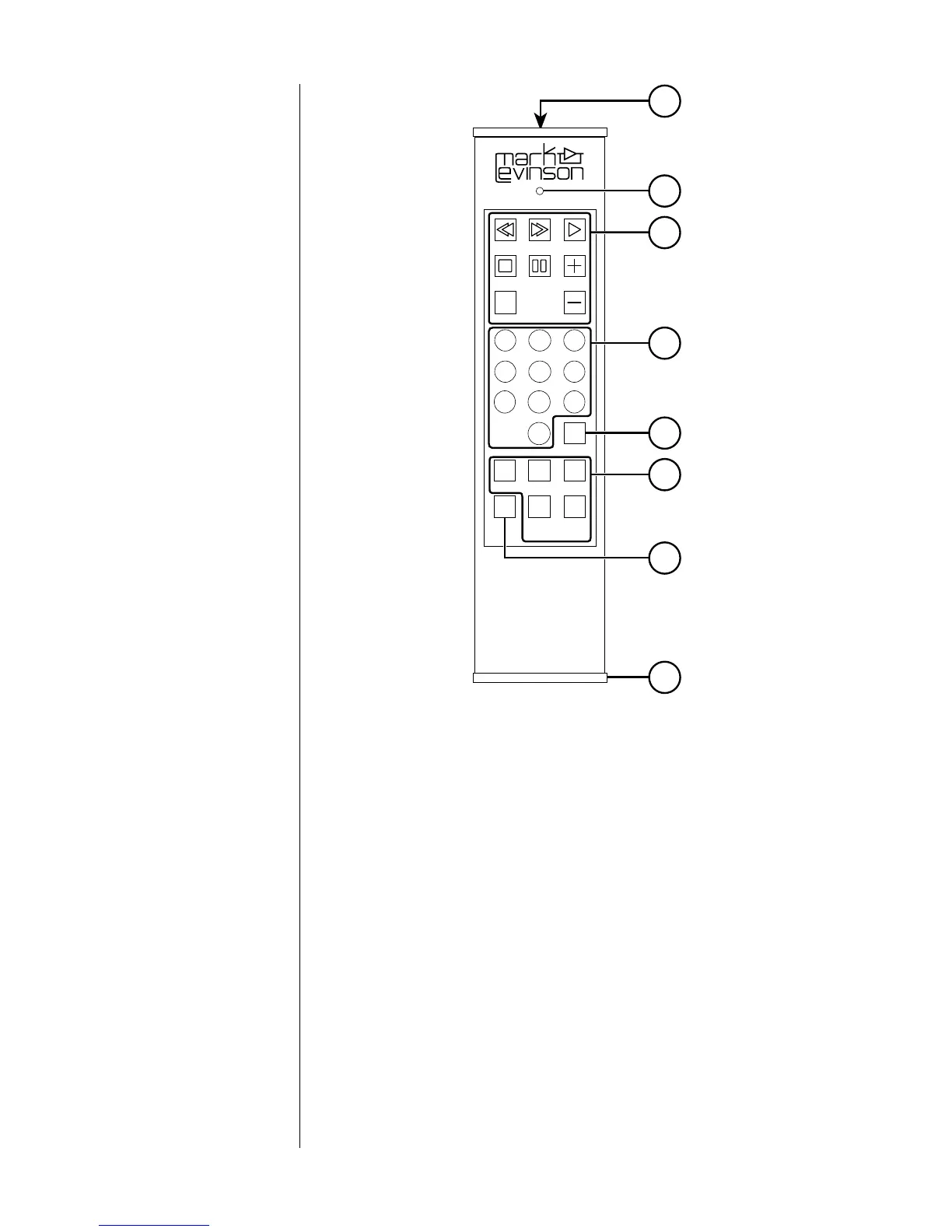
Remote Control
1 Each of these buttons performs the same function as its
counterpart on the Nº31. (See "Top panel" and "Front panel").
Note: Used alone, the + and – buttons perform the Next and
Previous functions, respectively. When pressed after prg/time
(3), the + and – buttons perform the program + and
program – functions, respectively.
The index button performs the index mode function.
When no CD is playing, pressing stop opens the LID.
2 Numbered buttons
These buttons may be used to select tracks or indexes (instead of
using Next or Previous) or, along with prg/time (3), to begin play at
a specific time in a track.
Note: If the Nº31 is in index mode, the numbered buttons
select indexes. If the index mode is inactive, the numbered
buttons select tracks.


 To Next Page