21
Set-up and installation
For your protection, review "Important Safety Instructions" before you
install your Nº31.
Carefully open the shipping carton and remove the contents. You
should have:
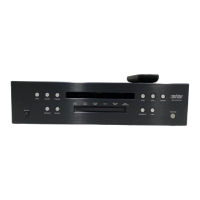
■ Mark Levinson Nº31 Reference Digital Transport
■ Remote control
■ Two AA batteries
■ Disc damper
■ Four spikes
■ AC power cord
■ Link cable (2m)
■ Two spare 1.0-ampere slow-blow fuses
■ One 1/16" hex key
■ One 1/8" hex key
■ One 3/32" hex driver
■ Owner’s manual
Save the shipping carton and all packing material. Though it may be
inconvenient to store, it’ll come in handy for shipping if you move, or if
the Nº31 needs to be shipped for service.
To set up your Nº31, you’ll need:
■ A soft cloth or towel (step 2)
■ A digital-audio cable (step 9)
1. Make sure that the Nº31 is unplugged from the AC power supply
and disconnected from your digital processor.
2. Place the Nº31 upright on a flat, stable surface. Carefully tip it so it
rests
on its side
; protect its finish with a soft cloth.
Never turn the Nº31 upside-down (onto its top). Doing so will
damage the transport mechanism and will void the warranty.
Unpacking
PRECAUTION
PRECAUTION


 To Next Page