15
MADRIGAL AUDIO LABORATORIES
®
polarity
invert
display
intensity
aes/ebu emphasis
123456
standby
DIGITAL PROCESSOR
Nº 360S
mode
teach ir
876
31 2
9
54
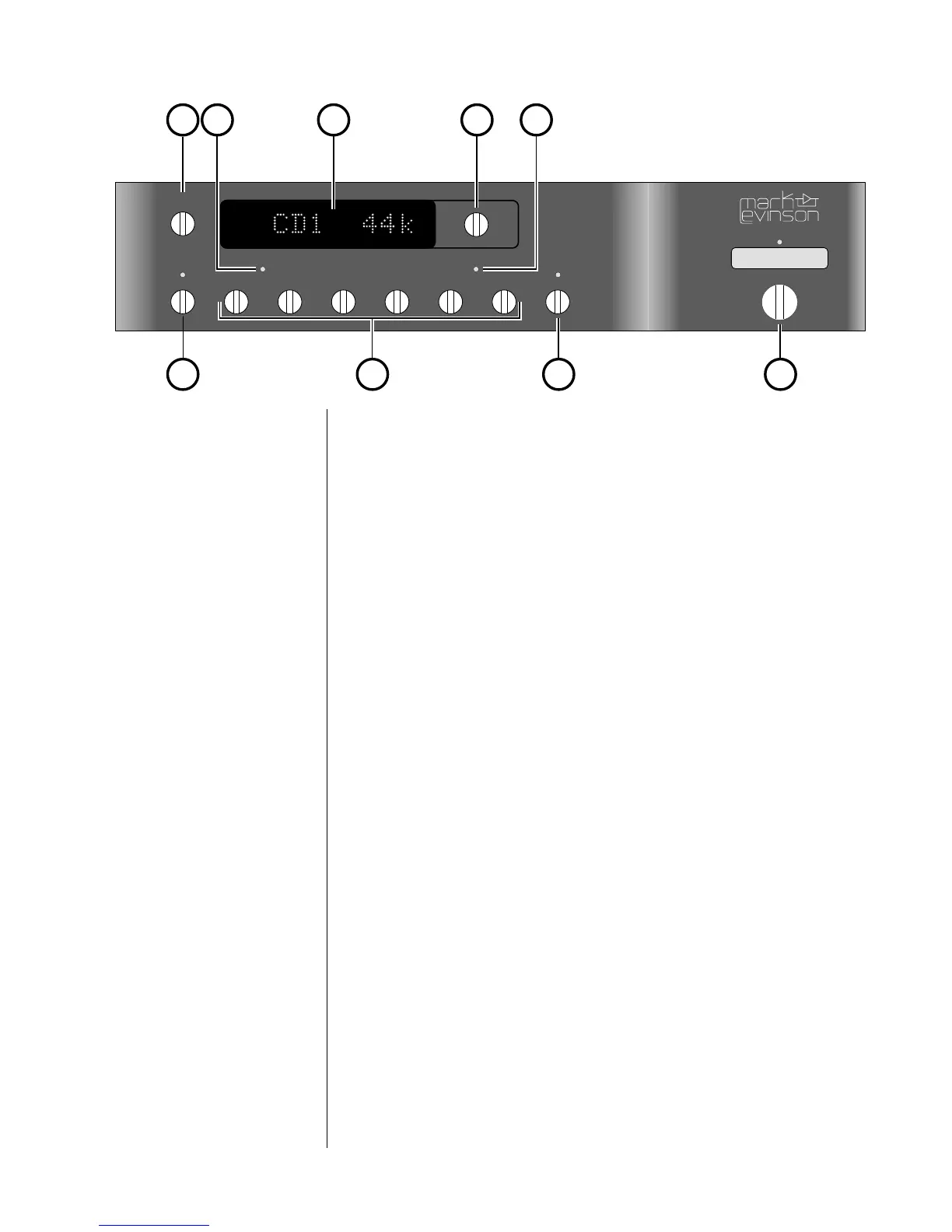
Front panel, Nº360S
1 display intensity
Pressing this button varies the brightness of the display. Four
brightness levels are available.
When power is first applied to the Nº360S (or when power is re-
stored after an interruption), the display is automatically set to its
brightest level.
Pressing the display intensity button once dims the display one level;
pressing it again dims it further; pressing it again turns the display
off. Pressing display intensity once more returns the display to its
brightest level. (If other Mark Levinson components in the system
are “Linked” to the Nº360S, all display intensities will change in
unison. See Linked Functions for more information.)
2 aes/ebu LED
The aes/ebu LED lights when the Nº360S detects that the digital
program being processed conforms to the AES/EBU (Audio Engi-
neering Society/European Broadcast Union) professional standard.
This LED indicates the presence or absence of certain encoded in-
formation in the digital signal. It does not indicate that the AES/
EBU connections (a connection standard written by the same
group) are being used. Playback of non-AES/EBU CDs or DATs
won’t activate the aes/ebu LED, even if the associated transport is
connected according to the AES/EBU standard.



 To Next Page