20
TOUCH SCREEN CONTROLLER INSTRUCTIONS
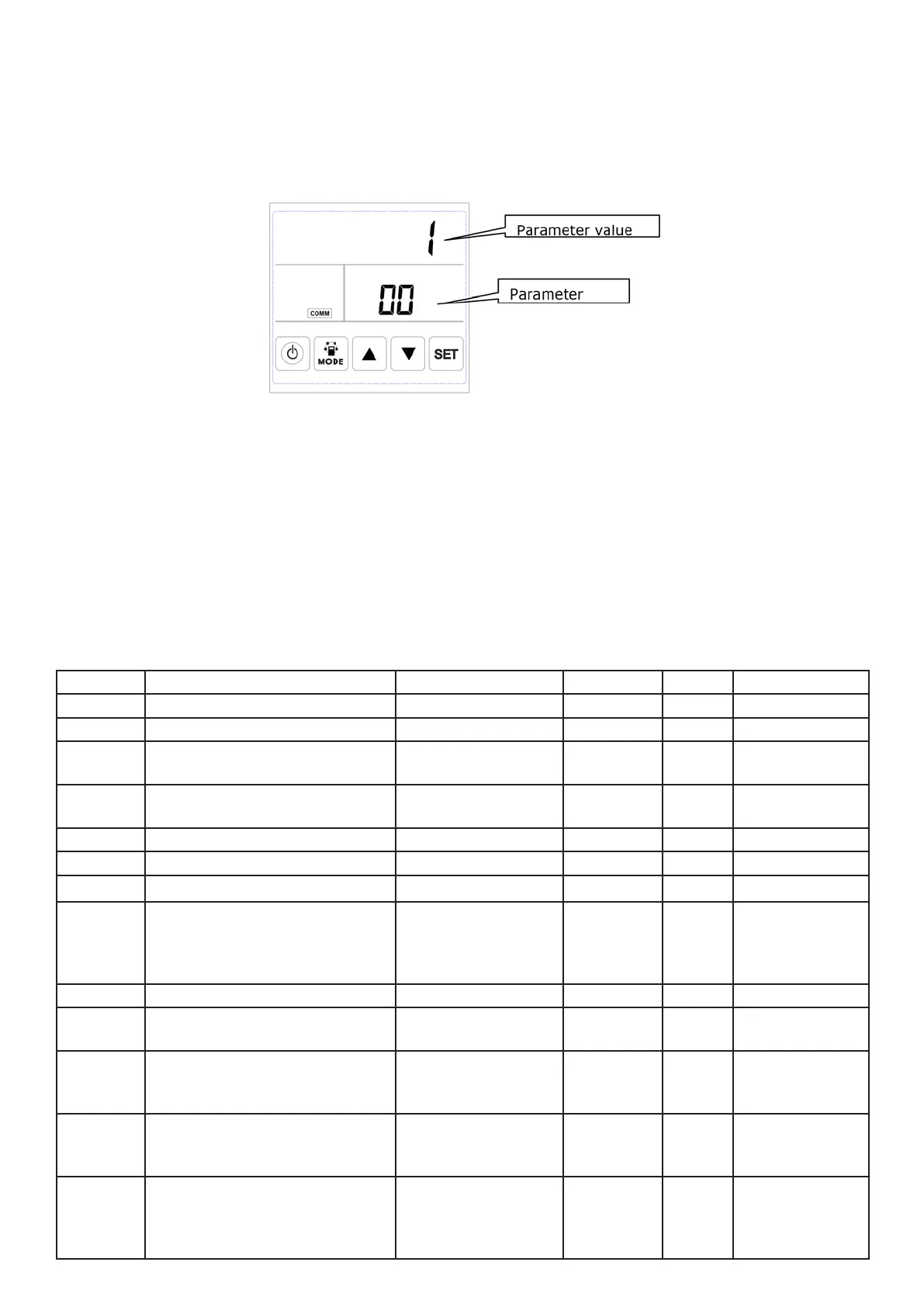
7. Parameters setting: Keep pressing the MODE button for 6 seconds, after buzzing to enter the parameter
setting interface.
After entering the parameter setting interface, press SET button shortly to change the parameter number,
every pressing will make parameter value +1 (until number 24 then repeat again). After choosing the cor-
rect parameter number, press Mode button for short, parameter value ashes at the top right corner, at this
time to change the value by UP and DOWN buttons. After parameters setting then press SET button to
save.
Attention:
1) After parameters setting, system need around 15 seconds to record, during this period power should not
be off.
2) Please refer to below valid parameters table to set the suitable parameters according to different
requests.
No. Contents Range Default Unit Record Position
00 Power to auto restart 0-1 1 Main control
01 Electrical heater available 0-1 0 Main control
02 Bypass opening
temperature X
5-30 19 °C Main control
03 Bypass opening
temperature range Y
2-15 3 °C Main control
04 Defrosting interval 15-99 30 Minute Main control
05 Defrosting entering temperature -9-5 -1 °C Main control
06 Defrosting duration time 2-20 10 Minute Main control
07 CO2 sensor function value
0 = No CO2 sensor
80 = 800 ppm, 250 = 2500 ppm
Advised setting = 1000 ppm
0 / 80-250 0 PPM Main control
08 ModBus address 1-16 1 Main control
21 ERV models match/
selection
0-7 Main control
23 Fan speed control 0: 2 speeds
1: 3 speeds
2: 10 speeds (DC)
2
24 Multifunction setting 0: Reserved
1: Sweep lter alarm
2: sweep weekly timer
0
25 Filter alarm setting 0: 45 days
1: 60 days
2: 90 days
3: 180 days
0



 To Next Page