DESKTOP PRINTER QUICK START GUIDE
14
6.
●
●
● Reapply glue to the print bed in the same spots as before
●
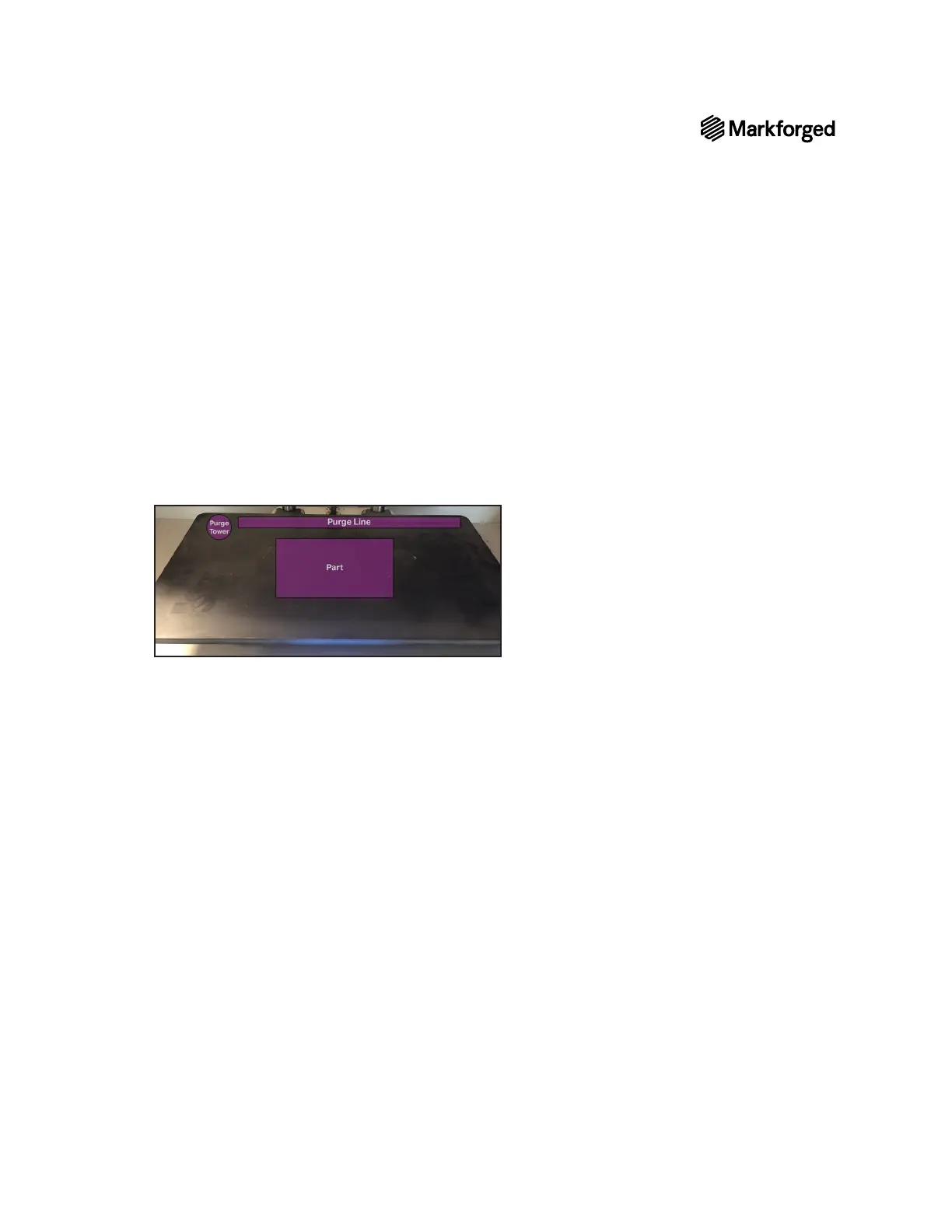
7. Apply glue to the print bed as shown below.
8.
Note: We recommend that users use the online version of Eiger and print via Wi-Fi or Ethernet, but if
you are unable to connect your printer to Eiger, please see thesection titled in the User
Guide.
Each user has an Eiger account belonging to a single Eiger organization. You can only use printers registered
to your organization; printers can only belong to only a single Eiger organization.
● If you have an Eiger account in the appropriate organization, proceed to step 1.
● If you do not yet have an Eiger account and wish to create a new Eiger organization, navigate to eiger.io in
your Google Chrome browser and create a new Eiger account and organization. Proceed to step 2.
● If you do not yet have an Eiger account and wish to register your printer to an existing Eiger organization,
request that the organization owner add you to the organization. Once you receive your Welcome to Eiger
email, proceed to step 1.
● In the unusual event that you need to switch organizations before registering your printer, you must
Settings > Account Settings > Delete Account), then follow the
appropriate instructions above.
Note: If you are the only user in the organization, log in to Eiger and delete the organization
(Settings > Organization Settings > Delete Organization), then follow the appropriate
instructions above.
1. Log in to your Eiger account: navigate to eiger.io in your Google Chrome browser and enter your login
credentials.



 To Next Page