13
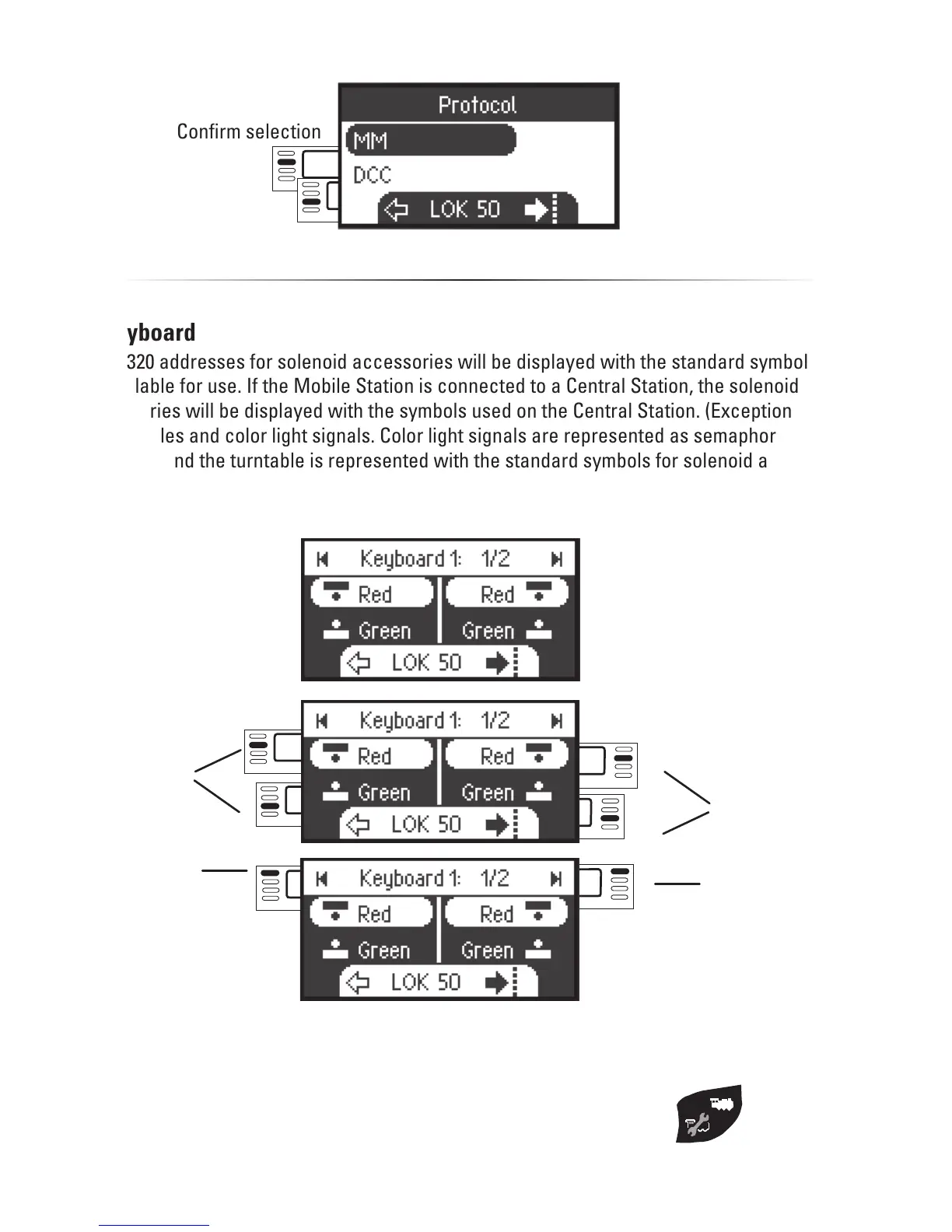
Keyboard
All 320 addresses for solenoid accessories will be displayed with the standard symbols
available for use. If the Mobile Station is connected to a Central Station, the solenoid ac-
cessories will be displayed with the symbols used on the Central Station. (Exceptions are
turntables and color light signals. Color light signals are represented as semaphore/target
signals and the turntable is represented with the standard symbols for solenoid accessori-
es).
The last locomotive used by you remains called up and can continue to be run
with the control knob. You must go into the locomotive mode with this button to
use the functions on this locomotive or to select another locomotive.
switching
switching
One step
back
One step
forward
Confirm selection



 To Next Page