9
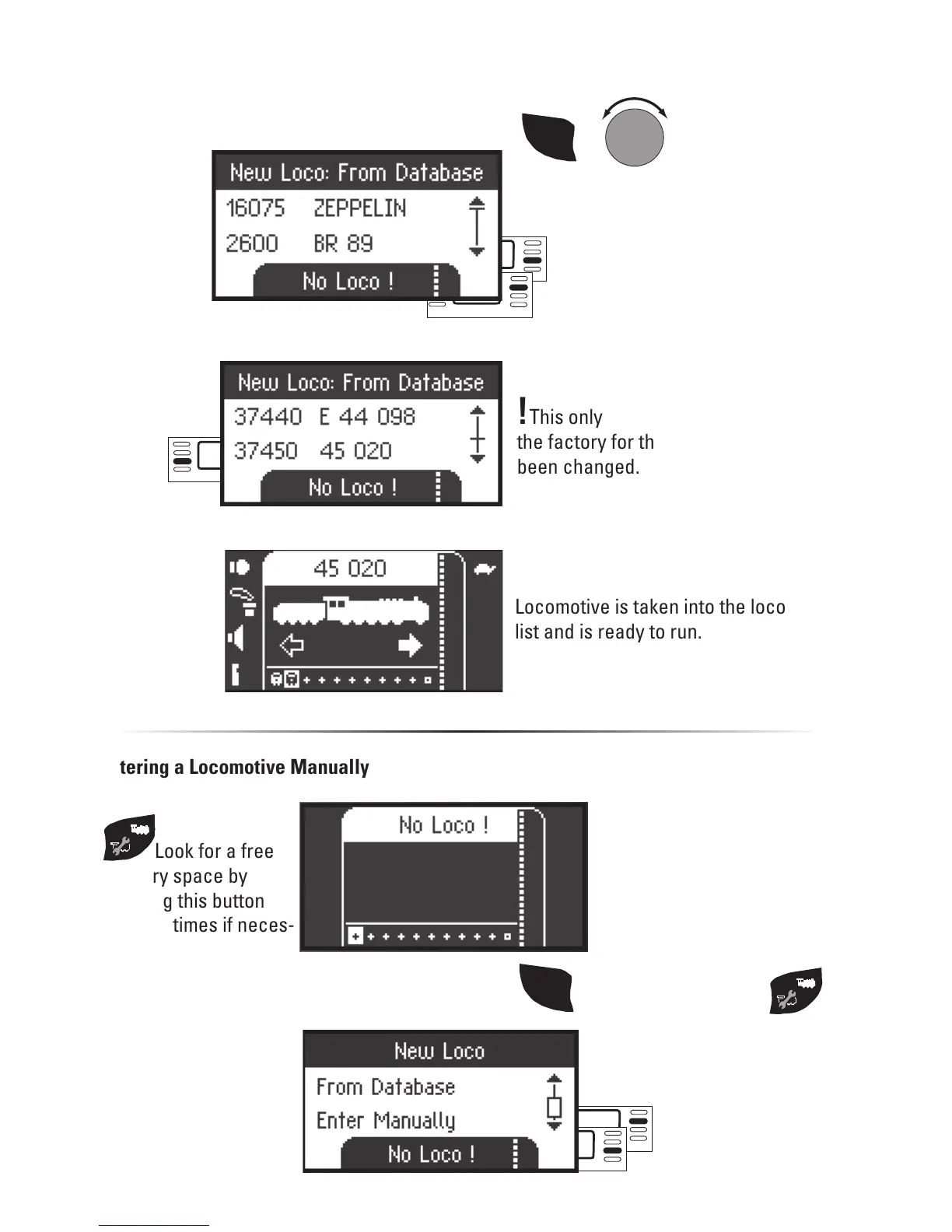
Select one of your locomotives in the
database.
!This only works if the address set at
the factory for the locomotive has not
been changed.
Locomotive is taken into the locomotive
list and is ready to run.
or
scroll
SHIFT
+
Select:
Entering a Locomotive Manually
Look for a free
memory space by
pressing this button
(several times if neces-
sary).
Select: Scroll
SHIFT
then additionally press


 To Next Page