22
Select:
Choose
Select:
Information
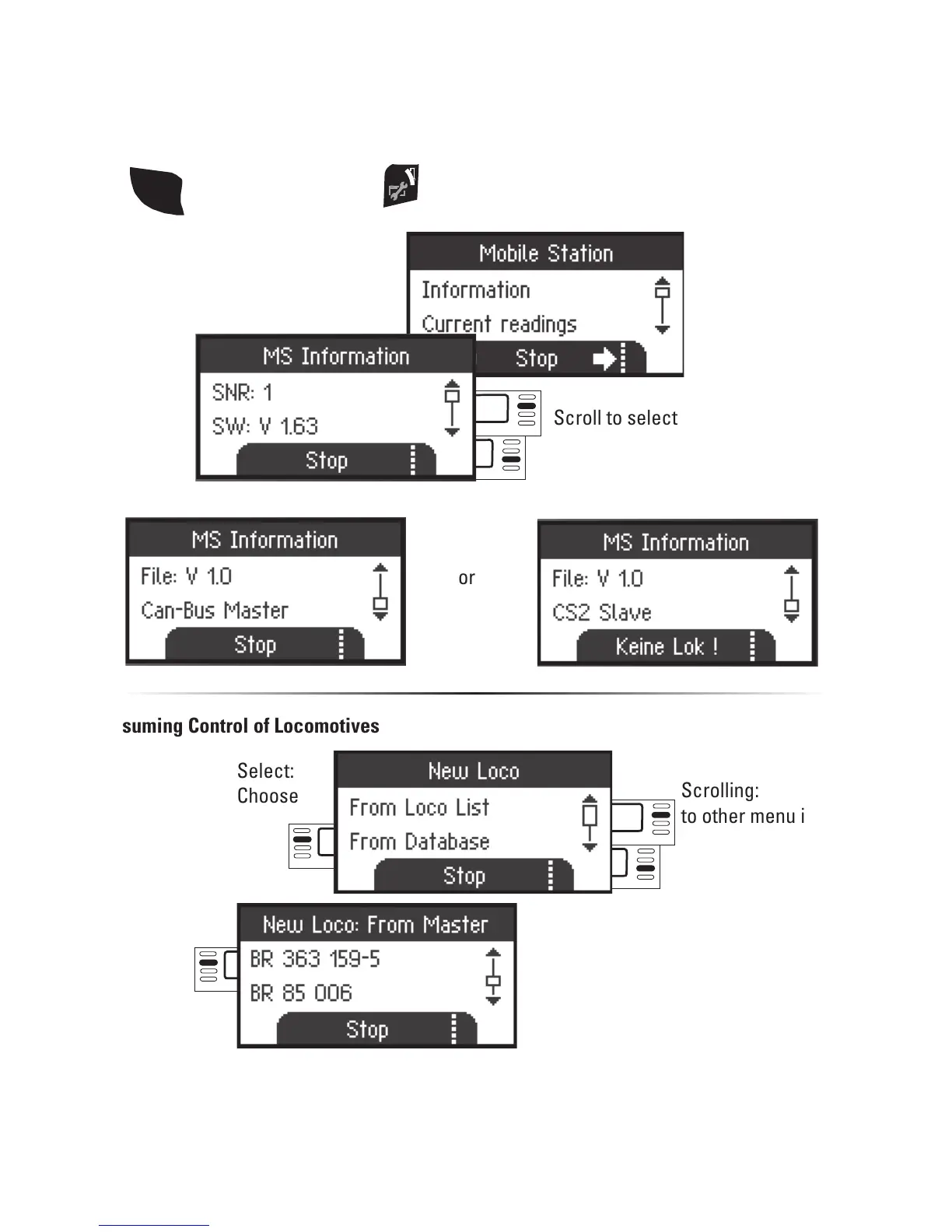
Recognizing a Master/Slave
You can determine which Mobile Station is a “Master” or a “Slave” in the following
way. Place an mfx locomotive on the track and it will register itself on the “Master”.
or
SHIFT
then additionally press
or
Assuming Control of Locomotives
Select:
Information
Scroll to select
Scrolling:
to other menu items
It is possible with the “Slave” Mobile Station to enter locomotives from the database or
to enter them manually. If these locomotives are to be available on the “Master” Mobile
Station, then they must also be entered there. It is not possible to assume control of loco-
motives from the “Slave” to the “Master”.


 To Next Page