18
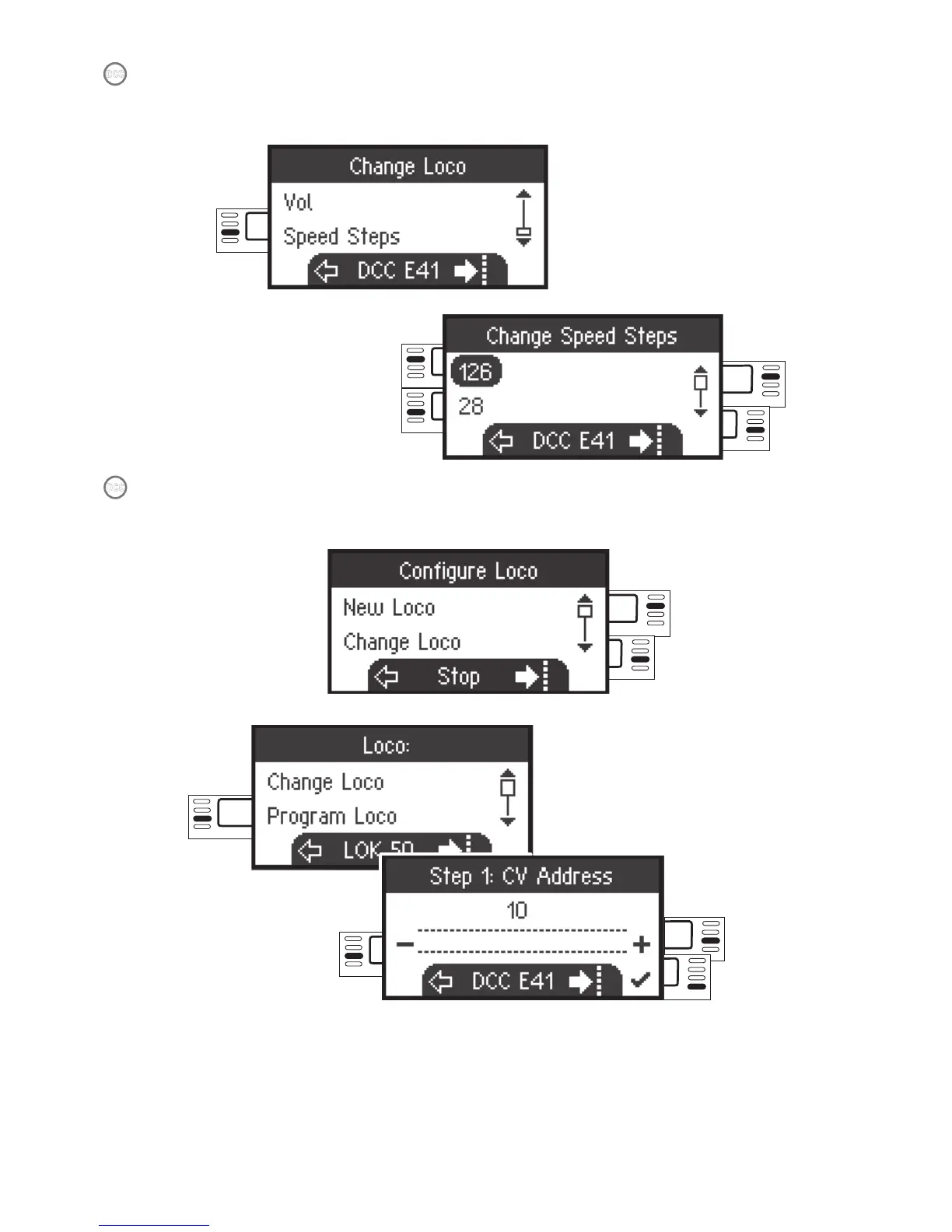
Scroll to
select
Select:
Speed Levels
Select
The following selection is only for locomotives with DCC decoders.
Please check the instructions for your locomotive to see if these settings can be done.
DCC
Scroll to
select
Programming a Locomotive
DCC
Confirm
selection
Select: Program
Locomotive
Select
Select
First, set the CV value to be edited (according to your decoder / locomotive instructions)
and confirm the selection. First, the CV value being sought is read in; after that you can
change the value in Step 2 and confirm. With this procedure you can change any permissi-
ble CV value.


 To Next Page