8
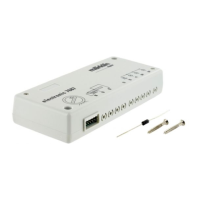
SettingtheaddressandthemodeofoperationwiththeDIPswitches:
• SettingthemodeofoperationwithDIPSwitch10
Switch 10 off = fx (MM) / mfx
Switch 10 on = DCC
• fx(MM)/DCCSettingtheaddresswithDIPswitches(See
table starting on Page 28)
Please note: Always do settings with the DIP switches when
thereisnovoltagepresent.Thesignaldoesnotrecognizethe
currentswitchsettingsuntilthevoltageisturnedon.
Programming with the CS 2 / CS 3
fx (MM)
TheCVprogrammingmustbedoneontheprogrammingtrack.
Only one signal may be connected to the programming track at
a time.
ThefollowingCVscanbechangedinfx(MM):CV39,40,41,and
42.WithCVs41and42thevaluemustbedividedby4infx(MM),
becauseonlythevalues0-80areallowed,forexample:
255/4=64(rounded).
Duringtheprogrammingprocedure,thesignallightwillblink.
During programming with the Central Station, by contrast the
signalisswitched.Aftertheendoftheprogrammingprocedure,
thesignalissetat“Go”.
The procedure for programming with the 6021 Control Unit
canbefoundatwww.maerklin.de->Service->Technische
Informationen.
Please see the operating instructions for the control devices in
questionforprogrammingwithotherdevices.
DCC
CVprogrammingmustbedoneontheprogrammingtrack.Only
one signal may be connected to the programming track at a
time.
The light on the signal will blink as a check during the data
transmission.
Please see the operating instructions for the control devices in
questionforprogrammingwithotherdevices.
Programming with the MS 2
A new locomotive must be set up manually under MM2 or DCC in
ordertoprogramsignalswiththeMobileStation2.
Please note that the signal to be programmed is then also set by
means of the coding switches to MM2 or DCC and to the same
addressasthelocomotive.Thisnewlysetuplocomotiveisonly
requiredfortheprogrammingofsignals.TodothisgointheMS
2menuto„CongureLocomotive“andthento„ProgramCV“.
No other locomotive, signals, or turnout decoders may be
connectedwhiletheCV(s)arebeingprogrammed.
CV for fx (MM) and DCC
Withfx(MM)theaddresscanbesetonlywiththeDIPswitches.
Thevaluesinparenthesesarefactorydefaultsettings.
CV Meaning Values
1 Address 1 - 255 1-255 (1) only DCC
9 Addresses 256 - 2040 0-7 (0) only DCC


 To Next Page