◢MR6100 Serial UHF reader user manual(Ver 1.0)◣
Address:
Floor 3/5, Block D,Changyuan New Material Port, No 2 Central 1st Hi-tech Av., Nanshan Shenzhen, P.
R.C. Post:518057
Phone:0755-2654 6392 FAX:0755-2655 3743
E-mail:technical@marktrace.com Website:www.marktrace.com
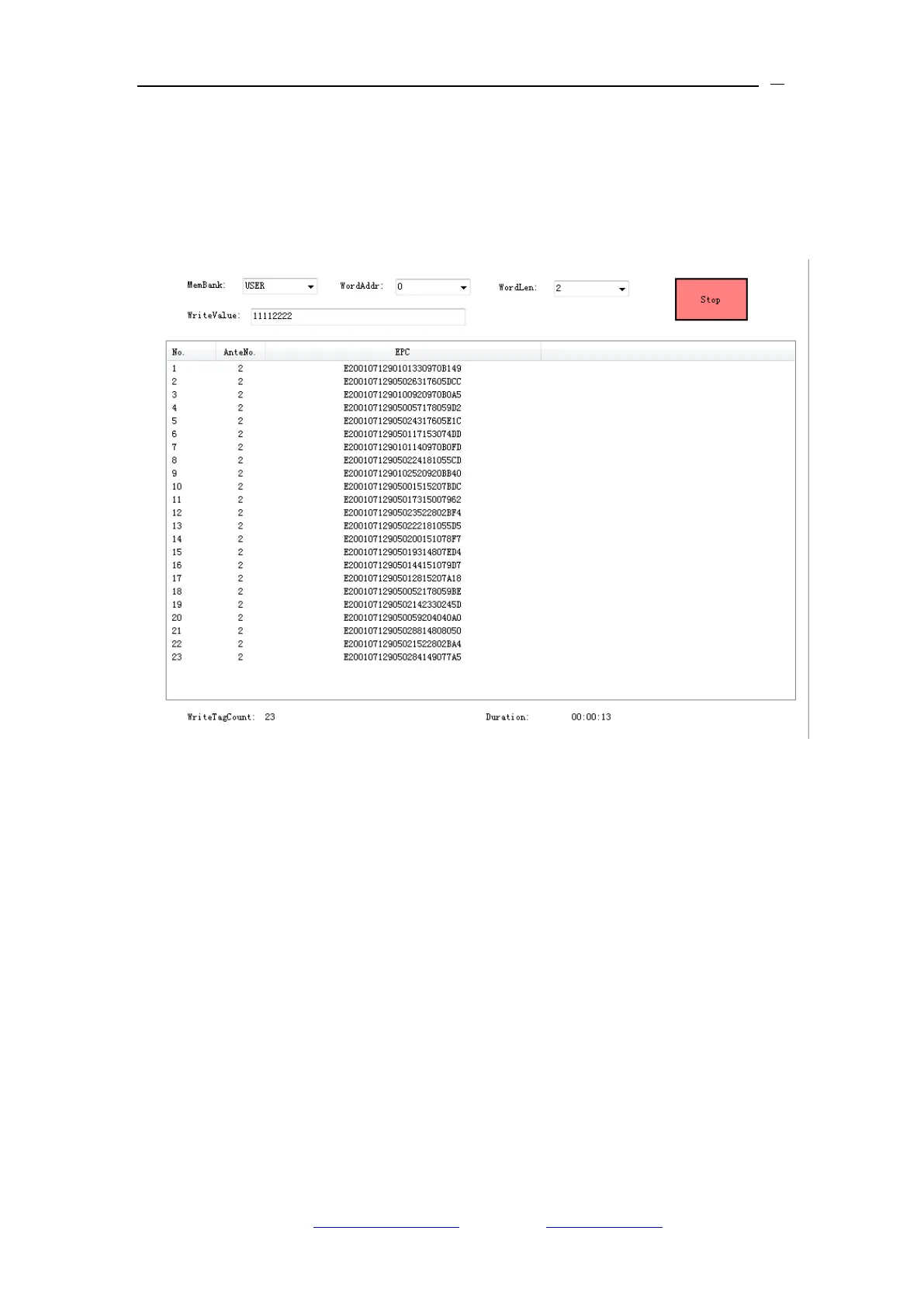
Membank, and USER Membank at the same time. The steps are: 1) select the
encoding Membank, 2) select the tag start encoding address and the encoding
word count (EPC tag‟s unit is word), 3) input the encoding value, then click
„Write‟ ICON to encoding the multi-tag. Take below image for the reference.
4、Click „Stop‟ ICON to stop the Multi-Tag encoding, at the bottom of the demo
software display the Success encoding tag number, and tag encoding duration
time.
5、In accordance with the EPC Protocol, On Multi Tag Read & Multi Tag Write,
EPC Membank‟s Start reading address and Start encoding address is from the
EPC Membank‟s Second word address.
6.1.3 Tag Filter
On Gen2 EPC Single Tag interface‟s Gen2 Select Config menu for the Tag
Filter rule setting. Tag Filter setting rule is based on the EPC Membank, TID
Membank or USER Membank value for the setting condition. In accordance


 To Next Page