52
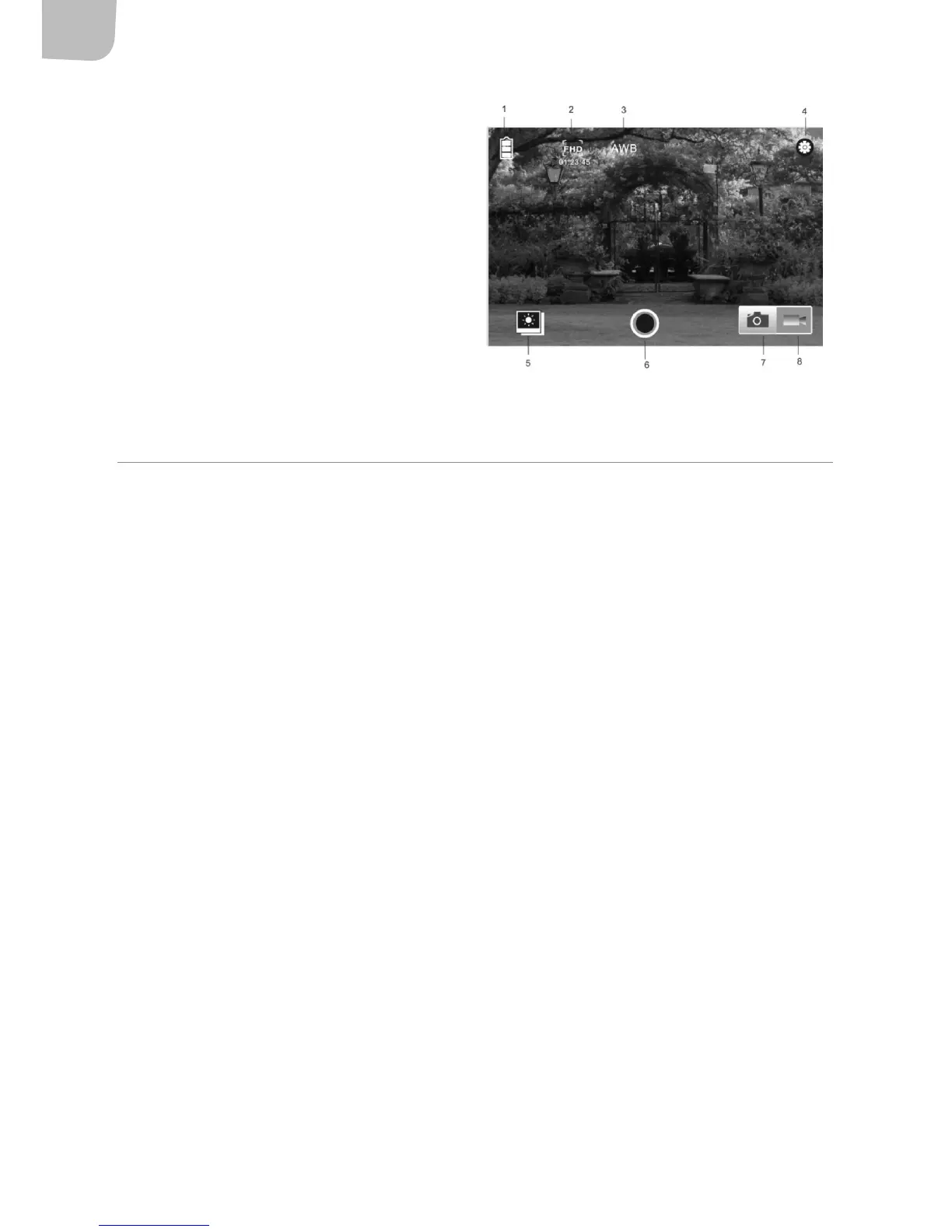
1. Battery indicator
2. Video resolution
3. White balance
4. Settings (opens installation menu)
5. Enable playback mode
6. Shutter button
7. Photographing mode
8. Recording mode
MAINTENANCE
• Store the product in a clean, dry place.
• Protect the lens and display from scratches.
• Clean the lens by blowing o dust and carefully wiping the lens with a cleaning cloth for optical
equipment. Only use detergent intended for cameras. Do not use solvents.
• Do not touch the lens with your ngers.


 To Previous Page