Adjusting the Punch
Depth
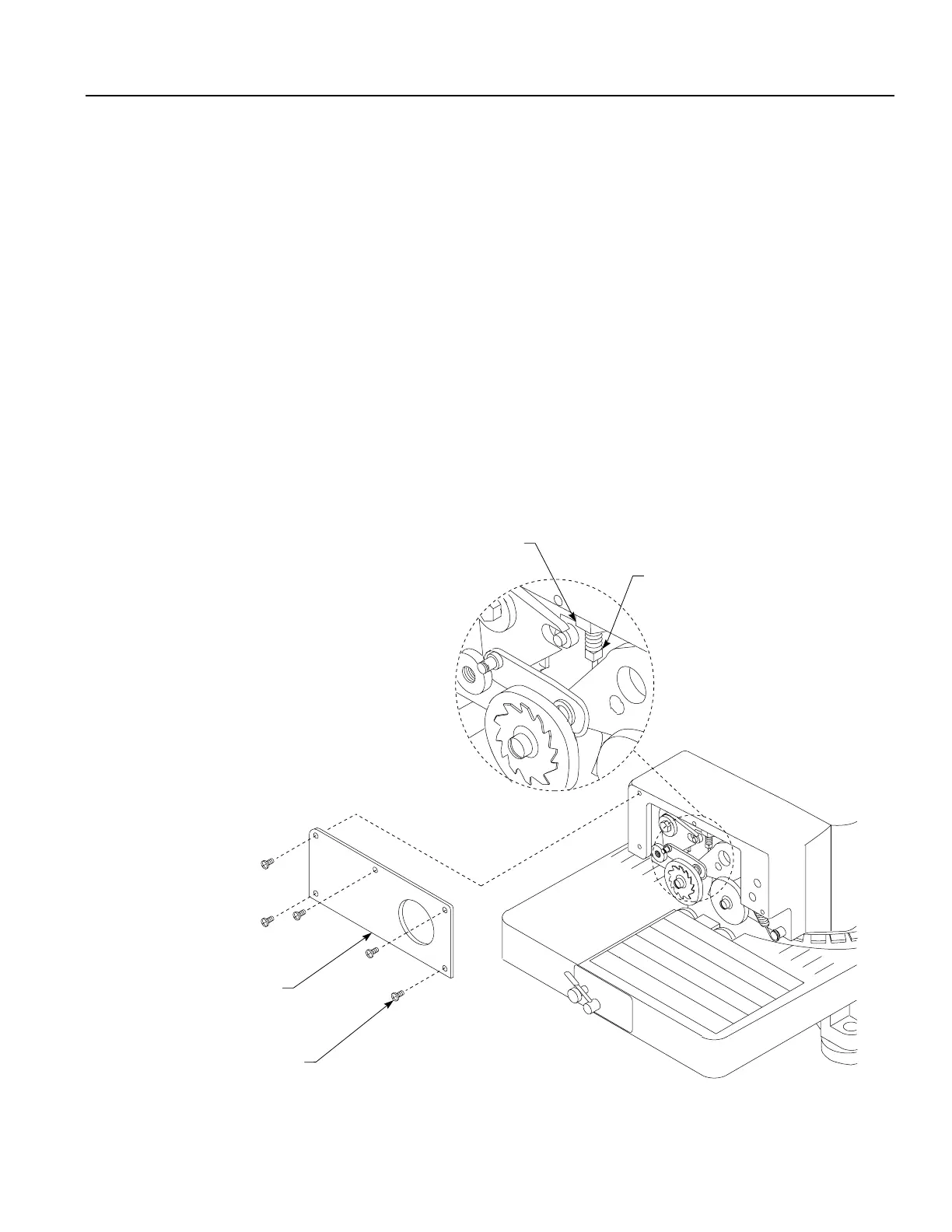
1. Loosen the five screws on the front cover plate.
2. Remove the handle screw and washer and pull the cover plate and handle assembly
away from the machine and place it to the side.
3. Loosen the nut shown in Figure H by turning it clockwise.
4. Adjust the square head screw to the desired position. Only turn the square head
screw 1/4 turn at a time. If you want to apply more punch depth, turn the square
head screw clockwise to move it up. If you want to apply less punch depth, turn the
square head screw counterclockwise to move it down.
5. After the adjustment is made tighten the nut to secure the position of the square
head screw.
6. Replace the cover plate and handle assembly by tightening the five cover plate
screws, the washer and handle screw.
7. Test the setting of the punch depth after each adjustment by cutting a piece of
oilboard.
Figure H
Figura H


 To Next Page