CV605-BK/WH Manual
www.marshall-usa.com12 13
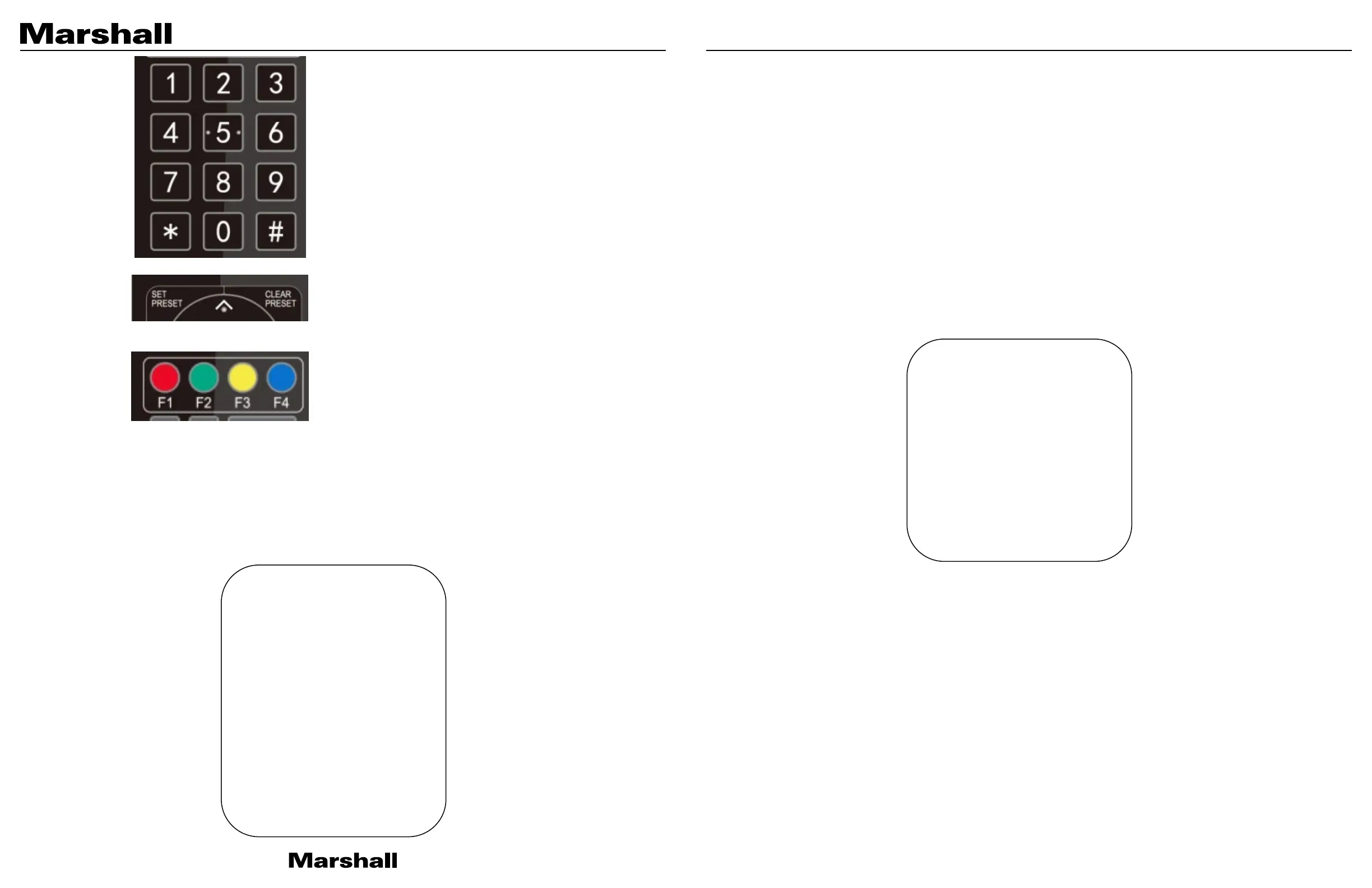
1. Preset setting: to set a preset position, user should press the
“【SET PRESET】” key first and then press the number key 0-9 to
set a relative preset position,
Note: 10 preset positions in total are available on the remote
controller, 255 available from joystick or other command
sources.
2. Preset Running: Press a number key 0-9 directly to move
camera to the saved preset position.
Note: need to save a preset first, for each number to be assigned.
3. Preset clearing: to clear a preset position, the user can press the
“【CLEAR PRESET】” key first and then press the number key 0-9
to clear the relative camera preset position;
Note : press the“【
#】
” key three times to cancel all the presets.
7) Camera Remote Controller Address Setting
【
】
【#】
【
】
【*】+【#】+【F2】:Camera Address No. 2
【*】+【#】+【F3】:Camera Address No. 3
【*】+【#】+【F4】:Camera Address No. 4
3.2 MENU SETTING
3.2.1 Main Menu
In normal working mode, press【MENU】key to display the OSD main menu. Use up/down arrows to select the menu and
press【HOME】to enter the menu.
MENU
=
=
=
=
=
=
=
=
=
=
=
=
=
=
=
(Language) English
(Setup)
(Camera)
(P/T/Z)
(Video Format)
(Network Settings)
(Audio Settings)
(Version)
(Restore Default)
[↑
↓
]Select
[←
→
]Change Value
LANGUAGE: Language setting, English / Chinese
SETUP: System settings
CAMERA: Camera settings
PTZ: Pan tilt zoom settings
Video Format: select video output formats
Network Settings: turn DHCP mode on/off and check camera IP address
Audio Settings: turn audio on/off and adjust the volume
VERSION: display camera firmware version
Restore Default: Reset settings
[↑↓] Select: for selecting menu
[← →] Change Value: for modify parameters
[MENU] Back: Press [MENU] to return
[Home] OK: Press [Home] to confirm
3.2.2 System Setting
Move the pointer to (Setup) in the Main Menu, click the【HOME】key and enter into Setup menu as below.
PROTOCOL: VISCA/Pelco-P/Pelco-D/Auto
Visca Address: 1 ~ 7
PELCO-P Address: 1 ~ 255
PELCO-D Address: 1 ~ 255
Baud rate: 2400/4800/9600/38400/115200
Auto Flip: ON/OFF (When it’s ON, image will automatically flip if camera is mounted upside down)
3.2.3 Camera Setting
Move the pointer to (Camera) in the Main Menu, click the【HOME】key and enter into Camera menu as below.
=
=
=
=
=
=
=
=
=
=
=
=
=
=
=
Protocol Auto
Visca Address 1
PELCO-P Address 1
PELCO-D Address 1
Baudrate
9600
Auto Flip OFF
[↑
↓
]Select
[←
→
]Change Value


 To Next Page