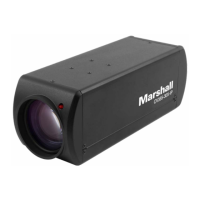
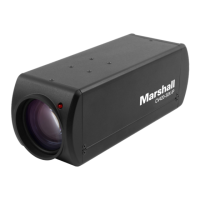
CV605-U3 Manual
www.marshall-usa.com1 2
Table of Contents
GENERAL INFORMATION
1. INSTALLATION
1.1 Camera Layout Explanation
1.2 Power On Initial Configuration
1.3 Video Output
2. PRODUCT OVERVIEW
2.1 Product Introduction
2.1.1 Dimension
2.1.2 Accessory
2.2 Main Features
2.3 Technical Specification
2.4 Interface Instruction
2.4.1 External Interface
3. APPLICATION INSTRUCTION
3.1 Remote Controller
3.1.1 Keys Instruction
3.1.2 Applications
3.2 Menu Setting
3.2.1 Main Menu
3.2.2 System Setting
3.2.3 Camera Setting
3.2.4 P/ T/Z
3.2.5 Network Settings
3.2.6 Audio Settings
3.2.7 Video Format
3.2.8 Version
3.2.9 Restore Default
4. NETWORK CONNECTION
4.1 Connecting Mode
4.2 IE Log In
4.2.1 Web Client
4.2.2 Preview
4.2.4 Configuration
4.2.6 Network Configure
4.2.7 System Configure
4.2.8 Logout
5. SERIAL COMMUNICATION CONTROL
5.1.1 Camera Return Command
5.1.2 Camera Control Command
5.1.3 Inquiry Command
6. CAMERA MAINTENANCE AND TROUBLESHOOTING
6.1 Camera Maintenance
6.2 Troubleshooting
02
03
03
03
03
04
04
04
04
05
06
08
08
09
09
09
10
13
13
14
15
20
21
21
22
22
23
24
24
25
25
25
26
30
32
33
34
34
35
40
42
42
42
1. General Information
This manual details features, functions, installation, operation and recommendation. Please
read this manual completely before installation and use.
Description of use
1. To prevent damage to this camera or other components within the workflow, please use it within its
prescribed purpose and scope of operation.
2. Keep the device away from rain, moisture, or heavy humidity.
3. To prevent electric shock or damage to internal components, do not open the main case; only
qualified technicians should conduct repairs.
4. Do not use the device beyond scope of its temperature, humidity, or power supply specification.
5. When cleaning the camera lens, use a soft dry cloth. If dirt is harder to remove, please use water or
mild soap. Do not use strong or corrosive detergent, it may scratch the lens and/or cause chemical
residue to remain.
Careful handing: Avoid damage from heavy pressure, strong vibration or immersion during
transportation, storage and installation.
Power supply polarity: This product uses DC 12V power supply (higher or lower voltage may cause
damage or camera not to operate properly).
Install with caution
1. Do not carry the camera by the camera head or rotate it with force, otherwise it may cause
mechanical malfunction and damage internal belts and gears.
2. This product should be placed on a stable desktop or other horizontal surfaces. Do not install the
product on anything other than a level position, otherwise it may display inclined or off axis image.
3. This product shell is made of organic materials. Do not expose it to any liquid, gas or solids which
may corrode the shell.
4. During installation, ensure that there are no obstacles within rotation range of the head to limit its
movement (Pan/Tilt).
5. Do not power on before installation is complete, as it may be restricted in movement.
Do not disassemble the product without permission from manufacturer: This product does not
contain any parts of which can be repaired in field or at site. Any damage arising from disassembly
voids the product warranty.
Magnetic field interference: Magnetic field within a specific frequency such as too close to a monitor
or television may affect camera video image; this is a Class A product. Some applications within an
office or household environment may cause radio interference. Make sure there are no other radio
frequencies close by.


 To Next Page