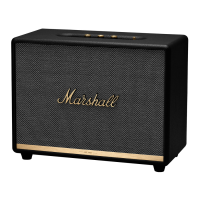
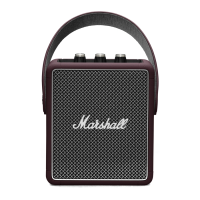
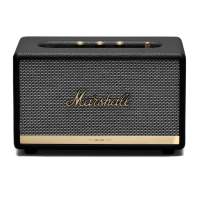
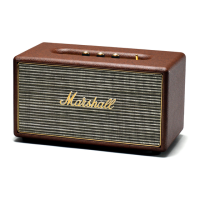
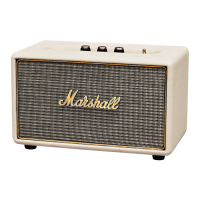
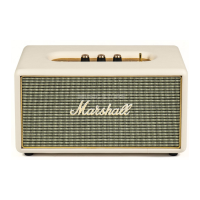
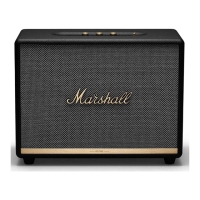
The Marshall Woburn II Bluetooth speaker is a wireless home speaker designed to deliver high-quality audio. It offers multiple connectivity options, including Bluetooth, AUX, and RCA, making it versatile for various audio sources. The speaker features a classic Marshall design with tactile control knobs for adjusting volume, bass, and treble, allowing users to fine-tune their listening experience.
Function Description
The Woburn II functions primarily as an audio playback device, capable of receiving audio signals wirelessly via Bluetooth or through wired connections via its 3.5mm AUX input and RCA inputs. It is designed to produce a rich and powerful sound, suitable for a home environment. The speaker incorporates a play/pause control button, enabling direct management of music playback.
Usage Features
-
Power On/Off: To turn the Woburn II on, pull and hold the power lever towards the front of the speaker until the power-on sound plays and the indicators light up. To turn it off, pull and hold the power lever towards the front until the power-off sound plays and all indicators turn off.
-
Setting Up with Marshall Bluetooth App: For optimal use and to unlock additional features, the Woburn II can be configured using the Marshall Bluetooth app. This app is available for download on both the App Store and Google Play. Users should download the app and follow the in-app instructions for setup.
-
Selecting Audio Source: The Woburn II offers three main audio sources: Bluetooth, AUX (3.5mm stereo jack), and RCA (double RCA left and right jacks). Users can toggle between these sources by pushing the "SOURCE" button on the top panel. A lit indicator will show which source is currently selected. The audio source can also be selected via the Marshall Bluetooth app.
-
Connecting via Bluetooth (Pairing):
- First, select Bluetooth as the input source by pushing the "SOURCE" button.
- Then, push and hold the "SOURCE" button for 2 seconds; the Bluetooth indicator will start blinking.
- Enable Bluetooth on your device (smartphone, tablet, or computer).
- Select "WOBURN II" from the Bluetooth list on your device and accept the pairing request.
- The Bluetooth indicator on the speaker will stop blinking and remain lit once connected.
- The Woburn II can connect to two Bluetooth devices simultaneously. Playing audio from one connected device will make it the active source, pausing any audio previously playing on the second device.
-
Connecting via AUX Input:
- Connect a 3.5mm stereo jack to the input labeled "AUX" on the top of the speaker.
- Connect the other end of the lead to the audio output of your audio source.
- Select "AUX" as the input by pushing the "SOURCE" button.
-
Connecting via RCA Input:
- Connect a lead with RCA jacks to the inputs labeled "RCA" on the back of the speaker.
- Connect the other end of the lead to the output of your audio source.
- Select "RCA" as the input by pushing the "SOURCE" button.
- Note: If connecting a turntable, it must be equipped with a RIAA amplifier or a separate preamplifier.
-
Adjusting Audio (Volume, Bass, Treble): The Woburn II features three dedicated knobs on the top panel for adjusting the audio output:
- Volume Knob: Controls the overall loudness.
- Bass Knob: Adjusts the low-frequency response.
- Treble Knob: Adjusts the high-frequency response.
- Audio adjustments can also be made via the Marshall Bluetooth app.
-
Play/Pause Control: The speaker has a dedicated play/pause button for music control:
- Single-click: Plays or pauses the audio.
- Double-click: Skips forward to the next track.
- Triple-click: Skips back to the previous track.
- Playback can also be controlled from the Marshall Bluetooth app.
-
Couple Speakers (Ambient Mode / Stereo Mode): Two Acton II, Stanmore II, or Woburn II speakers can be coupled to act as one sound system. This feature is managed through the Marshall Bluetooth app.
- Ambient Mode: Both speakers play the same synchronized audio, with each speaker playing both the left and right channels. This mode is suitable when speakers are placed at different heights, directions, or areas within a room.
- Stereo Mode: Two speakers of the same size are coupled as a stereo pair, with one speaker handling the left channel and the other the right. This mode is ideal when speakers are placed at the same height, equal distance, and facing the same direction.
- To couple speakers, open the Marshall Bluetooth app, connect to your speakers, navigate to "COUPLE SPEAKERS," and follow the in-app instructions. Ensure your audio device is connected via Bluetooth to only one speaker when playing on coupled speakers.
-
Standby Mode: If left unused for 20 minutes, the Woburn II automatically enters standby mode to conserve energy, and all indicators turn off. To wake the speaker from standby, interact with any button or knob on the top panel. The speaker can also be woken from the Marshall Bluetooth app.
Maintenance Features
- Troubleshooting: The manual provides a troubleshooting guide for common issues such as the speaker not turning on, no audio or low audio, inability to connect or pair via Bluetooth, Bluetooth connection drops, and crackling or distorted sound. Solutions include checking power connections, selecting the correct audio source, adjusting volume levels, activating Bluetooth on the device, disconnecting other Bluetooth devices, ensuring the speaker is in pairing mode, moving devices closer, and reducing interference from other electronic devices.
- Safety Precautions: The manual emphasizes important safety instructions, such as always ensuring the mains lead, power jack, and speaker are compatible with the mains supply and wall socket. It also advises unplugging the mains lead from the wall socket before disconnecting it from the speaker.
- Software Updates: Users are encouraged to regularly visit the Marshall Headphones website for up-to-date information, which may include software updates that improve performance or add new features.
- Internal Speaker Layout (Non-removable Fret): The manual explicitly states that the front of the speaker is not removable and warns against attempting to remove the fret to avoid damaging the speaker. This indicates that internal components are not user-serviceable.


 To Next Page
 General