EasyManua.ls Logo

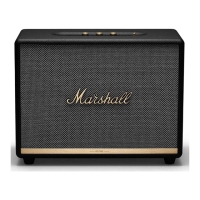
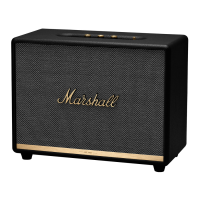
Marshall Amplification WOBURN III - User Manual

Marshall Amplification WOBURN III
314 pages
Print Icon
To Next Page IconTo Next Page
Loading...
WOBURN III – HOME BLUETOOTH
®
SPEAKER
FULL ONLINE MANUAL

Questions and Answers

  • J
    James MoyerJul 29, 2025
    What to do if there is no audio from Marshall Amplification Speakers?
    • J
      Jasmine CummingsJul 29, 2025
      If there is no audio or the audio is too low from your Marshall Amplification Speakers, first, ensure the correct audio source is selected using the source button. Then, confirm that your audio device is properly connected to the speaker. Finally, check the volume levels on both the audio source and the speaker, and slightly increase them if necessary.
  • A
    Audrey WilliamsAug 7, 2025
    Why is the audio distorted on my Marshall Amplification Speakers?
    • J
      James HenryAug 7, 2025
      If the audio from your Marshall Amplification Speakers is distorted, try turning down the playback volume on your audio source. Also, lower the volume, bass, or treble settings directly on the speaker itself.
  • D
    Donna McdonaldAug 19, 2025
    What to do if Marshall Amplification Speakers are not responding?
    • R
      Robert PattersonAug 19, 2025
      If your Marshall Amplification Speakers are not responding, unplug the mains power plug from the wall socket. Wait 15 seconds, then plug it back in.

Summary

Device Layout

3.5 mm Input

Connect an analog audio device with a 3.5 mm stereo jack.

Source Selection

Toggle between Bluetooth, AUX, RCA, and HDMI audio sources using the source button or app.

Audio Controls

Adjust Volume, Bass, and Treble controls for audio output.

Media Control

Control playback (play, pause, skip, rewind) directly from the top panel.

Power Switch

Use the power switch to turn the speaker on or off.

RCA Input (Left and Right)

Plug in an RCA audio device, such as an RIAA turntable.

HDMI ARC Input

Connect an HDMI supported TV for audio input.

Power Input

Connect the mains lead to the wall socket to power the speaker.

Instructions

Getting Started

Connect power, turn on the speaker, and set up using the Marshall Bluetooth app.

Bluetooth Pairing

Select Bluetooth source and hold the source button until the LED pulses red to pair.

Connecting an AUX Device

Connect a 3.5 mm stereo jack to the AUX input for audio.

Connecting an RCA Device

Connect RCA jacks to the RCA input for audio, e.g., from a turntable.

Connecting a TV with HDMI

Plug an HDMI lead into the HDMI ARC port on the speaker and TV for audio.

Network Standby Mode

Speaker enters standby after 10 minutes of inactivity to save energy.

Performing a Factory Reset

Hold the media control for over 10 seconds to reset the speaker to original settings.

Marshall Bluetooth App

Download the app to get the most out of your speaker and keep it updated.

Troubleshooting

Speaker Not Turning On

Ensure the speaker is connected to mains electricity supply and a working wall socket.

Speaker Not Responding

Unplug the power, wait 15 seconds, then plug it back in to resolve potential software issues.

No Audio or Low Audio

Check correct audio source selection and ensure the device is connected and volume is adequate.

Audio Distortion

Adjust volume levels on the source and speaker to prevent distortion from high settings.

Bluetooth Connection Issues

Ensure Bluetooth is enabled, disconnect other devices, or check pairing mode.

Bluetooth Connection Drops (Distance;Obstacles)

Move devices closer or remove obstructions affecting the Bluetooth signal.

Bluetooth Connection Drops (Interference)

Move speaker away from strong electric fields or interfering electronic devices.

Erratic Behaviour

Update firmware via the app or perform a factory reset for software errors.

Marshall Amplification WOBURN III Specifications

General IconGeneral
ModelWOBURN III
Color OptionsBlack, Cream, Brown
Adjustable Bass and Treble ControlsYes
Product TypeWireless Speaker
Drivers2 x 0.75" tweeters
ConnectivityRCA
Bluetooth CodecsSBC
Dimensions (W x H x D)400 x 300 x 200 mm
Cabinet PrincipleBass reflex

Related product manuals