EasyManua.ls Logo

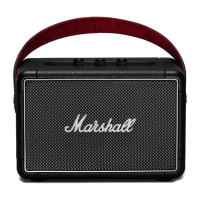
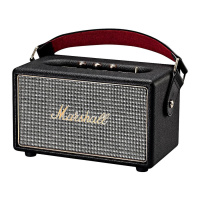
Marshall Amplification KILBURN - User Manual

Marshall Amplification KILBURN
404 pages
Print Icon
To Next Page IconTo Next Page
Loading...
KILBURN - PORTABLE ACTIVE STEREO SPEAKER
USER MANUAL

Table of Contents

Other manuals for Marshall Amplification KILBURN

Questions and Answers

  • B
    benjaminadamsJul 27, 2025
    Why is the sound weak on my Marshall Amplification Speaker System?
    • A
      andrea23Jul 27, 2025
      If the sound from your Marshall Amplification Speaker System is weak or absent, the volume level on the loudspeaker or the music player might be too low. Try turning up the volume on both. Also, consider that the original sound file (mp3) might be of poor quality, try another sound file or music player. Excessive playback volume can also cause this, so try turning down the volume.
  • S
    sethbernardAug 2, 2025
    What to do if sound is distorted on Marshall Amplification Speaker System?
    • L
      Laura BishopAug 2, 2025
      If the sound from your Marshall Amplification Speaker System is distorted, turn down the volume control on the control panel and/or music player. Also, try to reduce the bass boost on the control panel or excessive bass boost/eq on the music player.
  • P
    Pamela JonesAug 9, 2025
    Why is my Marshall Amplification Speaker System Bluetooth connection broken?
    • A
      Austin HutchinsonAug 9, 2025
      A Bluetooth connection with your Marshall Amplification Speaker System can be disrupted if the device moves too far away or if there are obstacles like walls or doors. Ensure that the Kilburn is placed near the Bluetooth device, and unobstructed by obstacles. Also, ensure that there is no electrical interference and that your Bluetooth device is on and working properly.
  • G
    Gary MorenoAug 14, 2025
    Why Kilburn Marshall Amplification Speaker System cannot find a Bluetooth connection?
    • M
      Mackenzie SmithAug 15, 2025
      The Kilburn Marshall Amplification Speaker System might not find a Bluetooth connection if there is a strong electric field nearby, or if the Bluetooth device is off or malfunctioning. Ensure that the Kilburn is placed near the Bluetooth device, and unobstructed by obstacles such as walls or doors. Note that devices like microwave ovens or wireless network adapters can cause interference.
  • M
    Michael HarrisonAug 20, 2025
    What causes sharp crackling on Marshall Amplification Speaker System?
    • H
      Howard LopezAug 20, 2025
      If you are experiencing sharp crackling or clicking sounds on your Marshall Amplification Speaker System, try moving the loudspeaker to another spot, or turn off or move other electronic devices that may be causing interference.

Summary

Important Safety Instructions

Connection Instructions

Instructions for connecting the loudspeaker to power and other devices.

Compliance Marks

Safety Warnings

Warning about not removing covers and referring servicing to qualified personnel.

Kilburn Product Introduction

General Description of Controls

Plugging In the Kilburn Loudspeaker

Turning the Power On and Off

Adjusting the Sound Settings

Charging the Battery

Connecting Your Devices to Kilburn

Connecting via Bluetooth

Connecting Sources by Cable

Replacing the Internal Battery

Technical Specifications

Sound Specifications

Detailed audio specifications of the loudspeaker.

Troubleshooting Common Issues

Troubleshooting Actions

Marshall Amplification KILBURN Specifications

General IconGeneral
BrandMarshall Amplification
ModelKILBURN
CategorySpeakers
LanguageEnglish

Related product manuals