EasyManua.ls Logo

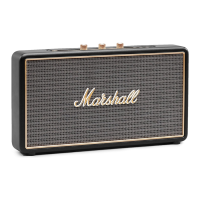
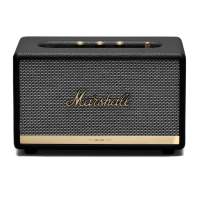
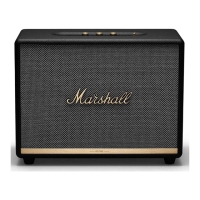
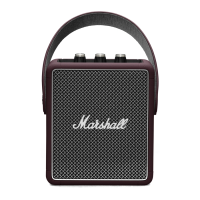
Marshall Amplification STOCKWELL II - User Manual

Marshall Amplification STOCKWELL II
17 pages
Print Icon
To Next Page IconTo Next Page
Loading...
Skip to content
Manuals+
User Manuals Simplified.
Marshall Portable Stereo Loudspeaker User Manual
Home » Marshall » Marshall Portable Stereo Loudspeaker User Manual

Other manuals for Marshall Amplification STOCKWELL II

Questions and Answers

  • J
    John ThompsonJul 27, 2025
    What to do if there is no audio from Marshall Amplification STOCKWELL II Speakers?
    • P
      phaysJul 27, 2025
      If you're not hearing any audio from your Marshall Amplification Speakers, there might be a simple fix. Check that the correct audio source is selected and properly connected to the speaker. Also, make sure the volume isn't set too low on either your audio source or the speaker itself. Try slightly increasing the volume on both to see if that resolves the issue.
  • D
    Donald BrockAug 1, 2025
    Why does the Bluetooth connection keep dropping on my Marshall Amplification Speakers?
    • L
      Lindsey MooreAug 2, 2025
      If your Marshall Amplification Speakers Bluetooth connection keeps dropping, the issue might be related to distance or interference. Try moving your Bluetooth device closer to the speaker, ensuring they're within 10 meters of each other and there are no obstructions like walls or doors in the way. Also, be aware that strong electric fields from microwave ovens, wireless network adapters, fluorescent lights, and gas cookers can cause interference, as they use the same frequency range. Try moving the speaker away from these items.
  • A
    alyssa04Aug 6, 2025
    What to do if the audio is distorted on Marshall Amplification STOCKWELL II Speakers?
    • C
      Cynthia HallAug 6, 2025
      If the audio from your Marshall Amplification Speakers is distorted, there are several things you can check. First, decrease the playback volume on your audio source. If that doesn't help, the audio stream or file itself might be of poor quality, so try using a different file or music player. Also, check the volume level on the speaker and decrease it if it's too high. Lastly, adjust the bass and treble levels on the speaker, decreasing them if necessary.
  • A
    Antonio BishopAug 12, 2025
    What to do if Marshall Amplification Speakers are not responding?
    • G
      gjonesAug 12, 2025
      If your Marshall Amplification Speakers are not responding, it might be due to a software problem. First, turn the speaker off by rotating the volume knob counter-clockwise until you hear a click. Wait for 15 seconds, and then turn the speaker back on. If this doesn't work, you can reset the speaker to its default settings by pushing and holding the Bluetooth button for 6 seconds. Keep in mind that this will erase all Bluetooth pairings.
  • A
    anthonyfisherAug 16, 2025
    Why are my Marshall Amplification Speakers making a crackling sound?
    • C
      christine95Aug 16, 2025
      If you hear a crackling sound from your Marshall Amplification Speakers, it's likely that the amplifier is clipping because it has run out of output power. Try decreasing the volume on your audio source. Additionally, reduce the volume or bass levels directly on the speaker.
  • E
    Erica SwansonAug 22, 2025
    Why are my Marshall Amplification STOCKWELL II Speakers performing erratically?
    • S
      Shannon ChaseAug 22, 2025
      If your Marshall Amplification Speakers are showing erratic performance, it might be due to interference from another electronic device. Try moving the speaker to a different location. You can also try turning off or moving any nearby electronic devices that might be causing interference.

Summary

Attaching the Carry Strap

Charging the Internal Battery

Turning the Stockwell II On;Off

Connection Alternatives

Connecting via Bluetooth (Pairing)

Connecting via AUX Input

Choosing an Audio Source

Adjusting Volume, Bass, and Treble

Charging a Device from the Speaker

Troubleshooting

Speaker Not Turning On

Solutions for when the device fails to power up.

No Audio Output

Troubleshooting steps for when no sound is produced.

Bluetooth Connection Issues

Resolving problems with pairing or connecting via Bluetooth.

Marshall Amplification STOCKWELL II Specifications

General IconGeneral
BrandMarshall
ModelSTOCKWELL II
CategorySpeakers
TypePortable Bluetooth Speaker
Bluetooth Version5.0
Battery Life20+ hours
Water ResistanceIPX4
Frequency Range60 Hz - 20 kHz
Adjustable Bass and Treble ControlsYes
Stereo/MonoStereo
Maximum Sound Pressure Level80 dB
AmplifiersClass D
Battery TypeLithium-ion
Wired Connectivity3.5mm Input
Wireless Range10 m
Inputs3.5 mm
ColorsBlack
Weight1.38 kg
Driver Size2 x 10W Class D amplifiers for the woofer, 2 x 5W Class D amplifiers for the tweeters
Charging Time5 hours to full charge

Related product manuals